
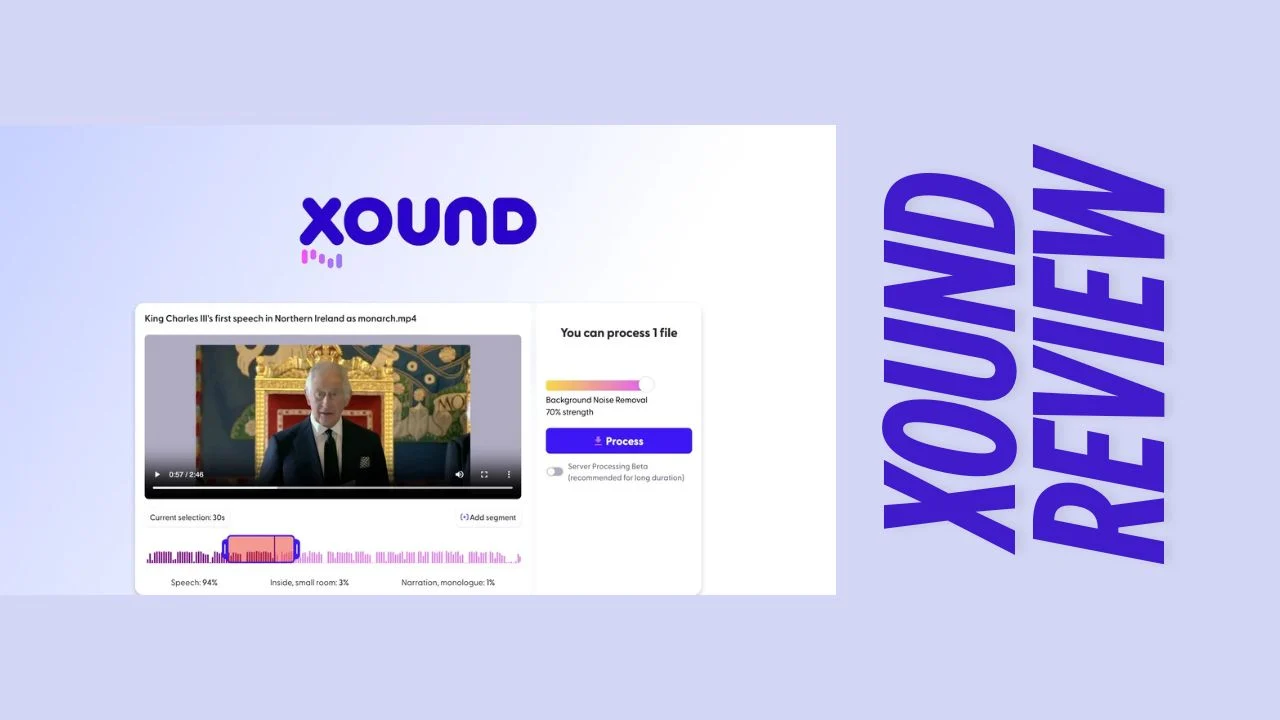
In today’s content-saturated digital landscape, audio quality can make or break your audience’s experience. Whether you’re recording podcasts, creating YouTube videos, or producing TikToks, poor audio quality can undermine even the most compelling content. This comprehensive Xound review explores how this AI-powered audio enhancement tool is changing the game for creators who want professional-sounding audio without expensive equipment or technical expertise.
Introduction
Content creation has never been more accessible, but producing professional-quality audio remains a significant challenge for many creators. Background noise, unclear vocals, and inconsistent sound levels can quickly turn viewers away from otherwise excellent content. Xound addresses these pain points with an innovative AI-powered solution that enhances voice clarity, removes background noise, and delivers crystal-clear audio—all without requiring technical audio editing skills.
Designed specifically for content creators, podcasters, YouTubers, and small business owners who create media content, Xound offers a straightforward approach to audio enhancement that works locally on your device without uploading sensitive files to external servers. This Xound review will help you determine if this tool deserves a place in your content creation toolkit.
Overview of the Product
Xound is a secure AI-powered audio enhancement platform developed by a solo creator who has managed to outperform industry giants like Adobe in terms of audio quality. The platform’s mission is simple yet powerful: to help content creators deliver crystal-clear audio that captivates audiences without requiring expensive equipment or technical audio editing knowledge.
What sets Xound apart is its commitment to privacy and security—all processing happens locally on your device, meaning your audio files never leave your computer. This approach not only protects your content but also enables faster processing times compared to cloud-based alternatives.
Target industries include:
- Content creators (YouTube, TikTok, Instagram)
- Podcasters and audio storytellers
- Small businesses creating marketing videos
- Solopreneurs recording presentations or courses
- Anyone who needs to improve audio quality without specialized equipment
Key Features
Xound packs an impressive array of audio enhancement capabilities into an intuitive interface. Here are the standout features that make this tool worth considering:
Audio Enhancement Capabilities:
- Natural pitch correction – Tunes vocals while maintaining authentic sound
- Background noise removal – Eliminates distracting sounds like traffic, construction, pets, and echo
- Dynamic range compression – Creates consistent volume levels throughout recordings
- High-frequency presence enhancement – Improves voice brightness and clarity
- Advanced audio processing techniques – Utilizes Cepstrum analysis and MFCC for professional results
Workflow & Usability:
- Drag-and-drop interface – Simply upload existing audio or video files
- In-platform recording – Record directly within Xound
- Local processing – All enhancement happens on your device for privacy
- WhatsApp integration – Send media files directly to Xound for editing
- Unlimited file processing – No restrictions on the number of files you can enhance
Content Types Supported:
- Audio files (multiple formats)
- Video files with audio tracks
- Voice recordings
- Podcasts
- Social media content
The platform’s ability to process both audio and video files makes it versatile for various content creation needs, while its local processing approach ensures your data remains secure.
Ease of Use & User Experience
Xound excels in simplicity, making professional audio enhancement accessible to non-technical users. The interface follows a straightforward workflow:
- Upload or record your audio/video file
- The system automatically detects audio quality issues
- Apply enhancements with one click or customize settings
- Download your enhanced file
The platform’s browser-based design means there’s no software to install—simply access Xound through your web browser and start enhancing audio immediately. This approach works well for desktop users, though some reviewers have mentioned they would appreciate a dedicated mobile app for on-the-go editing.
Onboarding is minimal and intuitive, with a clean interface that doesn’t overwhelm users with technical options. Instead, Xound focuses on delivering results quickly, making it ideal for creators who need to improve audio quality without getting bogged down in complex settings.
One particularly noteworthy aspect of the user experience is the local processing capability. Unlike many competitors that require uploading files to cloud servers (raising privacy concerns and creating potential bottlenecks), Xound processes everything on your device. This approach not only protects your content but also enables faster processing for most files.
Pricing Breakdown
Xound offers a tiered pricing structure with lifetime access options, making it an attractive investment for content creators looking for long-term audio enhancement solutions.
License Tier 1: $59
- Unlimited files (audio and video)
- All core audio enhancement features
- Local processing for privacy
- Best for individual creators and small projects
License Tier 2: $169
- All Tier 1 features
- Expanded capabilities (specific limits not detailed in sources)
- Suitable for growing creators with higher volume needs
License Tier 3: $299
- All Tier 2 features
- Maximum capabilities for professional users
- Ideal for businesses and professional content creators
All tiers include lifetime access to the platform and future updates to the Pro Plan. Xound also offers a 60-day money-back guarantee, allowing you to test the platform thoroughly before committing.
This pricing model stands out in the market, where most audio enhancement tools charge monthly or annual subscription fees. The lifetime deal pricing makes Xound an affordable software option for small businesses and solopreneurs who want to control ongoing costs while improving their content quality.
Pros and Cons
| Pros | Cons |
|---|---|
| Exceptional noise removal capabilities | No mobile app currently available |
| Local processing for enhanced privacy and security | Some users report longer processing times for larger files |
| User-friendly interface requiring minimal technical knowledge | Limited comprehensive editing tools beyond audio enhancement |
| One-click audio enhancement for quick results | No way to verify output quality matches specific platform requirements (e.g., Audible) |
| Voice cloning feature for content flexibility | Would benefit from a Windows desktop app according to some users |
| 60-day money-back guarantee | File size limitations on certain tiers |
| Lifetime access with no subscription fees | |
| Works with both audio and video files | |
| No internet uploads required for processing |
Who Should Use It?
Xound is particularly well-suited for:
Content Creators – YouTubers, TikTokers, and social media content creators who often record in less-than-ideal acoustic environments will benefit from Xound’s ability to remove background noise and enhance vocal clarity.
Podcasters – The platform’s voice enhancement and background noise removal make it perfect for podcast production, especially for creators who don’t record in professional studios.
Small Business Owners – Companies creating marketing videos, tutorials, or presentations can use Xound to ensure professional audio quality without investing in expensive equipment or studio time.
Solopreneurs – Course creators, coaches, and consultants who need to produce professional-sounding content on a budget will find Xound’s straightforward approach valuable.
Mobile Content Creators – Those who record spontaneously or on-location can use Xound to clean up audio recorded in noisy environments.
The ideal Xound user values audio quality but lacks either the technical expertise for complex audio editing or the budget for professional recording equipment. It’s one of the best tools for small business owners who need to create professional-sounding content without specialized audio knowledge.
Comparison With Competitors
| Feature | Xound | Adobe Podcast | Krisp |
|---|---|---|---|
| Processing Location | Local (on device) | Cloud-based | Local application |
| Privacy | High (no uploads) | Moderate (requires uploads) | High (local processing) |
| Pricing Model | One-time payment | Subscription | Subscription |
| Voice Cloning | Yes | Limited | No |
| Background Noise Removal | Excellent | Very Good | Excellent |
| Voice Enhancement | Comprehensive | Good | Limited |
| Video Support | Yes | Limited | No |
| Mobile App | No | Yes | Yes |
| Free Trial | 60-day money-back | Limited free tier | Limited free tier |
Xound differentiates itself with local processing and a one-time payment model, while competitors typically require cloud uploads and ongoing subscriptions. For users prioritizing privacy and long-term value, Xound offers significant advantages over alternatives like Adobe Podcast and Krisp.
User Feedback Summary
The overall sentiment from Xound users is overwhelmingly positive, with the platform maintaining a 4.7/5 rating based on numerous reviews. Users consistently praise several aspects:
Most Appreciated Features:
- The exceptional noise removal capabilities, with many users reporting “miraculous” results even in challenging environments like construction zones
- The simplicity of the interface and one-click enhancement process
- The privacy-focused approach with local processing
- The voice cloning feature that allows content creators to change or enhance their vocal delivery
Common Criticisms:
- Some users mention longer processing times for larger files
- A few reviewers wish for a mobile app or desktop application
- Limited comprehensive editing tools beyond audio enhancement
One particularly telling review comes from a user who tested Xound in an area with ongoing construction work. They reported that the processed audio sounded “as if I had recorded in the serene quiet of a library” despite the noisy environment.
Professional developers have also weighed in, with one noting that seeing “a solo developer surpass industry giants like Adobe Podcast in terms of audio quality is truly remarkable,” especially considering the local processing approach.
Final Verdict
After thoroughly examining Xound’s capabilities, pricing, and user feedback, this Xound review concludes that the platform delivers exceptional value for content creators, small businesses, and solopreneurs who need professional-quality audio without technical expertise or expensive equipment.
The platform’s strengths lie in its powerful noise removal, voice enhancement, and privacy-focused approach. The lifetime deal pricing model makes it an attractive investment compared to subscription-based alternatives, especially with the 60-day money-back guarantee that allows users to test it thoroughly.
While Xound isn’t perfect—lacking a mobile app and comprehensive editing features beyond audio enhancement—it excels at its core purpose: making your audio sound professional with minimal effort. For most content creators, these limitations are far outweighed by the platform’s strengths.
Xound represents one of the most accessible and effective productivity tools for entrepreneurs who create audio or video content. Its combination of powerful AI technology, user-friendly interface, and privacy-focused approach makes it a standout option in the crowded audio enhancement market.
If clear, professional-sounding audio is important to your content strategy but you lack the technical skills or equipment to achieve it consistently, Xound is well worth the investment. The platform’s ability to transform poor-quality recordings into crystal-clear audio can significantly enhance audience engagement and perception of your content’s professionalism.




