
Introduction
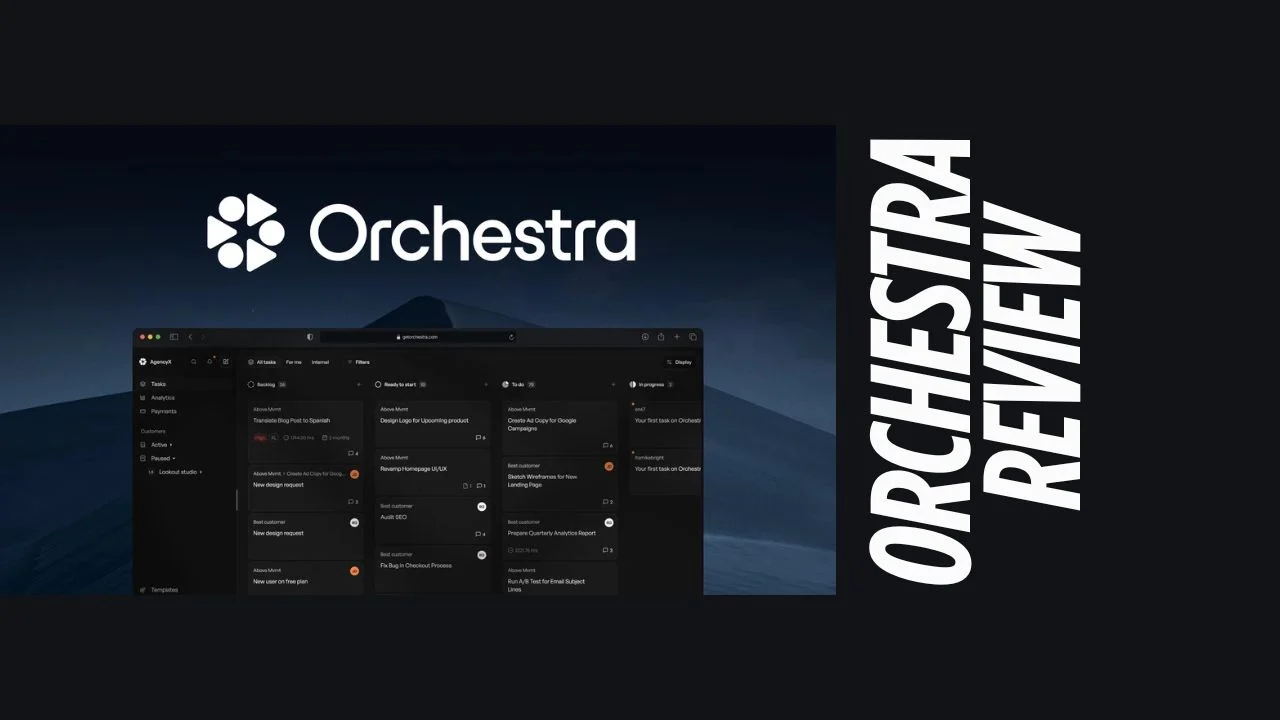
If you’re a startup founder, marketer, small business owner, or solopreneur, you know the pain of juggling endless tasks, workflows, and team communications. Manual processes, scattered tools, and clunky spreadsheets can slow you down and make scaling a nightmare. Enter Orchestra-a modern business process management (BPM) and workflow automation platform designed to streamline operations, boost productivity, and help lean teams do more with less. In this Orchestra review, we’ll explore how this platform stacks up as an affordable software solution for ambitious entrepreneurs and growing businesses.
Overview of the Product
Orchestra was built with a clear mission: to empower organizations to innovate, collaborate, and automate their business processes with ease. The platform has evolved to serve a wide range of industries, but its sweet spot is helping startups and SMBs move away from manual, error-prone workflows to a unified, cloud-based solution.
Orchestra’s target audience includes:
- Startups and scale-ups needing to automate repetitive tasks
- Marketers and operations managers looking for workflow visibility
- Small business owners seeking affordable software to manage processes
- Solopreneurs wanting to centralize operations without hiring IT staff
Whether you’re managing a team of five or fifty, Orchestra’s flexible approach makes it one of the best tools for small business workflow automation.
Key Features
Orchestra packs a punch with a robust set of features tailored for productivity, collaboration, and process optimization. Here’s what stands out:
- Process Modeling: Visual drag-and-drop builder for mapping out business processes.
- Workflow Automation: Automate repetitive tasks and approvals, reducing manual work.
- Task Management: Assign, track, and prioritize tasks across teams.
- Document Management: Store, share, and version-control documents securely.
- Form Builder: Create custom forms to capture and route data.
- Integration Capabilities: Connect with popular tools and systems via API.
- Analytics & Reporting: Real-time dashboards and performance metrics.
- User Management: Role-based access control for security and compliance.
- Collaboration Tools: Built-in chat, notifications, and shared workspaces.
- Mobile Access: Manage workflows on the go with responsive mobile support.
- Notifications & Alerts: Stay updated with automated reminders and alerts.
- Process Simulation: Test and optimize workflows before deploying.
- Version Control & Audit Trail: Track changes and ensure regulatory compliance.
- Customizable Dashboards: Tailor your workspace to your team’s needs.
- Performance Monitoring: Identify bottlenecks and optimize processes.
- Compliance Management: Tools to help meet industry standards and regulations.
These Orchestra features make it a comprehensive productivity tool for entrepreneurs who want to automate, monitor, and improve their business operations.
Ease of Use & User Experience
Orchestra is designed with usability in mind. The dashboard is clean, intuitive, and easy to navigate-even for non-technical users. Setting up new workflows is straightforward thanks to the drag-and-drop interface and pre-built templates. Onboarding is quick, with helpful guides and responsive customer support to walk you through the initial setup.
The platform offers both desktop and mobile access, ensuring you can manage your business processes from anywhere. Users consistently praise the fluid UI, fast setup (often under 10 minutes for a new pipeline), and the ability to get up and running without a steep learning curve.
Pricing Breakdown
One of Orchestra’s biggest selling points is its transparent and flexible pricing model-making it an attractive choice for startups and small businesses seeking affordable software.
Pricing Tiers:
| Plan | Price | Best For | Key Features |
|---|---|---|---|
| Lean | Free Forever | Individuals, small projects | Core BPM features, limited pipelines/tasks |
| Scale-Up | From $0.20/daily task | Growing teams, SMBs | More pipelines/tasks, advanced automation |
| Enterprise | Custom Quote | Large organizations, complex needs | Unlimited pipelines, premium support |
- Free Trial: Yes, Orchestra offers a generous free tier so you can test the platform risk-free.
- Lifetime Deal: Some plans may offer a one-time payment or discounted lifetime access during promotional periods, making it even more appealing for budget-conscious users.
- Refund Policy: Details vary by region and plan; check with support for specifics.
- One-Time Payment Option: Available for select plans and during special promotions.
Orchestra pricing is fixed and predictable, avoiding the “compute-driven” pricing that penalizes growth. This ensures you can scale your operations without worrying about unexpected costs.
Pros and Cons
| Pros | Cons |
|---|---|
| Intuitive drag-and-drop interface | Some advanced features still maturing |
| Fast setup and onboarding | Occasional overlap with other governance tools |
| Affordable, predictable pricing | Reporting/exporting to Excel can be basic |
| Robust automation and integration capabilities | UI changes rapidly as new features roll out |
| Excellent customer support | May require reminders to keep data updated |
| Flexible for teams of all sizes | Integration with some external tools still manual |
| Real-time analytics and monitoring | Some features best suited for larger businesses |
Who Should Use It?
Orchestra is ideal for:
- Startups and founders: Automate operations and scale without hiring a big IT team.
- Marketers: Streamline campaigns, approvals, and team collaboration.
- Consultants and solopreneurs: Manage projects, clients, and documentation in one place.
- Small business owners: Replace spreadsheets and manual processes with a unified platform.
- Operations managers: Gain visibility and control over workflows and compliance.
If you’re looking for productivity tools for entrepreneurs that are easy to use, affordable, and powerful enough to grow with your business, Orchestra is a strong contender.
Comparison With Competitors
| Feature/Aspect | Orchestra | monday.com | Asana |
|---|---|---|---|
| Process Modeling | Yes (drag-and-drop) | Yes (custom workflows) | Limited (task-based) |
| Workflow Automation | Advanced | Advanced | Moderate |
| Task Management | Robust | Robust | Robust |
| Document Management | Yes | Limited | Limited |
| Integration | API, popular tools | Extensive | Extensive |
| Pricing | Affordable/free tier | Starts at $9/user/month | Starts at $10.99/user/mo |
| User Experience | Intuitive, fast setup | Highly customizable | Simple, user-friendly |
| Best For | Startups, SMBs | Teams, marketing, dev | Project/task management |
Orchestra alternatives like monday.com and Asana are popular, but Orchestra stands out for its BPM focus, affordable pricing, and ease of use for small teams and solopreneurs714.
User Feedback Summary
User sentiment for Orchestra is overwhelmingly positive across platforms like G2, Capterra, and SoftwareSuggest:
- Ease of Use: Users love the intuitive interface and fast setup, often highlighting how it saves hours compared to manual processes.
- Support: The customer support team receives frequent praise for responsiveness and helpfulness.
- Value: Many reviewers cite Orchestra as a “great value for money” and a “favorite business tool.”
- Feature Growth: Users appreciate the rapid rollout of new features, though some note the UI can change quickly as a result.
- Minor Gripes: Some users mention basic reporting/export features and occasional overlap with other tools, but these are generally minor concerns.
Overall, Orchestra is seen as a reliable, affordable software solution that delivers on its promises.
Final Verdict Of Orchestra Review
Orchestra is a standout BPM and workflow automation tool for startups, marketers, small business owners, and solopreneurs. Its intuitive design, robust automation features, and affordable pricing make it one of the best tools for small business process management. The platform combines the power of enterprise-grade workflow automation with the simplicity and flexibility that lean teams need.
If you’re tired of cobbling together spreadsheets, email chains, and disconnected tools, Orchestra offers a unified solution that can save you time, reduce errors, and help you scale confidently. Its generous free tier and flexible pricing mean you can start small and grow without fear of runaway costs.
Bottom line: If you’re looking for productivity tools for entrepreneurs that are easy to implement, packed with value, and designed for modern teams, Orchestra is well worth a try. It’s especially recommended for those seeking an Orchestra lifetime deal or affordable software to streamline their operations.
Orchestra review: A modern, affordable BPM and workflow automation platform that empowers startups and small businesses to streamline operations, boost productivity, and scale with confidence.




