
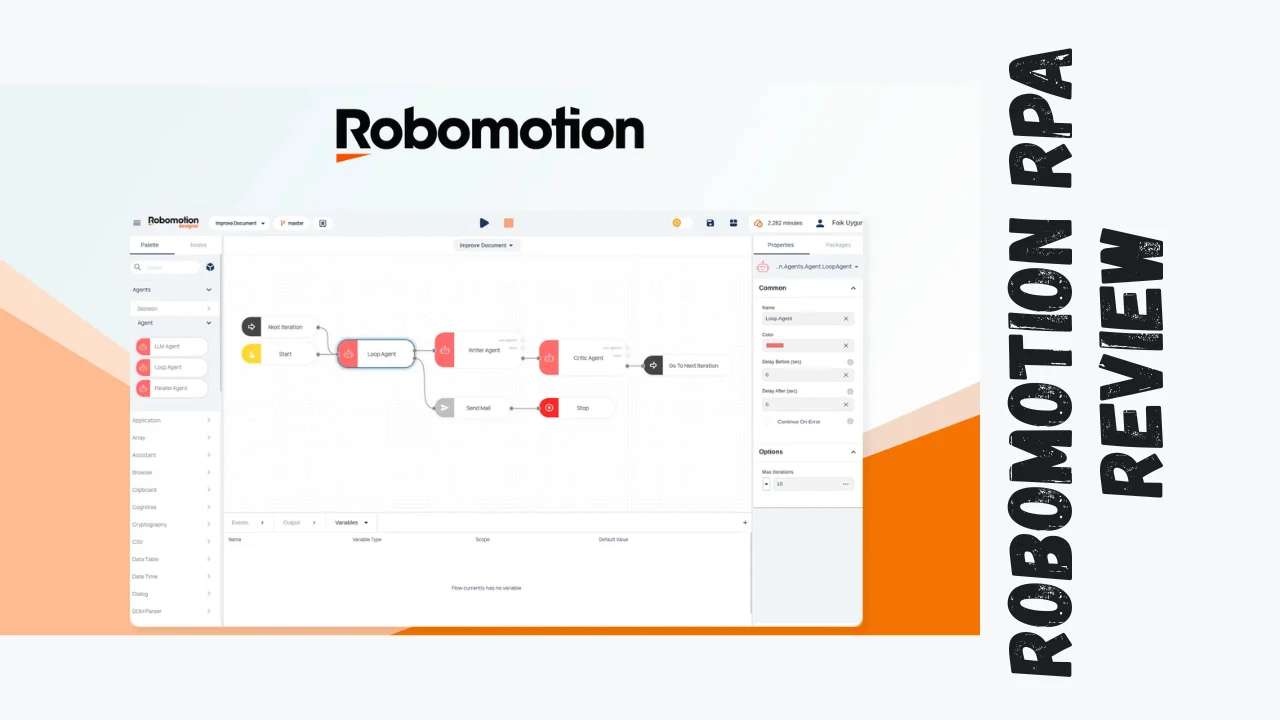
Robomotion RPA is a powerful robotic process automation tool designed to automate repetitive, data-intensive tasks on web and desktop applications. This Robomotion RPA review explores how this software can transform business operations by saving time and reducing manual labor. It is especially valuable for startups, marketers, small business owners, and solopreneurs looking for affordable software that boosts productivity.
Built to be easy to use yet flexible, Robomotion enables users to build sophisticated automation workflows without requiring extensive programming skills. Whether you want to automate data entry, email processing, report generation, or more complex workflows, Robomotion equips you to handle these efficiently.
Overview of Robomotion RPA
Robomotion was launched with the goal of democratizing access to automation with a user-friendly platform that works across Mac, Linux, and Windows. Its mission is to help businesses streamline operations by robotizing tedious tasks typically done manually on desktop or web interfaces, including those without APIs.
The product mainly targets small and medium businesses, startups, marketing teams, and consultants who seek an affordable, scalable automation solution that is both powerful and accessible. By leveraging AI-powered bots, Robomotion empowers entrepreneurs and teams to focus on strategic work instead of repetitive chores.
Key Features of Robomotion RPA
Robomotion offers a rich set of features enabling comprehensive automation:
- Visual Flow Designer with drag-and-drop interface
- Cross-Platform Robots for Mac, Linux, and Windows
- Bot Scheduling & Execution including unattended runs
- Flow Management with cloning and modifications
- AI Integration including AI agent and chat assistant
- Audit & Job Logs for troubleshooting and transparency
- Bot Collaboration allowing multiple users and bots
- OCR, Machine Learning & NLP for advanced data handling
- Application Robots for interaction with desktop/web apps
- Cloud Execution Hours for scalable automation
These features make Robomotion suitable for automating complex workflows involving multiple applications and large datasets.
Ease of Use & User Experience
Robomotion’s interface is designed with usability in mind. The dashboard is clean, and getting started involves simple setup steps guided by helpful prompts. Users appreciate the minimal learning curve thanks to the visual flow editor and pre-built templates.
Desktop and web interfaces are both responsive and intuitive. Scheduling and managing bots is straightforward. New users can quickly build initial automations with visual feedback and extensive community support. Regular updates and a proactive support team further enhance user satisfaction.
Pricing Breakdown
| Plan | Price (One-Time Payment) | Key Features | Value Proposition |
|---|---|---|---|
| Tier 1 | $109 | 2 users, 2 production bots, 5 app bots, 25 flows, 30-min scheduling, AI assistant | Great entry-level for startups and small businesses |
| Tier 4 | $549 | 10 users, 10 production bots, 400 flows, 5-min scheduling, queues | Balances capability and cost for growing teams |
| Tier 5 | $999 | 15 users, 15 production bots, 8 app bots, 800 flows, 5-min scheduling, 12 cloud hours | Large teams needing robust capacity |
| Tier 6 | $1,499 | Unlimited users, 20 production bots, 10 app bots, unlimited flows, 1-min scheduling, 36 cloud hours | Enterprise-grade automation with top-tier support |
Robomotion offers a 60-day refundable money-back guarantee, and lifetime deals provide a compelling alternative to monthly subscriptions which start at about $99 per robot per month.
Pros and Cons of Robomotion RPA
| Pros | Cons |
|---|---|
| Supports Mac, Linux, and Windows platforms | Steeper learning curve for advanced automation |
| Affordable lifetime pricing options | Cloud execution hours can become costly |
| Advanced AI-powered features (OCR, NLP, ML) | Some features best suited for technical users |
| Multiple users and bot collaboration | Limited mobile interface |
| Strong community support and continuous updates |
Who Should Use Robomotion RPA?
Robomotion is ideal for:
- Startups automating repetitive processes
- Marketers automating campaign reporting
- Small business owners scaling operations
- Freelancers and consultants automating client workflows
- Entrepreneurs seeking affordable productivity software
Its flexibility and visual interface also appeal to technically inclined solopreneurs looking to build custom automations.
Comparison with Competitors
| Feature | Robomotion RPA | UiPath | Automation Anywhere |
|---|---|---|---|
| Platform Support | Mac, Linux, Windows | Windows-centric | Windows-centric |
| Pricing | Lifetime deals, starting ~$109 one-time | Subscription-based, expensive | Enterprise pricing |
| AI Capabilities | OCR, NLP, Machine Learning | Advanced AI Integration | AI and cognitive automation |
| Ease of Use | Visual editor, beginner-friendly | Complex for beginners | Enterprise focus, less intuitive |
| Collaboration | Supports multiple users and bots | Enterprise features | Enterprise focused |
Robomotion offers excellent value for small to medium-sized teams needing cross-platform support and advanced AI within a budget.
User Feedback Summary
Users praise Robomotion for quickly automating tedious tasks and appreciate the visual design tools, active community, and responsive support. Some mention a learning curve but acknowledge its powerful capabilities once mastered. The tool is considered cost-effective and reliable.
Final Verdict
Robomotion RPA is one of the best tools for small business automation, offering a balance of affordability, features, and usability. Its lifetime deals and cross-platform support make it accessible for startups and solopreneurs aiming to boost productivity without recurring high costs.
If your business requires automation of complex or repetitive desktop and web tasks, Robomotion provides a user-friendly yet powerful solution worth considering.




