
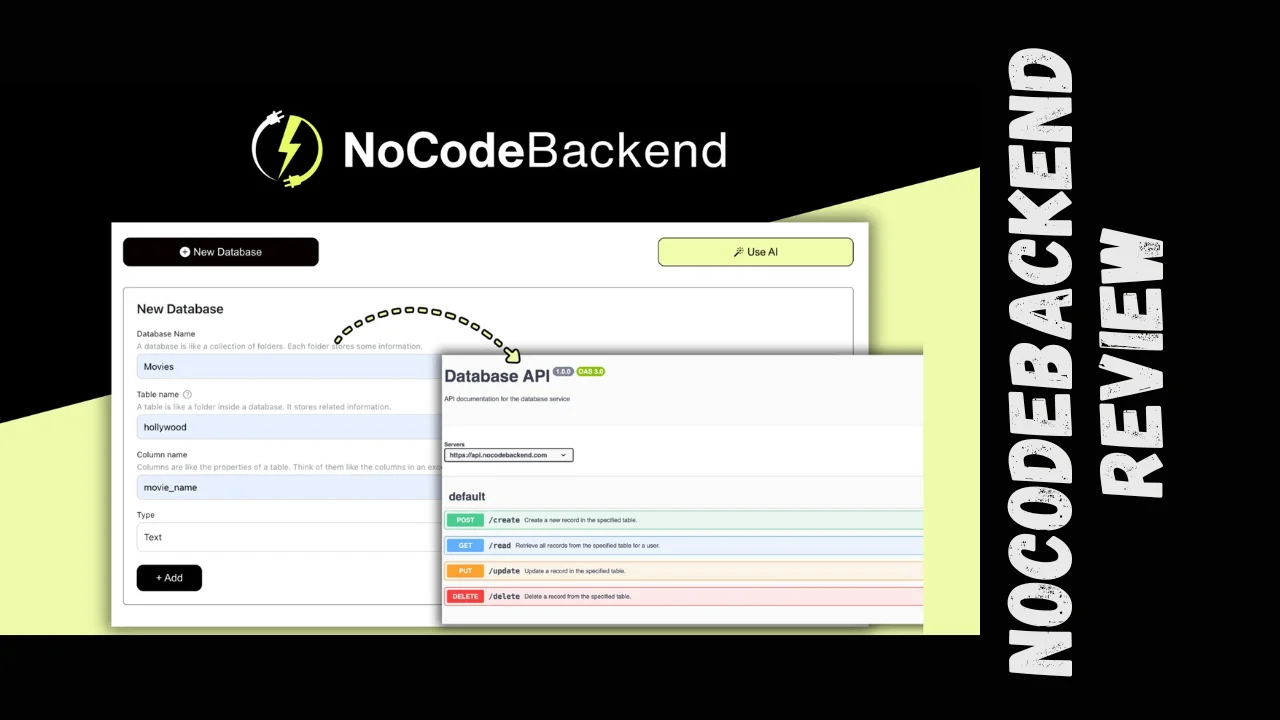
Backend development is usually the part that slows projects down: database schema, security, documentation, and integrations can eat weeks of work. NoCodeBackend gives you a way to skip that pain by turning your data model into a production-ready REST API in minutes, with AI helping you design and maintain it. If you are a startup founder, small business owner, marketer, or solopreneur looking for affordable software that lets you ship MVPs and internal tools quickly, this platform is designed with you in mind. This NoCodeBackend review focuses on the practical question: does it really make backend work simple enough for non-developers while still being robust for real products?
Introduction
NoCodeBackend is a no-code backend platform that lets you design a database, auto-generate APIs, and ship apps without hiring a backend developer. It is aimed at founders, marketers, agencies, and solo builders who want a reliable backend without wrestling with servers, authentication, and documentation. This NoCodeBackend review looks at its features, pricing, usability, and real user feedback so you can decide if it fits your stack as a lean business or startup.
Overview of the Product
NoCodeBackend positions itself as a no-code API builder that handles the “boring but critical” backend layer: database, endpoints, and documentation. Its mission is to let non-technical users and small teams create scalable backends without having to learn frameworks or manage infrastructure. In practical terms, you define your data structure through a visual interface, and the platform generates secure endpoints and API docs automatically.
The tool is clearly aimed at:
- Early-stage startups that need to validate ideas quickly
- Freelancers and agencies who build client projects on short timelines
- Non-technical founders, marketers, and operations teams building internal tools
These kinds of users often search for the best tools for small business that combine speed, low cost, and enough power to grow, which is exactly the gap NoCodeBackend tries to fill.
Key Features
At its core, NoCodeBackend is about turning a visual database into usable APIs with as little friction as possible. The feature set is surprisingly robust for a no-code backend and covers most things an MVP or small production app needs. Here are the standout capabilities:
- Visual database designer – Create tables, fields, and relationships through an intuitive UI instead of writing SQL
- Automatic API generation – Once your schema is ready, the platform generates REST endpoints for CRUD operations without any code
- AI-assisted schema and API setup – AI helps propose structures, handle routine setup, and speed up configuration, which reduces rookie mistakes
- Swagger/OpenAPI documentation – Every endpoint comes with automatically generated Swagger docs, making it easy for teammates or external devs to integrate
- Secure access and permissions – The system focuses on secure endpoints and controlled access so you can expose APIs publicly or internally without exposing your whole database
- Scalable infrastructure – It is built to handle growth in data and traffic, so you can start with an MVP and keep scaling instead of rebuilding the backend later
- Real-time updates – Schema changes can propagate to APIs in real time, which is handy when iterating quickly on product requirements
- Good documentation and tutorials – Users highlight that the guides and walkthroughs make it easier for non-developers to grasp the flow from data model to live API
Overall, NoCodeBackend features cover the main backend needs for web apps, mobile apps, and internal dashboards, while staying approachable for people who are not full-time engineers.
Ease of Use & User Experience
User feedback consistently praises how fast it is to go from “blank project” to a working backend. The dashboard uses a clean layout focused on databases and endpoints, so you are not lost in dozens of menus. The onboarding combines tutorial videos and in-app guidance, which helps both technical and non-technical users get the first API running quickly.
People who describe themselves as designers or entrepreneurs mention that they were able to set up a database and start using APIs without prior backend experience. The interface feels straightforward: you define tables, fields, and relationships, and the platform shows you what endpoints get created. Because the documentation is generated automatically, even teams with limited technical background can hand off the API to a front-end developer or a nocode front-end tool.
While there is less public detail about mobile-specific apps or native clients, the REST APIs are standard, so they work with any mobile or web front end that can call HTTP endpoints. A few users mention occasional lag and a need for more documentation in some areas, but overall sentiment is that the UX is modern, fast to learn, and “good enough” for production use.
Pricing Breakdown and Lifetime Deal
NoCodeBackend is especially attractive because it is available as a one-time, lifetime access deal with multiple tiers instead of a pure monthly subscription. That makes it stand out among productivity tools for entrepreneurs who hate ongoing SaaS overhead. The core deal gives lifetime access to the platform’s Standard Plan, with the ability to choose between three license tiers depending on your project volume and team needs.
Key commercial points:
- One-time payment for lifetime access (no code stacking; just choose the tier you want)
- Three license tiers, each increasing limits and value
- 60-day money-back guarantee, which functions like an extended trial period
- Lifetime access includes all future updates to the Standard Plan
Below is a simplified table mirroring the kind of structure you see on typical lifetime offer landing pages, adapted for clarity:
NoCodeBackend pricing and lifetime tiers
| Tier | Intended user type | One-time payment | Core inclusions | Value notes |
|---|---|---|---|---|
| Tier 1 | Solo developers & very small projects | Low-entry one-time fee for lifetime access to Standard Plan | Lifetime access for a single user with limits suited to personal or small client projects | Good starting point if you just need one backend for an MVP or side project |
| Tier 2 | Growing startups & agencies | Mid-level one-time payment with higher limits | Lifetime Standard Plan access with increased usage (more projects, data, or requests) and flexibility for multiple apps | Strong balance of cost and scalability; likely the sweet spot for small teams |
| Tier 3 | Power users & small agencies with multiple clients | Higher one-time fee with the most generous limits | Lifetime access, maximum usage caps, and flexibility for handling many projects or heavier traffic | Best choice if you plan to build and maintain multiple backends for clients over the long term |
While exact numerical limits can change as the team updates the product, the structure is clearly built to make the entry tier accessible and the top tier attractive for agencies. For many founders, this effectively functions as a NoCodeBackend lifetime deal because one purchase covers long-term use without additional subscription fees.
There is also a generous 60-day refund window, which is helpful if you want to test the tool deeply with real projects before committing. In practice, the combination of one-time payment, lifetime access, and refund protection makes it a compelling option among affordable software tools for bootstrapped teams.
Pros and Cons
Every platform has trade-offs, and it is better to see them upfront. From user reviews and the public information, NoCodeBackend comes across as strong on speed and usability, with some room to grow in advanced documentation and ecosystem maturity.
Strengths and weaknesses
| Aspect | Pros | Cons |
|---|---|---|
| Ease of use | Very intuitive UI, suitable for non-developers and designers | Some learning curve if you have never worked with databases or APIs before |
| Speed | Fast to set up databases and generate APIs, ideal for MVPs and small products | Performance may feel slower under heavier loads according to a few reports |
| Features | AI-assisted database and API generation, automatic Swagger docs, secure endpoints, scalable infrastructure | Not as feature-packed as large enterprise platforms; advanced power-user features are still evolving |
| Pricing | One-time payment model with lifetime access and 60-day refund window; strong value for lean teams | Requires upfront payment; if you prefer month-to-month, this structure may feel less flexible |
| Support | Users repeatedly praise responsive support and quick implementation of feature requests | Smaller team size compared to big cloud providers means community ecosystem is still growing |
Overall, the pros outweigh the cons for the intended audience, especially when the goal is to move quickly and keep costs predictable.
Who Should Use It?
NoCodeBackend is tailored for people who care more about getting a working backend than about learning the finer points of backend engineering. It may not replace complex custom infrastructures, but for a lot of real-world use cases, it is more than enough.
Ideal users include:
- Startup founders and product teams – Perfect for validating ideas quickly, running pilots, and building early production versions without hiring backend devs yet
- Solopreneurs and small business owners – If you want best tools for small business that let you integrate forms, dashboards, and internal tools, this fits nicely
- Freelancers and agencies – Use it as a standard backend layer for multiple client projects, supported by the NoCodeBackend lifetime deal structure
- Marketers and operations teams – Useful when you need custom internal tools or simple APIs to connect various systems without going through a long IT process
If you already have a strong engineering team that loves frameworks and custom architectures, you may treat this more as a rapid prototyping tool than a long-term core. But for lean teams and solo builders, it hits a very practical sweet spot between capability and simplicity.
Comparison With Competitors
The no-code backend space includes well-known names like Xano, Backendless, Firebase, and Supabase. NoCodeBackend’s main angle is simplicity plus a lifetime-access pricing model that appeals to cost-conscious builders. The table below gives a high-level comparison with two commonly used backend platforms.
NoCodeBackend vs similar tools
| Tool | Main focus | Typical pricing model | Ease of use for non-devs | Key strengths | Where NoCodeBackend stands out |
|---|---|---|---|---|---|
| NoCodeBackend | No-code backend and API builder with AI assistance | One-time payment with multiple lifetime tiers and 60-day refund | Very friendly for non-technical founders and freelancers | AI-generated APIs, automatic Swagger docs, simple UI, fast setup | Lifetime access, strong value for small businesses and solopreneurs, focused and streamlined feature set |
| Xano | No-code backend platform for more complex, scalable APIs and logic | Subscription-based with free tier and paid monthly plans | More powerful but can feel more complex for beginners | Very flexible logic, advanced API customization, strong scalability | NoCodeBackend is simpler to learn and offers predictable one-time pricing instead of ongoing subscriptions |
| Backendless | Backend-as-a-service with visual app builder and backend tools | Freemium plus monthly tiers | Accessible but with a broader, more complex interface covering both front end and backend | Full-stack suite with real-time databases, codeless logic, and hosting | NoCodeBackend stays laser-focused on backend APIs and documentation, making it less overwhelming and easier to slot into existing front-end stacks |
If you need heavy-duty automation, advanced custom logic, or very fine-grained control, tools like Xano or general-purpose platforms might still be attractive NoCodeBackend alternatives. However, if your priority is fast backend setup, simple APIs, and predictable long-term cost, NoCodeBackend pricing and model are hard to ignore.
User Feedback Summary
Public user reviews show a strong overall rating, with the platform earning around 4.8 out of 5 across aggregated feedback. Users highlight three main positives: quick database setup, seamless API generation, and highly responsive support that listens to feature requests and ships improvements quickly. Several reviewers mention that they are not developers but were still able to launch usable backends for e-commerce, client projects, and internal tools.
On the negative side, a few users report occasional lag and would like more comprehensive documentation in some areas. These issues do not seem to be deal-breakers for the majority, but they are worth noting if you plan to push the platform very hard or use advanced features. Overall sentiment on review platforms is that NoCodeBackend is “easy, fast, and supported by a team that genuinely cares about improving the product,” which matches what many small teams and solo builders are looking for.
Final Verdict
Putting everything together, NoCodeBackend feels like a smart choice for startups, agencies, and solopreneurs who want a practical backend without a steep learning curve or recurring subscription costs. It offers a focused feature set—visual database design, AI-assisted APIs, automatic Swagger docs, and secure, scalable endpoints—that covers the vast majority of what early-stage products and internal tools need. When you pair that with the NoCodeBackend lifetime deal structure, it becomes one of the more attractive affordable software options in the no-code backend space.
This NoCodeBackend review suggests that it is especially valuable if you are:
- Building MVPs, client projects, or internal tools and need to move fast
- Tired of paying monthly for tools and want a one-time backend investment
- Looking for productivity tools for entrepreneurs that actually reduce complexity instead of adding more dashboards to manage
No tool is perfect, and there are definitely NoCodeBackend alternatives that may suit heavy enterprise or highly custom needs better. But for the intended audience—startups, marketers, small business owners, and solopreneurs—NoCodeBackend pricing, features, and user experience make it well worth serious consideration as the backbone of your next project.




