
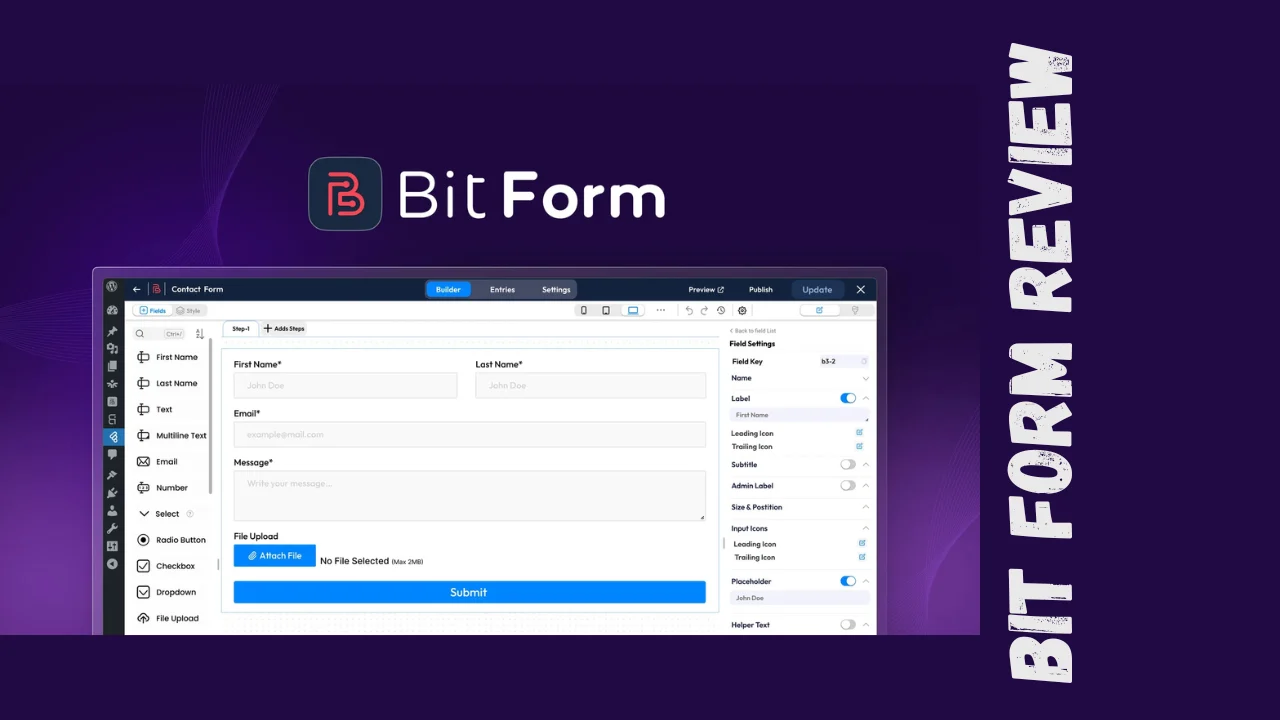
If you’ve ever tried building forms in WordPress, you know the struggle—plugins that break your layout, integrations that don’t work, or tools that cost way too much for what they offer. Enter Bit Form, a WordPress form builder that promises to handle everything from simple contact forms to complex multi-step surveys without the usual headaches. This Bit Form review will walk you through what it does, who it’s for, and whether it’s actually worth your time and money.
Bit Form targets startups, small business owners, marketers, and solopreneurs who need professional forms but don’t have developer budgets or coding skills. Whether you’re collecting leads, running surveys, or processing payments through forms, this tool aims to make the process straightforward without sacrificing functionality.
Overview of Bit Form
Bit Form positions itself as one of the most lightweight WordPress form builders on the market, loading only about 15KB of assets compared to competitors that can hit 200KB or more. The team behind Bit Form, Bit Apps, built this plugin to address common frustrations with existing form solutions—bloated code, expensive add-ons, and complicated interfaces.
This tool is designed for WordPress users across various industries who need flexible form solutions without technical complexity. From freelancers capturing client information to small e-commerce businesses processing orders, Bit Form caters to anyone who values both functionality and site performance.
Key Features
Bit Form packs an impressive range of features that rival premium competitors:
- 45+ Form Fields: Includes phone number, country, currency, advanced file upload, signature fields, rating fields, image select, and more
- Multi-Step Forms: Create engaging forms that guide users through longer submissions without overwhelming them
- Conversational Forms: Full-screen, one-question-at-a-time format that increases completion rates
- Payment Integration: Built-in support for PayPal, Razorpay, Stripe, and Mollie to collect payments directly through forms
- Advanced Conditional Logic: Run actions based on preset conditions without coding—trigger success messages, redirects, webhooks, email notifications, or integrations
- Calculator Forms: Build complex calculated forms for quotes, pricing estimators, or order forms
- Multi-Column Layout: Up to 60 columns per row, making complex forms compact and user-friendly
- Landing Pages: Create standalone form pages that can be shared directly without embedding
- 300+ Integrations: Connect to Google Sheets, Mailchimp, ActiveCampaign, Zoho CRM, Twilio, and more through built-in integrations
- Frontend CRUD: Allow users to create, read, update, and delete entries from the front end
- Form Abandonment Tracking: Capture partial submissions to recover potential leads
- PDF Attachments: Generate PDF files from form submissions and attach them to email notifications
- Double Opt-in: Verify email addresses before adding subscribers to your lists
- Analytics: Track form performance and submission data
- Spam Protection: Multiple options including reCAPTCHA v2/v3 and honeypot fields
- 30+ Pre-Built Templates: Jumpstart your form creation with ready-made templates for various use cases
The drag-and-drop builder works seamlessly with popular page builders like Elementor, Bricks, Beaver Builder, Oxygen, Divi, and more.
Ease of Use & User Experience
One of Bit Form’s strongest selling points is its intuitive interface. The drag-and-drop builder makes form creation straightforward—you simply select fields from the sidebar and drop them into your form canvas. The onboarding process is quick, with video tutorials and pre-built templates helping you get started within minutes.
The dashboard is clean and organized, with clear sections for creating forms, managing entries, configuring integrations, and viewing analytics. Users consistently praise the smooth builder experience, noting that it feels modern compared to older legacy plugins. The built-in style editor lets you customize colors, spacing, fonts, and layouts without touching CSS, though advanced users have access to custom CSS/JS editors for deeper customization.
Mobile and desktop interfaces both work well, with responsive forms that automatically adjust to different screen sizes. The conversational form feature particularly shines on mobile devices, providing a dedicated full-screen layout that feels app-like rather than web-form clunky.
Pricing Breakdown
Bit Form offers exceptional value with both free and premium options, including a one-time payment lifetime deal:
| Plan | Price | Sites | Key Features |
|---|---|---|---|
| Free | $0 | Unlimited | 40+ form fields, multi-step forms, conversational forms, conditional logic, basic integrations, analytics, file upload, spam protection |
| Plus (Annual) | $29/year | 5 sites | Everything in Free + payment fields, advanced calculations, PDF attachments, signature field, form scheduling, IP controls, priority support |
| Agency (Annual) | $99/year | Unlimited | All Plus features for unlimited sites |
| Lifetime Plan 1 | $79 one-time | 5 sites | All Plus features with lifetime access, no recurring fees |
| Lifetime Plan 2 | $158 one-time | Unlimited sites | All features for unlimited sites with lifetime access |
All paid plans include a 60-day money-back guarantee, giving you two full months to test whether Bit Form fits your needs. The lifetime deal represents significant value—you pay once and get all future updates for Plan 1 (Tier 1) or Plan 2 (Tier 2) features.
What makes this Bit Form pricing particularly attractive is that features like conditional logic, multi-step forms, and basic integrations come free, while competitors lock these behind premium tiers.
Pros and Cons
| Pros | Cons |
|---|---|
| Extremely lightweight (15KB) for fast site performance | UI/UX could be more polished in some areas |
| Generous free version with advanced features | Documentation could be more comprehensive for complex use cases |
| 50+ built-in integrations included free | Smaller user community compared to older established plugins |
| One-time payment lifetime deal available | Some advanced features require learning conditional logic |
| Works with all major WordPress page builders | Limited to WordPress (not standalone like some competitors) |
| Excellent customer support with fast response times | |
| Payment gateway integration without extra plugins | |
| Powerful conditional logic without coding | |
| Multi-column layouts up to 60 columns | |
| 60-day money-back guarantee |
Who Should Use Bit Form?
This tool is ideal for several types of users:
Startups and Small Businesses: If you need professional forms on a budget, Bit Form’s lifetime deal and feature-rich free version make it perfect for bootstrapped companies. The payment integration means you can start collecting orders or donations without multiple plugins.
Marketers: The lead capture capabilities, Google Sheets integration, and connections to email marketing platforms make Bit Form excellent for running campaigns and managing leads. Form abandonment tracking helps recover potential conversions.
Solopreneurs and Freelancers: With unlimited sites on the Agency plan, consultants and freelancers can use Bit Form across all client projects without per-site licensing fees.
Content Creators: The conversational forms and multi-step surveys help engage audiences and collect feedback in user-friendly formats.
E-commerce Site Owners: Payment field integration and advanced calculations make Bit Form suitable for custom order forms, quote requests, and product customization forms.
Anyone prioritizing site performance should seriously consider Bit Form—its minimal asset loading ensures forms don’t slow down your pages, which directly impacts SEO and user experience.
Comparison With Competitors
| Feature | Bit Form | WPForms | Gravity Forms |
|---|---|---|---|
| Starting Price | Free (Premium $29/year) | $49.50/year | $59/year |
| Lifetime Deal | Yes ($79-$158) | No | Yes ($199+) |
| File Size | 15KB | ~46KB | 208KB |
| Free Version | Yes, with advanced features | Limited features | No free version |
| Multi-Step Forms | Free | Paid plans only | Paid plans only |
| Conditional Logic | Free | Paid plans only | Paid plans only |
| Built-in Integrations | 50+ free | Paid add-ons | Paid add-ons |
| Payment Fields | Included (Plus plan) | Premium plans | Basic plan and up |
| Unlimited Sites | $99/year or $158 lifetime | $299/year | $259/year |
| Page Builder Support | All major builders | All major builders | All major builders |
Bit Form vs WPForms: Bit Form offers better performance and includes conditional logic plus integrations in the free version, while WPForms locks these behind paid tiers. Bit Form is also 67% lighter in file size.
Bit Form vs Gravity Forms: Gravity Forms has no free version and loads 13x more assets than Bit Form. While Gravity Forms has a longer track record, Bit Form provides similar functionality at a fraction of the cost and weight. Over five years, Bit Form’s lifetime deal costs $158 versus Gravity Forms’ $1,295 in recurring fees.
User Feedback Summary
Bit Form has earned strong reviews across platforms, with an overall rating of 4.7 out of 5 from verified users.
Positive feedback highlights:
- Users consistently praise the lightweight performance and minimal impact on site speed
- The drag-and-drop builder receives compliments for being smooth and intuitive
- Customer support stands out, with users reporting helpful responses within 24 hours
- The value proposition—especially on the Bit Form lifetime deal—is frequently mentioned as unbeatable
- Flexibility and customization options exceed expectations
Common concerns:
- Some users note the interface could be more polished in certain areas
- Documentation doesn’t cover all use cases thoroughly, though support fills this gap
- Being newer than competitors means a smaller community for peer-to-peer help
Overall user sentiment indicates that Bit Form delivers on its promises, with the combination of features, performance, and pricing creating a compelling package that satisfies most users.
Final Verdict
After evaluating features, pricing, performance, and real user experiences, this Bit Form review concludes that it’s an excellent choice for most WordPress users who need form functionality.
The tool genuinely solves the problem it sets out to address—creating professional forms without technical skills, excessive costs, or performance compromises. The free version alone rivals what many competitors charge for, making it risk-free to try. For those needing advanced features like payment processing or PDF generation, the premium plans offer exceptional value, especially the one-time lifetime deal.
Bit Form particularly excels as one of the best tools for small business owners working with tight budgets who can’t afford $200+ annual subscriptions. The performance advantage matters for SEO and user experience, while the extensive integration options make it a practical choice for building automated workflows.
Should you use it? Yes, if you run a WordPress site and need forms that are fast, flexible, and affordable. The 60-day money-back guarantee removes the risk, and the generous free version lets you test before committing. While established alternatives like WPForms and Gravity Forms have their merits, Bit Form delivers comparable (often superior) functionality at better prices with better performance.
For solopreneurs, startups, and small businesses looking for affordable software that doesn’t compromise on features, Bit Form represents one of the smartest investments you can make for your WordPress toolkit. This Bit Form review confidently recommends it as a top-tier option among productivity tools for entrepreneurs in 2025.




