
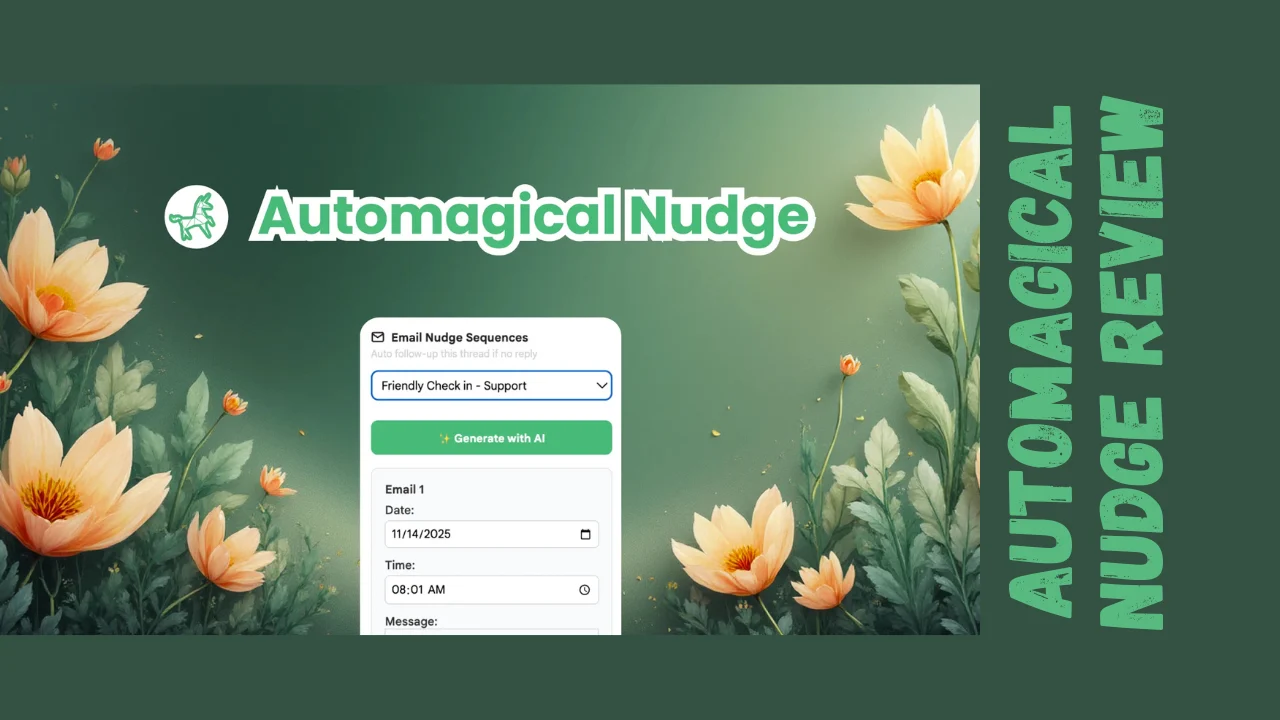
You know that sinking feeling when you realize you forgot to follow up on an important email three days ago? Or when a potential client ghosted you and you never circled back? I’ve been there too many times. Between managing coursework, freelance projects, and client communications, important emails slip through the cracks constantly. That’s exactly the problem Automagical Nudge aims to solve.
This Automagical Nudge review will break down everything you need to know about this Gmail-native automation tool. If you’re a sales professional, small business owner, customer support manager, or solopreneur drowning in emails and losing deals because you forget to follow up, this might be the solution you need.
What Is Automagical Nudge?
Automagical Nudge is an AI-powered email automation tool that lives directly inside Gmail, helping you automate follow-ups, create email sequences, and set smart reminders without leaving your inbox. It’s designed to ensure you never lose track of important conversations, deals, or action items again.
The Mission and Purpose
The tool was created to eliminate the chaos of manual email follow-ups. Instead of relying on sticky notes, external task managers, or your memory, Automagical Nudge automatically reminds you when emails need attention and can even send follow-up sequences on your behalf—stopping intelligently the moment someone replies.
Target Audience
Automagical Nudge specifically targets sales managers juggling dozens of prospect conversations, customer support teams managing high email volumes, small business owners wearing multiple hats, freelancers following up with clients, and anyone using Gmail as their primary communication hub who struggles with consistent follow-up discipline.
Core Automagical Nudge Features
Automagical Nudge combines AI-powered automation with Gmail-native convenience. Here’s what you get:
Automated Follow-Up Sequences
- One-Click Follow-Ups: Mark any email for automated follow-up directly from your Gmail inbox
- Multi-Step Sequences: Create entire email sequences (initial message + multiple follow-ups) in seconds
- Smart Stop on Reply: Sequences automatically pause the moment your recipient responds, preventing awkward double-messaging
- AI Personalization: AI pulls recipient names, summarizes previous conversations, and suggests relevant next steps for each follow-up
- Customizable Timing: Set exact delays between follow-ups (e.g., 2 days, 1 week, etc.)
Intelligent Email Reminders
- Action Item Detection: AI surfaces missed replies and loose ends requiring your attention
- Multi-Channel Reminders: Get reminded via email, browser notifications, or directly in Gmail
- Conditional Reminders: Set reminders that only trigger if certain conditions are met (e.g., “remind me if they haven’t replied in 3 days”)
- Snooze Conversations: Temporarily hide emails and have them resurface at the perfect time
AI-Powered Inbox Monitor
- Inbox Analysis: AI scans your entire inbox to identify conversations requiring follow-up
- Missed Opportunity Detection: Highlights emails where prospects showed interest but you never responded
- Priority Surfacing: Brings important messages to the top so nothing critical gets buried
- Action Item Extraction: Automatically identifies commitments, questions, and tasks from email threads
Live Dashboard Management
- Centralized View: See all your active sequences, queued emails, and upcoming sends in one place
- Real-Time Tracking: Monitor which emails have been sent, opened, and replied to
- Queue Management: Edit, pause, or cancel scheduled follow-ups before they send
- Reply Detection: Instantly know when recipients respond so you can take timely action
- Visual Analytics: Track performance metrics across all your sequences
AI-Generated Content
- Smart Reply Suggestions: AI generates contextually relevant reply drafts based on previous conversation
- Follow-Up Templates: Pre-built templates for common scenarios (invoices, sales follow-ups, support tickets)
- Personalization Variables: Automatically insert recipient names, company details, and conversation context
- Tone Adjustment: Choose formal, casual, or friendly tones for AI-generated messages
Gmail-Native Integration
- Works Inside Gmail: No context switching—everything happens in your familiar Gmail interface
- Chrome Extension: Full functionality available as a browser extension
- Google Workspace Add-On: Integrates as an official Gmail add-on
- Mobile App Support: Full functionality works seamlessly in the Gmail mobile app for iOS and Android
- UI Integration: Follow-up buttons and sequence controls appear directly in Gmail’s interface
Advanced Tracking and Analytics
- Open Tracking: See when recipients open your emails (requires AI credits)
- Click Tracking: Monitor which links recipients click within your messages
- Engagement Analytics: Understand which follow-up strategies yield the best response rates
- Sequence Performance: Compare success rates across different email sequences
Privacy and Security
- Secure Design: Privacy-first architecture respects data security
- Google Workspace Compatible: Meets enterprise security standards
- Permission Controls: You control exactly what data Automagical Nudge can access
- No Data Selling: Your email data stays private and isn’t sold to third parties
Ease of Use and User Experience
One of Automagical Nudge’s biggest selling points is how it simplifies email automation by staying inside Gmail—the tool you already use every day.
Setup and Installation
Getting started involves installing either the Chrome extension or the Google Workspace add-on. Once installed, Automagical Nudge integrates directly into your Gmail interface. Setup takes minutes, and you can start creating follow-ups immediately without complex configuration.
Using the Tool Daily
The workflow is refreshingly simple: open an email that needs follow-up, click the Automagical Nudge button that appears in your Gmail toolbar, choose whether you want a simple reminder or a full sequence, customize the timing and message (or use AI suggestions), and confirm. That’s it. The tool handles the rest.
The Inbox Monitor feature runs automatically in the background, analyzing your inbox and surfacing emails requiring attention. You can review these suggestions in the dashboard and take action with one click.
Dashboard Experience
The live dashboard provides a bird’s-eye view of all your automated activities. You can see which emails are queued to send, track replies in real-time, and manage multiple sequences simultaneously. Users describe it as “easy to navigate” with all critical information visible at a glance.
Mobile Experience
A standout feature is full mobile app compatibility. Automagical Nudge works seamlessly in the Gmail mobile app, letting you monitor sequences, check for replies, and manage reminders on the go. This is rare for email automation tools, which typically require desktop access.
Learning Curve
Because Automagical Nudge stays within Gmail’s familiar interface, the learning curve is minimal. If you can use Gmail, you can use this tool. The AI assistance further reduces complexity by generating content and suggesting next steps automatically.
Common Pain Points
Some early users report minor glitches, particularly with dashboard functionality across multiple Gmail accounts and editing prompts. One reviewer mentioned needing to restart Chrome to resolve interface issues. These appear to be growing pains for a newer product, and the development team responds quickly to feedback.
Lifetime Deal Pricing Breakdown
Automagical Nudge offers affordable lifetime pricing that eliminates recurring monthly costs:
| Plan | One-Time Price | User Licenses | AI Credits | Emails & Reminders | Best For |
|---|---|---|---|---|---|
| License Tier 1 | $29 | 1 user | 50 AI credits | 50 emails/reminders | Solopreneurs, freelancers with light email volume |
| License Tier 2 | $99 | 4 users | 200 AI credits | 200 emails/reminders | Small teams, growing businesses |
| License Tier 3 | $199 | 10 users | 500 AI credits | 500 emails/reminders | Medium teams, agencies with higher volume |
What’s Included Across All Tiers
Every lifetime plan includes:
- Lifetime access with no recurring subscription fees
- 60-day money-back guarantee for risk-free testing
- AI-generated nudges and reply suggestions
- Visual analytics and performance tracking
- Dashboard access directly in Gmail
- Chrome extension for browser-based access
- Gmail add-on for Google Workspace integration
- Tracking functionality in Gmail UI
- Mobile app support for iOS and Android
- Smart stop on reply to prevent over-messaging
- Multi-step sequence creation
- Inbox monitoring and action item detection
- All future updates to the core product
Understanding the Limits
The credit and email/reminder limits are the primary differentiators between tiers. AI credits get consumed when you use AI features like generating replies, personalizing messages, or analyzing inbox conversations. Emails/reminders count against your limit when sequences send or reminders trigger.
For light users sending 10-20 follow-ups weekly, Tier 1 provides sufficient capacity. Teams managing dozens of concurrent sequences will need higher tiers to avoid hitting limits.
Stackability
Codes are stackable, so you can purchase multiple licenses to increase capacity if you outgrow your initial tier.
Value Comparison
Compared to dedicated email automation platforms like Lemlist ($59-$99/month) or Outreach (enterprise pricing starting at hundreds per month), the Automagical Nudge lifetime deal offers exceptional value—especially for small teams and individuals who primarily need follow-up automation rather than full-scale cold outreach campaigns.
Honest Pros and Cons
| Pros | Cons |
|---|---|
| Exceptional lifetime pricing eliminates monthly subscription costs | Limited to Gmail—no support for Outlook, Yahoo, or other email platforms |
| Gmail-native integration eliminates context switching | AI credit and email/reminder limits may be restrictive for high-volume users |
| Works seamlessly in Gmail mobile app for on-the-go management | Some users report minor interface glitches requiring browser restarts |
| AI personalization reduces manual writing work | Newer product with smaller user base and less established track record |
| Smart stop on reply prevents awkward over-messaging | No CRM integrations mentioned beyond Gmail functionality |
| One-click follow-up setup from any email | Dashboard issues reported when managing multiple Gmail accounts |
| Inbox monitoring surfaces missed opportunities automatically | Documentation and tutorials could be more comprehensive |
| Live dashboard provides real-time visibility | Not suitable for complex, multi-channel outreach campaigns |
| 60-day refund policy reduces purchase risk | Limited to 50-500 emails/reminders depending on tier |
| Multi-step sequences created in seconds | Requires Chrome browser for extension functionality |
| Ideal for maintaining existing relationships and deals | Not designed for cold outreach at scale like Lemlist or Instantly |
| Responsive development team implementing feedback quickly | Early-stage product may have occasional bugs |
Who Should Actually Use Automagical Nudge?
Perfect For:
Sales Professionals: If you’re managing multiple deals and prospects, Automagical Nudge ensures you never lose a potential sale because you forgot to follow up. The smart stop feature prevents embarrassing double-sends when prospects reply. Tier 2 or 3 works well for active salespeople.
Freelancers and Consultants: Stay on top of client communications, proposal follow-ups, and invoice reminders without manual effort. Tier 1 ($29) provides excellent value for solo practitioners with moderate email volume.
Customer Support Teams: Manage support ticket follow-ups and ensure no customer inquiry falls through the cracks. Team tiers (2-3) allow multiple support agents to maintain consistency.
Small Business Owners: Juggling multiple responsibilities means emails get forgotten. Automagical Nudge acts as your automated assistant ensuring follow-ups happen consistently. Tier 1 or 2 suits most small business needs.
Recruiters: Stay in touch with candidates throughout hiring processes with automated check-ins that stop when candidates respond. The personalization features maintain human touch. Tier 2 or 3 for active recruiting teams.
Account Managers: Maintain regular touchpoints with existing clients without manually tracking every conversation. Set reminders for quarterly check-ins or contract renewals. Tier 1-2 works for most account management scenarios.
Anyone Using Gmail Heavily: If Gmail is your primary work communication tool and you struggle with follow-up discipline, this affordable software solves the problem directly where you work.
Not Ideal For:
Outlook or Non-Gmail Users: Automagical Nudge is Gmail-exclusive. If your organization uses Microsoft Outlook, Apple Mail, or any other email platform, this tool won’t work for you.
High-Volume Cold Outreach Teams: If you’re running massive cold email campaigns with thousands of prospects, dedicated tools like Lemlist, Instantly, or Outreach provide better infrastructure. Automagical Nudge excels at relationship management, not cold prospecting at scale.
Teams Needing Deep CRM Integration: Organizations requiring tight integration with Salesforce, HubSpot, or other CRMs should consider tools with native CRM connectivity. Automagical Nudge focuses on Gmail functionality.
Users Wanting Unlimited Sequences: The email/reminder limits (50-500 depending on tier) restrict truly unlimited usage. Very high-volume users may hit caps quickly.
Multi-Channel Outreach Specialists: If your strategy involves coordinating email, LinkedIn, phone calls, and other channels, specialized sales engagement platforms offer better multi-channel orchestration.
How Automagical Nudge Compares With Competitors
| Feature | Automagical Nudge | Lemlist | Outreach |
|---|---|---|---|
| Pricing Model | Lifetime ($29-$199) | Subscription ($59-$99+/month) | Enterprise quotes (hundreds/month) |
| Email Platform | Gmail only | Any email provider | Any email provider |
| Setup Complexity | Very easy (Gmail-native) | Moderate | Complex |
| Automated Sequences | ✅ Yes | ✅ Yes | ✅ Yes |
| Smart Stop on Reply | ✅ Yes | ✅ Yes | ✅ Yes |
| AI Personalization | ✅ AI-generated content | Image/video personalization | Advanced personalization |
| Inbox Integration | Native Gmail integration | External platform | External platform |
| Mobile Support | ✅ Full Gmail app support | Limited | Mobile app available |
| CRM Integration | Limited (Gmail-focused) | Yes (multiple CRMs) | Deep CRM integration |
| Team Collaboration | Basic (shared licenses) | Advanced collaboration | Enterprise collaboration |
| Cold Outreach Tools | Limited | Extensive | Extensive |
| Analytics | Basic performance metrics | Detailed campaign analytics | Enterprise-grade analytics |
| Best For | Gmail users needing simple follow-up automation | Personalized cold outreach campaigns | Enterprise sales organizations |
Key Differences
Automagical Nudge vs. Lemlist: Lemlist is a dedicated cold email platform with advanced personalization (custom images/videos), deliverability optimization, and multi-channel capabilities. It’s better for outbound sales teams running campaigns to new prospects. Automagical Nudge focuses on managing existing relationships and conversations within Gmail. Lemlist costs $59-$99+ monthly; Automagical Nudge is a one-time $29-$199. If you primarily need Gmail follow-up automation, Automagical Nudge delivers better value. For cold outreach campaigns, Lemlist is stronger.
Automagical Nudge vs. Outreach: Outreach is an enterprise sales engagement platform with deep CRM integration, multi-channel orchestration, advanced analytics, and team collaboration features. It’s designed for large sales organizations with complex processes and significant budgets (enterprise pricing). Automagical Nudge serves small teams and individuals needing straightforward Gmail automation at affordable prices. Outreach is overkill for most solopreneurs and small businesses; Automagical Nudge hits the sweet spot for simplicity and cost.
Overall Assessment: Automagical Nudge occupies a unique position as the best tools for small business and individuals who live in Gmail and need simple, effective follow-up automation without enterprise complexity or pricing. For specialized cold outreach or enterprise needs, dedicated platforms offer more features but at dramatically higher costs.
What Users Are Actually Saying
Automagical Nudge is a newer product with limited but generally positive early feedback. As of December 2025, the tool has a 4.0-star rating based on initial verified user reviews.
Positive User Experiences
One verified purchaser stated: “I found it very useful that it analyzes your current inbox and let you know what’s up. Ideal for busy people with high email traffic.” They appreciate how the Inbox Monitor surfaces action items automatically, saving time hunting through emails for what needs attention.
The development team is notably responsive to user feedback. In review responses, the founder personally engages with users, asking for specific feedback on AI tools and feature improvements. This hands-on approach suggests a product actively evolving based on real-world usage.
Constructive Criticism
A verified user gave 3.5 stars, mentioning “small glitches made this way too annoying to get going.” Specific issues included dashboard functionality problems across multiple Gmail accounts and difficulty editing prompts, requiring browser restarts to resolve. However, they acknowledged “the theory of the product is awesome, just didn’t work for me” due to these technical hiccups.
This feedback suggests Automagical Nudge is still maturing as a product. Early adopters may encounter occasional bugs that the development team is actively working to resolve.
Overall Sentiment
The limited reviews indicate a product with strong potential and useful core functionality but experiencing typical early-stage growing pains. Users who value the automation concept and can tolerate minor glitches report satisfaction. Those needing polished, bug-free experiences immediately may want to wait for further product maturation or take advantage of the 60-day refund window to test thoroughly.
The responsive development team actively implementing user feedback is a positive sign for the product’s future trajectory.
Final Verdict: Is Automagical Nudge Worth It?
After examining every aspect of this tool, here’s my honest assessment: Automagical Nudge is worth it for Gmail users who struggle with follow-up discipline and want simple automation without complexity.
This Automagical Nudge review reveals a focused tool solving one problem exceptionally well: ensuring important emails don’t fall through the cracks. If you use Gmail as your primary work email and regularly lose deals, frustrate clients, or forget commitments because of inconsistent follow-ups, the Automagical Nudge lifetime deal at $29-$199 provides tremendous value.
The Automagical Nudge features—AI personalization, smart stop on reply, inbox monitoring, and mobile support—cover the essential automation needs for most individuals and small teams. The Gmail-native integration eliminates friction by keeping you in your existing workflow rather than forcing platform-switching.
However, this is an early-stage product with reported minor glitches. The 60-day money-back guarantee is essential—use it to thoroughly test across your specific Gmail setup and workflow before committing.
Best for: Sales professionals, freelancers, small business owners, and customer support teams using Gmail who need productivity tools for entrepreneurs focused on email follow-up automation. This qualifies as one of the best affordable software options for Gmail-based communication management.
Value rating: Excellent for the target audience. The lifetime pricing eliminates ongoing costs that quickly accumulate with subscription alternatives like Lemlist or Outreach.
Bottom line: This Automagical Nudge review finds it’s a smart investment for Gmail users who value follow-up consistency and simplicity over enterprise-grade features. The Automagical Nudge pricing structure makes professional email automation accessible to individuals and small teams previously priced out of dedicated sales engagement platforms.
For Automagical Nudge alternatives like Lemlist and Outreach, you’ll get more sophisticated features but pay dramatically more and lose the Gmail-native simplicity. If you specifically need cold outreach infrastructure or multi-channel coordination, consider those alternatives. For straightforward Gmail follow-up automation, Automagical Nudge delivers the best combination of simplicity, functionality, and value.




