
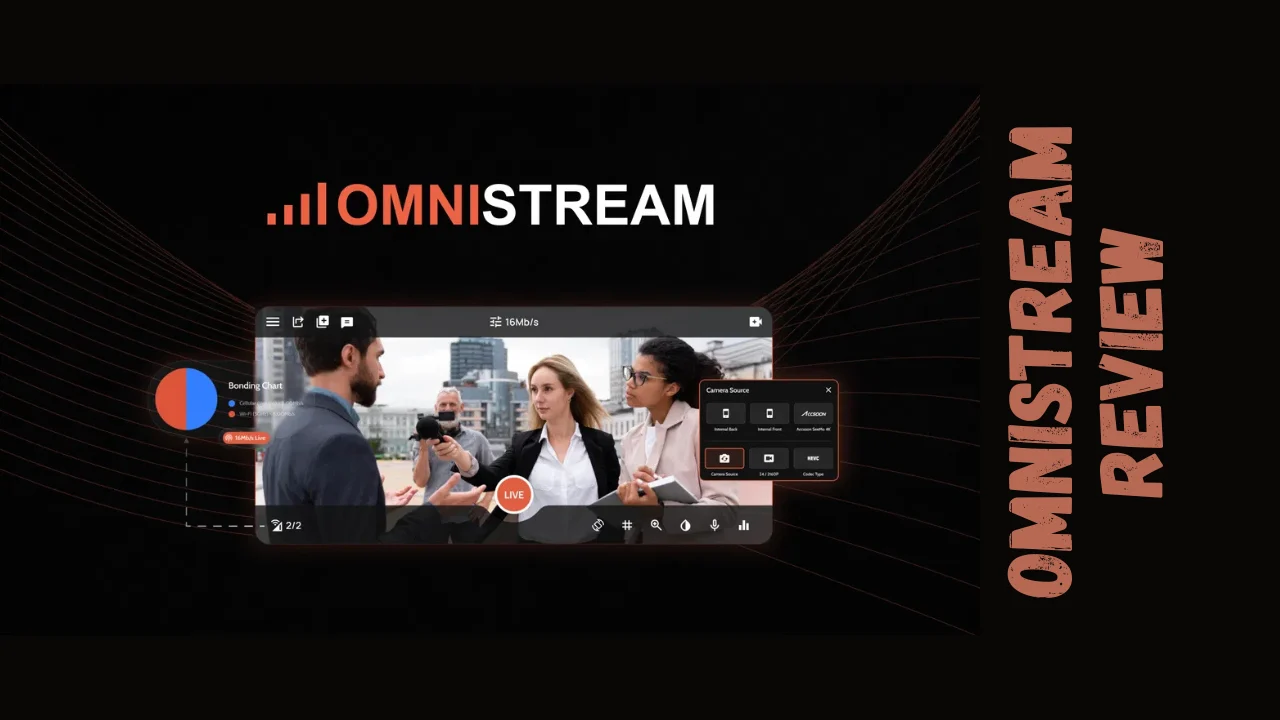
Going live shouldn’t mean gambling with connection drops, buffering, and poor video quality. Whether you’re streaming a product launch, interviewing clients remotely, covering live events, or broadcasting company updates, unreliable streams damage credibility and lose viewers instantly. Omnistream eliminates these fears by bonding multiple network connections into one rock-solid live stream—turning your smartphone into a broadcast-grade production studio. This Omnistream review explores whether this mobile streaming platform delivers on its promise to help marketers, small business owners, solopreneurs, and content creators broadcast professional-quality video without expensive equipment or technical expertise.
Overview of Omnistream
Omnistream is a professional live streaming application designed to transform smartphones into powerful broadcasting tools with studio-grade reliability. The Israeli startup’s patented cellular bonding technology addresses the fundamental problem plaguing mobile live streaming—unstable internet connections that cause drops, buffering, and quality degradation during critical moments.
The platform’s mission centers on democratizing broadcast-quality live streaming by leveraging the powerful cameras, encoders, and processing capabilities already built into modern smartphones. Instead of requiring dedicated hardware encoders, satellite uplinks, or complex production setups, Omnistream enables anyone to stream professional 4K video using devices they already own.
Omnistream targets diverse users across multiple industries—influencers and content creators building audiences on social platforms, videographers covering remote events without reliable connectivity, digital media companies producing news and field reports, marketers running product launches and webinars, sales managers conducting live demos, and small businesses engaging customers through real-time broadcasts. The platform serves anyone who needs broadcast reliability but lacks the budget or technical infrastructure for traditional production workflows.
Key Features That Make Omnistream Broadcast-Grade
Omnistream packs enterprise-level broadcasting capabilities into an intuitive mobile application. Here are the features that distinguish it from basic streaming apps:
Multi-Network Bonding Technology
- Combines WiFi and multiple cellular connections (4G/5G) simultaneously
- Automatically routes video packets across strongest available networks
- Eliminates single-point-of-failure that causes dropped streams
- Provides rock-solid reliability even in challenging environments with inconsistent coverage
- Patented technology that reconstructs bonded streams in the cloud
Professional Video Quality
- Streams up to 4K UHD or Full HD resolution from smartphones
- H.265 (HEVC) encoding for superior quality at lower bandwidth
- Adaptive bitrate adjusts quality dynamically based on connection conditions
- Significantly better quality than standard WebRTC or Zoom-based streaming
- Professional-grade compression maintains visual clarity
External Camera & Equipment Support
- Connect DSLR cameras via HDMI adapters for superior optics
- Professional external microphone support for broadcast-quality audio
- Type-C adapter compatibility transforms phones into production hubs
- SDI output via Recipient app and Blackmagic DeckLink integration
- Supports professional camera setups while maintaining mobile flexibility
Multi-Platform Simultaneous Streaming
- Broadcast to YouTube, Facebook, Instagram, LinkedIn, Twitch, and Telegram concurrently
- Custom RTMP and SRT destination support for any compatible platform
- One-tap multistreaming eliminates need for separate tools
- Reach audiences across all social networks from single broadcast
- No additional setup required for each platform
Studio Production Tools
- Custom graphics overlays including logos, lower thirds, and branded visuals
- Real-time on-screen graphics for professional presentation
- Sports scores and dynamic text elements
- Live editing capabilities directly from smartphone
- Professional branding without external production software
Remote Production Dashboard
- Web-based control interface for managing streams remotely
- Monitor streaming status and adjust settings in real-time
- Collaborate with team members from centralized dashboard
- Guest invitation tools for multi-source streams
- IFB (Interruptible Foldback) communication with on-air talent
SRT & RTMP Integration
- Stream directly to OBS Studio, vMix, and other professional software
- SRT protocol ensures low-latency (<1.5 seconds) transmission
- Integrates seamlessly with existing studio workflows
- High bitrate transmission maintains quality to production environments
- Enables smartphone as wireless remote camera input
Store & Forward Capability
- Local recording with selectable quality levels
- Upload recorded content when connectivity improves
- Flexible content delivery for low-connectivity environments
- Backup recording ensures content capture even if stream fails
- Remote file storage management
Cloud Processing & Distribution
- Cloud server handles stream reconstruction and distribution
- Video player embeds as iframe on any website
- Built-in CDN and transcoding services
- Secure transmission from device through cloud to platforms
- Global infrastructure for worldwide broadcasting
Ease of Use & User Experience
Omnistream achieves a difficult balance—delivering professional-grade features while maintaining accessibility for non-technical users. The mobile app interface presents clean, intuitive controls that don’t overwhelm beginners yet provide depth for advanced broadcasters.
Setup requires downloading the iOS or Android app and connecting desired streaming destinations through straightforward authentication flows. The process mirrors connecting accounts to standard social media apps—simple OAuth permissions rather than complex server configurations. Users report getting their first multi-platform stream running within 10-15 minutes of initial download.
The main dashboard displays essential information at-a-glance—connection strength across bonded networks, current streaming status, viewer counts, and quick-access buttons for graphics overlays and settings. Color-coded network indicators show which connections contribute to the bonded stream, providing real-time visibility into reliability. This transparency helps users understand why their streams remain stable even when individual networks fluctuate.
Adding external cameras and microphones follows standard smartphone accessory workflows—connect via appropriate adapter and grant necessary permissions. The app automatically detects connected devices and switches inputs seamlessly. Users praise this plug-and-play simplicity compared to traditional production systems requiring extensive configuration.
The remote dashboard accessible via web browser provides complementary control for team-based productions. Directors can monitor stream health, adjust settings, invite guests, and communicate with on-air talent without physically accessing the streaming device. This separation of concerns enables professional multi-person workflows from consumer-grade equipment.
User reviews consistently rate ease of use highly, with many noting the app “takes all the heavy lifting of livestreaming off your shoulder” and is “not too complicated” for outdoor remote broadcasts. The learning curve exists primarily around optimizing network bonding and understanding professional production concepts rather than navigating the interface itself.
Mobile optimization naturally excels given the platform’s smartphone-first design philosophy. Both iOS and Android apps receive regular updates with feature parity. Desktop access exists primarily through the remote dashboard rather than native applications, which aligns with the platform’s mobile-centric approach.
One consideration worth noting—maximizing Omnistream’s capabilities requires understanding basic production concepts like bitrate, resolution trade-offs, and RTMP destinations. Complete beginners may need to invest time learning these fundamentals, though the app provides sensible defaults that work well out-of-the-box.
Omnistream Lifetime Deal Pricing Breakdown
Omnistream offers five lifetime access tiers with one-time payments, providing substantial savings compared to the regular monthly subscription model ($29.90/month per license). The 60-day money-back guarantee removes purchase risk.
| Plan | Tier 1 | Tier 2 | Tier 3 | Tier 4 | Tier 5 |
|---|---|---|---|---|---|
| One-Time Investment | $99 | $198 | $297 | $396 | $495 |
| Regular Subscription Value | $348 | $696 | $1,044 | $1,392 | $1,740 |
| Number of Licenses | 1 | 2 | 4 | 6 | 8 |
| Streaming Hours/Month | 360 hours | Unlimited | Unlimited | Unlimited | Unlimited |
| Cellular Bonding | ✓ | ✓ | ✓ | ✓ | ✓ |
| Multi-Platform Distribution | ✓ | ✓ | ✓ | ✓ | ✓ |
| External Camera Support | ✓ DSLR/HDMI | ✓ DSLR/HDMI | ✓ DSLR/HDMI | ✓ DSLR/HDMI | ✓ DSLR/HDMI |
| Remote Dashboard Access | ✓ | ✓ | ✓ | ✓ | ✓ |
| Guest Invitation | ✓ | ✓ | ✓ | ✓ | ✓ |
| Multichannel IFB | ✓ | ✓ | ✓ | ✓ | ✓ |
| Local Video Recording | ✓ | ✓ | ✓ | ✓ | ✓ |
| Store & Forward Upload | ✓ | ✓ | ✓ | ✓ | ✓ |
| SRT Export to vMix/OBS | ✓ | ✓ | ✓ | ✓ | ✓ |
| Recipient App Access | ✓ | ✓ | ✓ | ✓ | ✓ |
| Graphical Overlays | ✓ | ✓ | ✓ | ✓ | ✓ |
| Remote Controller | ✓ | ✓ | ✓ | ✓ | ✓ |
| Best For | Solopreneurs & creators | Small teams | Growing agencies | Production companies | Enterprise teams |
Understanding Streaming Hours: Tier 1’s 360-hour monthly limit equals 12 hours daily—more than sufficient for most solo creators and small businesses. Higher tiers provide unlimited hours, removing constraints for agencies and production companies running multiple concurrent broadcasts or extensive event coverage.
The lifetime pricing eliminates recurring costs that compound to thousands over typical software lifespans. At regular subscription rates ($29.90/month), Tier 1’s $99 investment pays for itself in under 4 months. Tier 2’s two licenses at $198 delivers ROI in under 3.5 months compared to paying separately for each account. The value proposition strengthens dramatically for teams needing multiple licenses—Tier 5’s eight licenses at $495 would cost $239.20 monthly, recovering investment in just over 2 months.
Pros and Cons: Honest Assessment
| Pros | Cons |
|---|---|
| True lifetime access eliminates recurring subscription costs | 360-hour limit on Tier 1 may restrict very heavy users |
| Multi-network bonding provides broadcast-grade reliability | Learning curve for professional production concepts |
| 4K streaming quality from smartphones rivals dedicated encoders | Mobile-first design means limited desktop native applications |
| External DSLR support enables professional camera quality | International coverage depends on local cellular network quality |
| Multi-platform streaming reaches all audiences simultaneously | No built-in analytics for detailed viewer engagement metrics |
| 60-day refund policy removes purchase risk | SRT/RTMP configuration requires technical knowledge for studio integration |
| Remote dashboard enables team collaboration | Price point higher than basic consumer streaming apps |
| Professional overlays built-in without external software | Platform updates may lag behind rapidly evolving social network APIs |
| Store & forward ensures content capture even with poor connectivity | Hardware requirements need modern smartphones for optimal performance |
| Exceptional customer support based on user reviews | Limited offline documentation for advanced troubleshooting |
Who Should Use Omnistream?
Omnistream excels for specific user profiles who need broadcast reliability beyond what standard apps provide:
Marketers & Sales Managers: Professionals conducting product launches, webinars, and live demos where connection drops damage brand credibility benefit enormously from multi-network bonding. The ability to stream simultaneously to LinkedIn, YouTube, and company websites maximizes reach while professional overlays reinforce branding.
Content Creators & Influencers: Creators building audiences across multiple platforms gain efficiency through simultaneous multi-channel streaming. The combination of 4K quality, external camera support, and reliable connectivity helps maintain professional production values that differentiate successful creators from amateurs.
Videographers & Production Professionals: Event videographers, wedding filmmakers, and documentary producers working in remote locations without reliable internet finally have broadcast-grade solutions. The SRT integration with OBS and vMix enables smartphone as wireless camera input for existing production workflows.
Small Business Owners: Restaurants streaming live cooking demonstrations, retailers showcasing new products, and service businesses hosting Q&A sessions benefit from affordable broadcast quality. The ease of use means no dedicated technical staff required.
News Organizations & Journalists: Field reporters covering breaking news in areas with spotty connectivity rely on Omnistream’s bonding technology to maintain uninterrupted transmission. The low-latency SRT streaming enables real-time editing and integration into broadcast feeds.
C-Suite Executives: Leaders delivering company-wide communications, investor updates, or industry presentations need flawless execution. Omnistream ensures message delivery without technical embarrassments that undermine authority.
Sports & Live Event Producers: Covering outdoor sporting events, concerts, or festivals where dedicated connectivity doesn’t exist benefits from bonding multiple cellular connections. Store & forward capability ensures nothing gets lost even during complete coverage gaps.
Remote Teams & Distributed Companies: Organizations conducting all-hands meetings, training sessions, or collaborative workshops gain reliability that prevents productivity loss from dropped calls and frozen screens.
Omnistream may not suit absolute beginners with no live streaming experience seeking the simplest possible solution, those streaming exclusively from stable office connections where bonding provides limited value, or extremely budget-conscious users who only need basic single-platform streaming without professional features.
Omnistream vs. Competitors
The live streaming platform landscape includes several alternatives with different approaches and strengths.
| Feature | Omnistream | StreamYard | Restream |
|---|---|---|---|
| Pricing Model | Lifetime ($99-$495) | Free + Subscription ($20-$39/month) | Free + Subscription ($19-$99/month) |
| Network Bonding | ✓ Multi-cellular + WiFi | ✗ Not available | ✗ Not available |
| Mobile-First Design | ✓ iOS & Android apps | ✗ Browser-based only | ✗ Browser-based primarily |
| External Camera Support | ✓ DSLR/HDMI via adapter | ✗ Webcam only | ✓ RTMP encoders |
| Streaming Destinations | Unlimited RTMP/SRT | Up to 8 platforms | 30+ platforms, up to 8 concurrent |
| Video Quality | Up to 4K UHD | Up to 1080p | Up to 1080p |
| Studio Integration | ✓ SRT to OBS/vMix | ✗ Not available | ✓ OBS/XSplit/Zoom |
| Professional Overlays | ✓ Built-in graphics | ✓ Built-in graphics | ✓ Built-in graphics |
| Remote Production | ✓ Dashboard + IFB | ✓ Remote guests | ✓ Limited |
| Local Recording | ✓ Store & forward | ✓ Full recording | ✓ Full recording |
| Best For | Mobile broadcasts, remote locations | Browser-based studio shows | Multi-platform distribution |
Key Differentiators: Omnistream’s multi-network bonding technology provides unique value unavailable from StreamYard or Restream—neither competitor addresses the fundamental connectivity reliability problem that plagues mobile broadcasting. While StreamYard excels at browser-based studio productions with guest interviews and Restream optimizes multi-platform distribution from fixed locations, Omnistream specifically solves mobile reliability challenges.
The lifetime pricing model also distinguishes Omnistream from competitors’ recurring subscriptions. StreamYard’s $20-39/month and Restream’s $19-99/month compound to significant costs over multi-year timespans, while Omnistream’s one-time payment eliminates this ongoing expense.
For users who primarily stream from stable office connections using webcams, StreamYard or Restream may suffice at lower entry costs. However, anyone broadcasting from mobile devices, remote locations, or situations where connection reliability matters critically will find Omnistream’s bonding technology and external camera support deliver capabilities competitors simply cannot match.
User Feedback Summary
Omnistream reviews from verified users across app stores and review platforms reveal overwhelmingly positive sentiment, with particular praise for reliability and quality.
Positive Sentiment: Users consistently highlight the “rock-solid reliability” provided by cellular bonding, with multiple reviewers noting streams remain stable “even in challenging environments” where single-connection streaming fails. The phrase “eliminates buffering forever” appears frequently, with users appreciating the confidence that broadcasts won’t drop during critical moments.
Quality receives extensive praise, with one reviewer noting “streaming in 4K is better than I expected” and others commenting on “crystal-clear video quality” that “truly elevated my streaming experience.” The ability to achieve broadcast-grade results from smartphones impresses professional videographers who previously required dedicated hardware encoders.
Customer support consistently receives 5-star ratings, with users calling it “the best I have ever encountered” and praising the team for being “very friendly and prompt response whenever I facing any challenges.” The combination of technical capability and responsive support creates strong user satisfaction.
Ease of use for the power provided surprises users, with comments like “not too complicated” and “easy to use” appearing despite professional features. The ability to “be in control from the phone” while achieving “perfect” quality resonates with mobile-first users.
Mixed Feedback: Setup complexity for advanced features like studio integration occasionally challenges users new to professional streaming concepts. While the app itself earns “user friendly & convenient” ratings, configuring SRT outputs to OBS/vMix or optimizing bitrate settings requires technical knowledge some users must develop.
Pricing represents a minor concern for budget-conscious creators comparing lifetime costs against free tiers from browser-based competitors, though most users ultimately conclude the investment justified by reliability and quality improvements.
Areas for Improvement: Users desire more extensive documentation for advanced features, particularly around studio integration workflows and optimizing bonding configurations for specific scenarios. While support responds well to direct questions, comprehensive written guides would reduce support ticket volume.
Some reviewers note occasional sync issues with rapidly evolving social platform APIs, though these typically resolve quickly through app updates. The reality of maintaining compatibility across multiple constantly-changing platforms creates inherent challenges no competitor fully eliminates.
Battery consumption during bonded 4K streaming draws occasional mention, with users recommending external power for extended broadcasts—an expected trade-off for simultaneous multi-network transmission and high-resolution encoding.
Overall user ratings consistently reach 4.5-5 stars across available platforms, with the App Store showing 4.8/5 average and Google Play reflecting similar satisfaction. Users overwhelmingly recommend Omnistream for situations requiring reliable mobile broadcasting, with value-for-money and innovation receiving highest marks.
Final Verdict: Is Omnistream Worth It?
Omnistream delivers transformative value for anyone who needs broadcast-grade reliability from mobile devices. This Omnistream review concludes the platform solves a critical problem no competitor adequately addresses—making professional-quality live streaming genuinely reliable regardless of location or connectivity conditions.
The lifetime deal pricing represents exceptional long-term value for regular streamers. At $99-495 one-time, users eliminate recurring costs that compound to thousands over typical software usage periods. Even occasional users broadcasting monthly will recover investment within a year compared to subscription alternatives. Active creators and businesses streaming weekly achieve ROI within months.
Omnistream is absolutely worth considering if you stream from mobile devices or remote locations where connection reliability matters. The multi-network bonding alone justifies investment for marketers conducting critical product launches, journalists covering field stories, or event videographers where broadcast failure means lost revenue and damaged reputation. The combination of 4K quality, external DSLR support, and simultaneous multi-platform distribution provides capabilities typically requiring equipment costing thousands.
For small business owners and solopreneurs building audiences through live content, Omnistream removes the technical barriers preventing professional execution. The confidence that streams won’t drop mid-broadcast transforms live video from anxiety-inducing gamble to reliable marketing channel. Content creators monetizing across multiple platforms gain efficiency through simultaneous streaming that would otherwise require separate broadcasts or additional software.
Production professionals and videographers find exceptional value in SRT integration that transforms smartphones into wireless remote cameras for existing OBS/vMix workflows. The store & forward capability ensures content capture even when live transmission fails—critical for documentary and news applications where moments cannot be recreated.
However, Omnistream may not suit everyone. Users streaming exclusively from stable office connections with reliable internet won’t fully utilize the bonding technology that justifies the price premium over browser-based alternatives. Absolute beginners with zero live streaming experience might find simpler tools like StreamYard’s free tier more appropriate for initial experimentation. Those who need extensive built-in analytics for viewer engagement should supplement Omnistream with platform-native analytics tools.
For the target audience—productivity tools for entrepreneurs, marketers, and content creators seeking affordable software that delivers broadcast reliability previously limited to professional equipment—this Omnistream review finds the platform exceeds expectations. The patented bonding technology, 4K quality, professional production features, and lifetime access pricing combine to make Omnistream one of the best tools for small business owners and creators serious about professional live streaming. If connection drops have cost you viewers, revenue, or credibility, Omnistream’s investment pays for itself the first time it prevents a critical broadcast failure.




