How many times a day do you copy text out of Slack or Gmail, paste it into a chatbot, wait for a rewrite, then paste it back? That constant tab-switching is exactly the problem Keyshift AI was built to kill. In this Keyshift AI review, I’m covering what the tool actually does, how it works day to day, what it costs, and whether it’s worth adding to your setup if you write for a living or just want cleaner messages without leaving the app you’re already in.
Keyshift AI is a lightweight Windows and Mac tool that brings AI writing help directly into whatever app you’re typing in, whether that’s Slack, Gmail, Notion, VS Code, or anywhere else text lives. Instead of switching to a separate AI tab, you trigger a rewrite, translation, or summary right where your cursor already is. It’s built for content creators, copywriters, non-native English speakers, and solopreneurs who write constantly and want AI help without breaking their flow.
Overview of the Product
Keyshift AI was built by Endri Demiraj, a software engineer with over a decade of experience building products. The origin story is a genuinely relatable one: as a non-native English speaker, he kept second-guessing whether his messages to colleagues sounded professional, and got tired of the constant copy-paste loop between his writing apps and AI tools. So he built a way to trigger AI corrections and rewrites directly inside whatever he was typing in, without ever leaving the app.
After sharing an early version with other users and hearing the same frustration back, the tool grew from a personal fix into a full product. The company is small and bootstrapped, but it’s been shipping updates at a genuinely fast pace, adding new features like screenshot-to-text, live translation, and support for multiple AI providers within weeks of launch.
The target audience is anyone whose job involves a lot of writing across a lot of different apps: content creators juggling multiple platforms, copywriters who need quick tone adjustments, non-native English speakers who want their writing to read naturally, and solopreneurs who don’t have time to keep switching tabs just to polish a message.
Key Features
Keyshift AI packs a genuinely long list of tools into a small, always-available utility. Here’s what stands out:
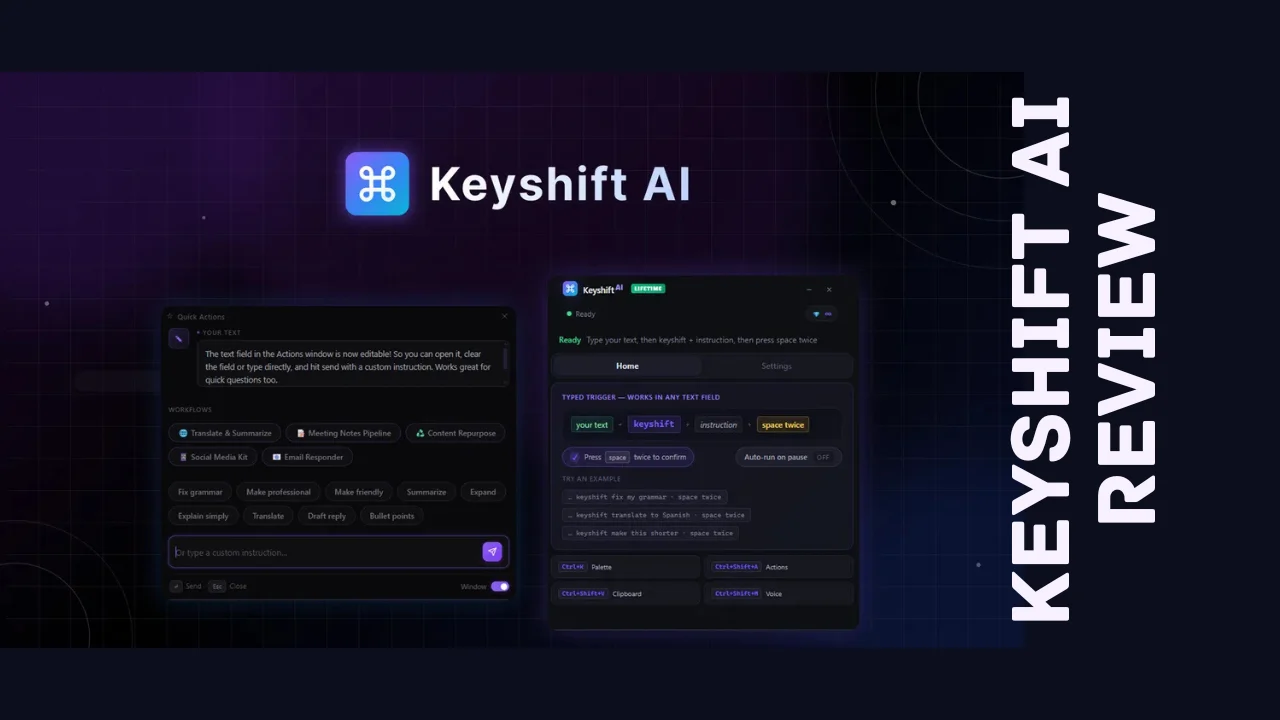
- Smart AI trigger – Type keyshift followed by your instruction directly in any text field, and the rewritten result appears in place, no copy-pasting required.
- Quick Actions menu – Open a floating editor over any app with a keyboard shortcut, choose a one-click action or type a custom instruction, and preview the result before it replaces your text.
- Voice mode – Dictate your instructions by voice and have Keyshift convert your speech into a finished email, translation, or summary without typing a word.
- Multi-step AI workflows – Chain actions together, like turning raw meeting notes into a summary, action items, and a ready-to-send follow-up email in a single run.
- Screenshot-to-text – Pull text out of any part of your screen, including locked PDFs, slides, or a screenshot someone sent in Slack, and have it ready to rewrite or translate.
- Live translate – Type in your own language anywhere on your machine, confirm with a shortcut, and it swaps in the translated text.
- Custom AI prompt, modes, and actions – Set your preferred voice and tone once, build your own AI commands with dedicated shortcuts, and save your best prompts as one-click buttons.
- Multiple AI providers – Run Keyshift on OpenAI, Claude, Gemini, or OpenRouter, giving you access to a wide range of models depending on the task.
- Offline mode – Point Keyshift at a local or self-hosted model so sensitive text never leaves your machine.
- Command palette – Use a keyboard shortcut to reliably pick up selected text across apps like Slack, VS Code, and Chrome, with an editable preview before anything runs.
What’s genuinely notable among these Keyshift AI features is that every one of them, including AI workflows and unlimited use of your own API key, is available on every pricing tier, not locked behind the most expensive plan.
Ease of Use & User Experience
Installation is simple: download the app for Windows or Mac, grant the permissions it needs to run system-wide, and it sits quietly in the background until you trigger it. There’s no separate dashboard you need to live in day to day, since the whole point is that Keyshift shows up inside the app you’re already using.
The core interaction takes a little getting used to at first, since it’s not a typical software workflow. This Keyshift AI review found the “type keyshift and your instruction, then confirm” pattern to be intuitive after the first few tries, and the floating Quick Actions editor is a nice fallback for anyone who’d rather pick from a menu than remember trigger phrases. Voice mode adds a genuinely useful hands-free option for people who think better out loud than through typing.
Because the app updates itself automatically, you’re not stuck manually reinstalling new versions to get the latest features. The team has also been responsive to early bug reports, with fixes for window behavior and text field detection shipping within days of being flagged. As a newer product, expect the interface to keep evolving, but the core experience of triggering AI without switching tabs works reliably once it’s set up.
Keyshift AI Pricing Breakdown
This Keyshift AI review wouldn’t be complete without the actual numbers: pricing is currently structured as a one-time payment across five tiers instead of a recurring monthly subscription, functioning as a Keyshift AI lifetime deal for anyone who buys in now rather than paying for a writing assistant every month indefinitely.
| Plan | One-Time Price | Regular Price | Credits per Month |
|---|---|---|---|
| Tier 1 | $19 | $70 | Starter allocation, ideal if you plan to bring your own API key |
| Tier 2 | $69 | $139 | 1,000 |
| Tier 3 | $129 | $280 | 2,000 |
| Tier 4 | $239 | $560 | 4,000 |
| Tier 5 | $499 | $1,120 | 8,000 |
Here’s the part that actually matters most in this breakdown: every one of the 14 core features, including AI workflows, unlimited API key usage, voice input, command palette, screenshot-to-text, live translate, and offline mode, is included starting at Tier 1. The only thing that changes as you move up the tiers is your monthly credit allowance.
Credits scale with how much text you’re processing rather than a flat per-use fee. A quick fix or short translation runs about 1 credit, a full email rewrite runs around 2, and summarizing a longer document runs 2 to 3. On average, most actions land around 2 credits, so Tier 2 covers roughly 500 to 1,000 actions a month and Tier 3 covers close to double that. If you connect your own API key from OpenAI, Claude, Gemini, or another provider, those actions cost zero credits regardless of which tier you’re on, which is worth factoring in if you’re already paying for API access elsewhere.
There’s a 60-day refund window on every tier, giving you real time to test it against your actual writing volume. You’ll need to activate your license within 60 days of purchase, and you can upgrade to a higher tier anytime while the offer remains available, with downgrades allowed within that same 60-day window. There’s no separate free trial outside the refund period, so that window effectively functions as your test run.
For anyone comparing affordable software options in the AI writing space, a one-time payment starting under $20 with the full feature set unlocked from day one is a genuinely rare structure.
Pros and Cons
| Pros | Cons |
|---|---|
| One-time payment instead of a recurring monthly subscription | Credit limits mean heavy users will want a higher tier or their own API key |
| Full 14-feature set included on every tier, even the cheapest | Very new company with a short track record so far |
| Works across both Windows and Mac | Trigger-based workflow takes a short adjustment period |
| Bring-your-own-key usage costs zero credits on any plan | No dedicated mobile app |
| Offline mode available for sensitive or private text | Entry tier’s monthly credit allowance is limited without your own API key |
| Fast, responsive updates since launch | Small team, so support scale could be tested as the user base grows |
Who Should Use It?
Keyshift AI is built for people who write constantly across multiple apps and don’t want AI help to mean another browser tab. That includes:
- Content creators and copywriters who need quick tone adjustments, rewrites, or summaries without breaking their workflow
- Non-native English speakers who want their messages and documents to read naturally before hitting send
- Solopreneurs and founders juggling emails, Slack messages, and social posts who need to move faster without sacrificing polish
- Anyone handling sensitive text who wants the option to run AI actions locally through offline mode instead of sending everything to the cloud
If your writing happens almost entirely inside one dedicated tool with its own built-in AI, the cross-app advantage matters less. But for anyone bouncing between five different writing surfaces a day, this closes a real gap.
Comparison With Competitors
Keyshift AI overlaps with a few different categories depending on which feature you’re using, most commonly compared to Grammarly and Copy.ai.
| Feature | Keyshift AI | Grammarly | Copy.ai |
|---|---|---|---|
| Pricing model | One-time payment (limited-time) | Monthly subscription | Monthly subscription |
| Works inside any app | Yes | Mostly browser and Office apps | Limited, mostly its own editor |
| Voice-to-AI-action | Yes | No | No |
| Multi-step AI workflows | Yes | No | Yes |
| Bring your own AI provider | Yes | No | No |
| Offline processing option | Yes | No | No |
When people search for Keyshift AI alternatives, Grammarly comes up for grammar and tone checking, and Copy.ai comes up for AI-generated marketing copy, but neither is built around triggering AI directly inside any app on your system the way Keyshift AI is. The real difference is flexibility: Keyshift lets you pick your own AI provider, run actions offline, and use the tool anywhere text can be typed, rather than confining you to a browser extension or a dedicated editor.
User Feedback Summary
Early sentiment on Keyshift AI is strongly positive, sitting around a 4.8 out of 5 average across a growing set of reviews. Users consistently highlight how well it integrates across different applications, how customizable the workflows are, and how quickly the team responds to bug reports and feature requests. A handful of early users mentioned minor glitches when first opening the app, though those were addressed quickly in subsequent updates. Given how new the product is, the review pool will keep growing, so it’s worth testing the trigger-based workflow against your own daily writing before deciding how well it fits.
Frequently Asked Questions
What is Keyshift AI used for?
Keyshift AI is a Windows and Mac tool that brings AI writing help directly into any app you’re typing in, including Slack, Gmail, Notion, and browsers. It lets you rewrite, translate, summarize, or transform text in place without copying it into a separate AI chatbot tab.
How much does Keyshift AI cost?
Keyshift AI pricing is currently a one-time payment ranging from $19 to $499 depending on the tier, instead of a recurring monthly subscription. Every tier includes the full feature set, including AI workflows and offline mode, with higher tiers unlocking more monthly credits for AI actions.
Is there a Keyshift AI lifetime deal available?
Yes, Keyshift AI is currently offered through a limited-time one-time payment structure that functions as a lifetime deal, meaning you pay once instead of monthly. It includes a 60-day refund window, and you can upgrade between tiers anytime while the offer remains active.
Does Keyshift AI work on both Windows and Mac?
Yes, Keyshift AI is built to run on both Windows and Mac, unlike some AI writing tools that are limited to one operating system. It works system-wide across whatever apps you’re using rather than being tied to a specific browser or platform.
Does Keyshift AI offer a free trial?
Keyshift AI doesn’t advertise a separate free trial, but every pricing tier includes a 60-day money-back guarantee. That gives you two full months to test the trigger-based writing, voice mode, and workflows against your actual daily use before committing.
Is my data private when using Keyshift AI?
Keyshift AI supports an offline mode that connects to a local or self-hosted AI model, meaning sensitive text never has to leave your machine. You can also bring your own API key from providers like OpenAI or Claude, giving you more control over how and where your text is processed.
What are the best Keyshift AI alternatives?
Common Keyshift AI alternatives include Grammarly for grammar and tone checking and Copy.ai for AI-generated marketing copy. The main difference is reach: Keyshift AI works inside any app system-wide, while both alternatives are more limited to specific browsers, editors, or content types.
Is Keyshift AI good for small businesses and solopreneurs?
Yes, Keyshift AI is well suited to small businesses and solopreneurs who write constantly but don’t have a dedicated content team. As one of the more genuinely useful productivity tools for entrepreneurs juggling emails, social posts, and client messages, it’s a low-cost way to speed up writing without hiring extra help.
Final Verdict
So, is it worth it? Wrapping up this Keyshift AI review, the answer is a clear yes for anyone who writes across multiple apps daily and wants AI help without the constant tab-switching. Starting under $20 for the full feature set is a genuinely low barrier to entry.
It’s not flawless. The company is still new, the entry tier’s built-in credit allowance is modest without your own API key, and there’s a short learning curve to the trigger-based workflow. But the fundamentals are strong: cross-platform support, every feature unlocked from the cheapest tier, an offline option for privacy, and a one-time price instead of another monthly subscription. For anyone scanning the best tools for small business owners who spend their day writing, Keyshift AI is worth testing during its 60-day refund window to see how much time it actually saves before deciding it’s a permanent part of your toolkit.