
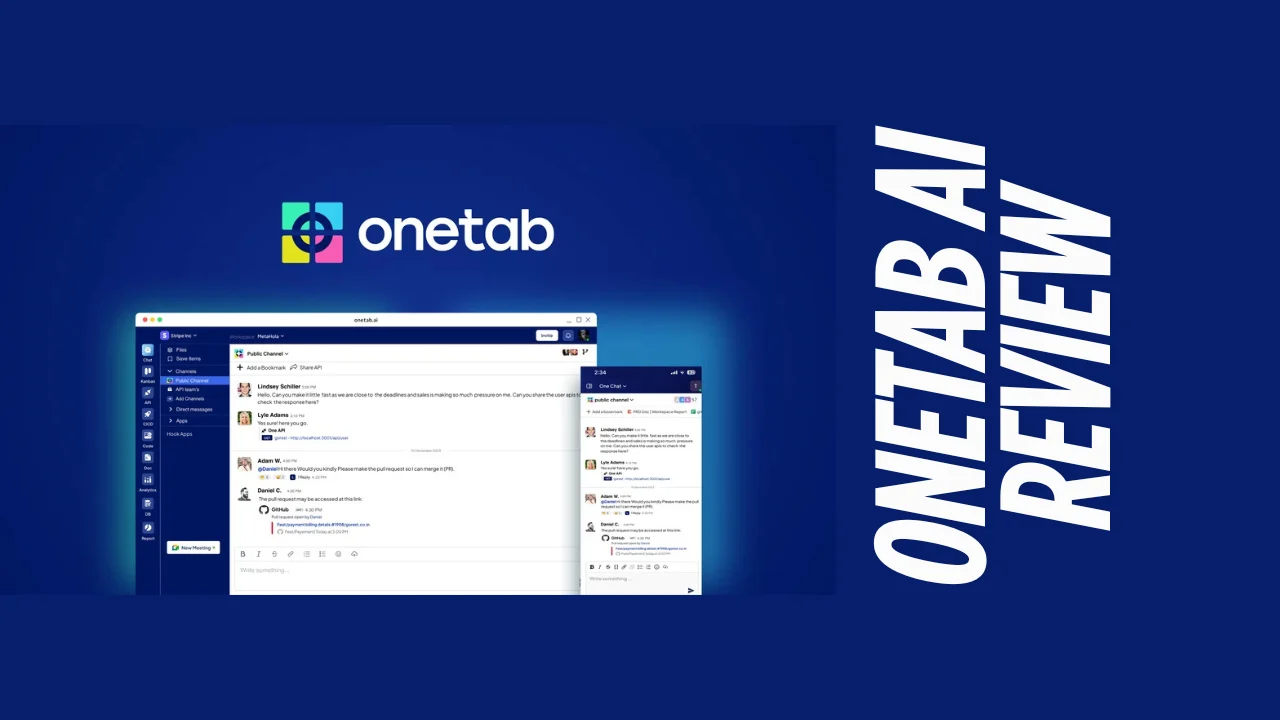
In today’s fast-paced digital landscape, juggling multiple tools for project management and software development can be overwhelming. Enter Onetab AI, a comprehensive platform designed to streamline workflows by integrating essential tools into a single ecosystem. This Onetab AI review explores how this innovative solution is changing the game for teams seeking efficiency and collaboration without the hassle of constant app-switching.
Introduction
For startups, small businesses, and development teams, managing projects often means toggling between numerous applications—chat platforms, kanban boards, documentation tools, and more. This fragmentation not only wastes time but also creates information silos that hinder productivity. Onetab AI addresses this challenge by bringing all these functionalities under one roof, creating a unified workspace where teams can communicate, organize tasks, build APIs, and leverage AI-powered features seamlessly.
Designed specifically for software development teams and project managers, Onetab AI combines the functionality of popular tools like Slack, Trello, and documentation platforms into a cohesive system. This Onetab AI review will dive deep into its features, pricing, user experience, and how it stacks up against competitors to help you determine if it’s the right solution for your business needs.
Overview of Onetab AI
Onetab AI emerged as a solution to the common problem of “tool sprawl” in modern workplaces. The platform’s mission is straightforward: to boost developer productivity by combining all essential tools into a single, integrated platform. Rather than forcing teams to adapt to disconnected systems, Onetab AI creates a unified environment where information flows naturally between different functions.
The platform primarily targets software development teams, project managers, and organizations looking to streamline their workflows. It’s particularly well-suited for startups and small to mid-sized businesses that need comprehensive project management capabilities without the complexity and cost of enterprise solutions.
Key Features
Onetab AI offers a robust set of features designed to cover the entire software development lifecycle. Here’s a breakdown of its core functionalities:
One Chat
- Real-time team communication with file sharing capabilities
- Instant feedback and collaboration without leaving the platform
- Organized conversations that keep project discussions contextual
One Kanban
- Customizable kanban boards for visual task management
- Drag-and-drop functionality for tracking progress
- Multiple views to organize and prioritize tasks effectively
One API
- Built-in tools for API building and testing
- Mock servers for development and testing
- Streamlined API management within the project environment
One CICD
- Continuous integration and deployment capabilities
- Repository management for code versioning
- Automated workflows for software updates and deployment
One Analytics
- Comprehensive data insights across all workspace tools
- Performance tracking and visualization
- Actionable metrics for informed decision-making
One DB
- Data relationship management tools
- Organized database functionality
- Seamless data integration across the platform
One Doc
- Collaborative document creation and editing
- Centralized knowledge base for project documentation
- Real-time co-editing capabilities
One Report
- Detailed reporting on task status and team productivity
- Customizable reports for different stakeholders
- Data-driven insights for project management
AI-Powered Features
- AI agent for workspace insights and workflow creation
- Intelligent assistance for development tasks
- Automated suggestions for productivity improvements
Ease of Use & User Experience
One of Onetab AI’s strongest selling points is its intuitive interface that requires minimal setup time. Users report that the platform strikes an excellent balance between comprehensive functionality and ease of use. The dashboard provides a clear overview of all ongoing projects, with easy navigation between different tools and features.
The onboarding process is straightforward, with helpful guidance for new users to get acquainted with the platform’s capabilities. The desktop application offers a smooth experience with no reported glitches, making it a reliable tool for daily use. While the mobile experience isn’t as extensively documented, the platform ensures a consistent user experience across devices, browsers, and operating systems.
What sets Onetab AI apart is how it maintains simplicity despite offering such a wide range of features. Rather than overwhelming users with options, the interface presents tools contextually, showing what’s relevant to the current task. This thoughtful design approach makes Onetab AI accessible even to team members who might be less technically inclined.
Pricing Breakdown
Onetab AI offers a tiered pricing structure designed to accommodate teams of different sizes and needs. Here’s a detailed breakdown of their pricing plans:
Kickoff Plan
- Price: Free forever (for up to 5 users)
- Features: Limited access to One Kanban (1 board), One API (1 Mock Server), and One CICD (1 Repository)
- Best for: Independent developers and small startups just getting started
Business+ Plan
- Price: $20 per seat/month
- Features: Full access to One Chat, unlimited Kanban boards, 1000 Mock Servers, 10 Repositories, and basic analytics
- Storage: 20 GB
- Best for: Small teams requiring comprehensive project management tools
Growth+ Plan
- Price: $30 per seat/month
- Features: Everything in Business+ plus advanced analytics, 20 Repositories, and enhanced AI capabilities
- Storage: 50 GB
- Best for: Mid-sized teams with more complex project requirements
Enterprise+ Plan
- Price: Custom pricing
- Features: All features plus SSO, user provisioning/deprovisioning, 3rd party data migration, and data exports
- Best for: Larger organizations with specific security and integration needs
All paid plans offer a free trial period, allowing teams to test the platform before committing. There’s also a 15% discount available for annual billing, providing additional value for long-term commitments. For teams with specific needs, Onetab AI offers various add-ons, including extended chat history, additional boards, repositories, mock servers, and storage upgrades.
Pros and Cons
| Pros | Cons |
|---|---|
| Centralizes multiple tools in one platform | No permanently free tier beyond the Kickoff plan |
| Intuitive, user-friendly interface | May not integrate with every tool your team uses |
| Comprehensive project management capabilities | Some advanced features only available in higher-tier plans |
| Real-time collaboration features | Limited reporting compared to specialized tools |
| AI-powered workflow assistance | Relatively new platform with evolving features |
| Visual task management with customizable boards | Limited third-party integrations compared to established competitors |
| Seamless API building and testing | Mobile experience not as robust as desktop |
| End-to-end encryption for data security | |
| Scalable pricing for growing teams |
Who Should Use Onetab AI?
Onetab AI is particularly well-suited for:
Software Development Teams: The platform’s integrated approach to coding, API testing, and deployment makes it ideal for development teams looking to streamline their workflows.
Project Managers: Those responsible for overseeing multiple projects and team members will appreciate the comprehensive visibility and management tools.
Startups and Small Businesses: Organizations with limited resources that need an all-in-one solution without investing in multiple specialized tools.
Remote and Distributed Teams: The robust communication and collaboration features make it perfect for teams working across different locations.
Solopreneurs and Freelance Developers: Independent professionals can use the platform to organize their work and collaborate with clients more effectively.
The ideal Onetab AI user values integration and efficiency over specialized depth in any single area. If your workflow involves frequent switching between communication, task management, and development tools, Onetab AI offers significant value by bringing these functions together.
Comparison With Competitors
| Feature | Onetab AI | Monday.com | Trello |
|---|---|---|---|
| Starting Price | $20/user/month | $12/user/month | $6/user/month |
| Free Plan | Yes (limited, 5 users) | Yes (basic) | Yes (basic) |
| Kanban Boards | Yes (unlimited in paid plans) | Yes | Yes (primary feature) |
| API Building | Built-in | Via integrations | Via integrations |
| CI/CD Pipeline | Built-in | No | No |
| Team Chat | Built-in | Limited | No (comments only) |
| Document Creation | Yes | Limited | No |
| AI Features | Yes | Limited | Limited |
| Database Management | Yes | Via workdocs | No |
| Analytics | Comprehensive | Advanced | Basic |
While Monday.com and Trello may offer lower entry prices, they lack the integrated development tools that make Onetab AI valuable for software teams. Conversely, specialized development tools often lack the project management capabilities that Onetab AI includes. This positions Onetab AI as a unique solution for teams that need both robust project management and development tools in one platform.
User Feedback Summary
Based on reviews from platforms like G2 and Capterra, users generally express positive sentiments about Onetab AI. Here are the key themes from user feedback:
Positive Feedback:
- Users consistently praise the platform’s ability to consolidate multiple tools, eliminating the need to switch between applications.
- The intuitive interface receives high marks for ease of use and quick adoption.
- Teams appreciate the real-time collaboration features, particularly for distributed workforces.
- The kanban board functionality is highlighted as particularly effective for visual task management.
Areas for Improvement:
- Some users mention that certain UI elements could be refined, though they acknowledge these are likely to improve over time.
- A few reviewers note that while the platform is comprehensive, they would like to see more advanced features in specific areas.
One user review captures the general sentiment well: “This platform is a game-changer! It seamlessly integrates chat, kanban boards, CI/CD pipelines, and APIs all in one place. My life has become hassle-free as I no longer need to juggle multiple platforms.”
Final Verdict Of Onetab AI Review
After thoroughly examining its features, pricing, and user feedback, this Onetab review concludes that the platform offers exceptional value for software development teams and project managers seeking an integrated solution. By combining communication, task management, documentation, and development tools in one cohesive platform, Onetab AI effectively addresses the fragmentation issues that plague many modern workflows.
The platform’s strengths lie in its thoughtful integration of essential tools, intuitive interface, and AI-enhanced capabilities. While it may not offer the depth of specialized tools in every category, the convenience and efficiency gains from having everything in one place more than compensate for this limitation for most users.
For startups and small to mid-sized businesses, Onetab AI represents one of the best tools for small business teams looking to streamline their operations without investing in multiple platforms. The pricing structure is competitive when considering the breadth of functionality offered, making it an affordable software option for growing organizations.
That said, very large enterprises with highly specialized needs or teams deeply invested in existing tool ecosystems might find the transition challenging. However, for most organizations—especially those building new workflows or looking to consolidate their toolset—Onetab AI offers a compelling solution that can significantly enhance productivity and collaboration.
In the crowded landscape of productivity tools for entrepreneurs, Onetab AI stands out as a thoughtfully designed platform that delivers on its promise to simplify complex workflows. This Onetab AI review recommends it as a valuable investment for teams looking to boost efficiency and collaboration in their software development and project management processes.




