
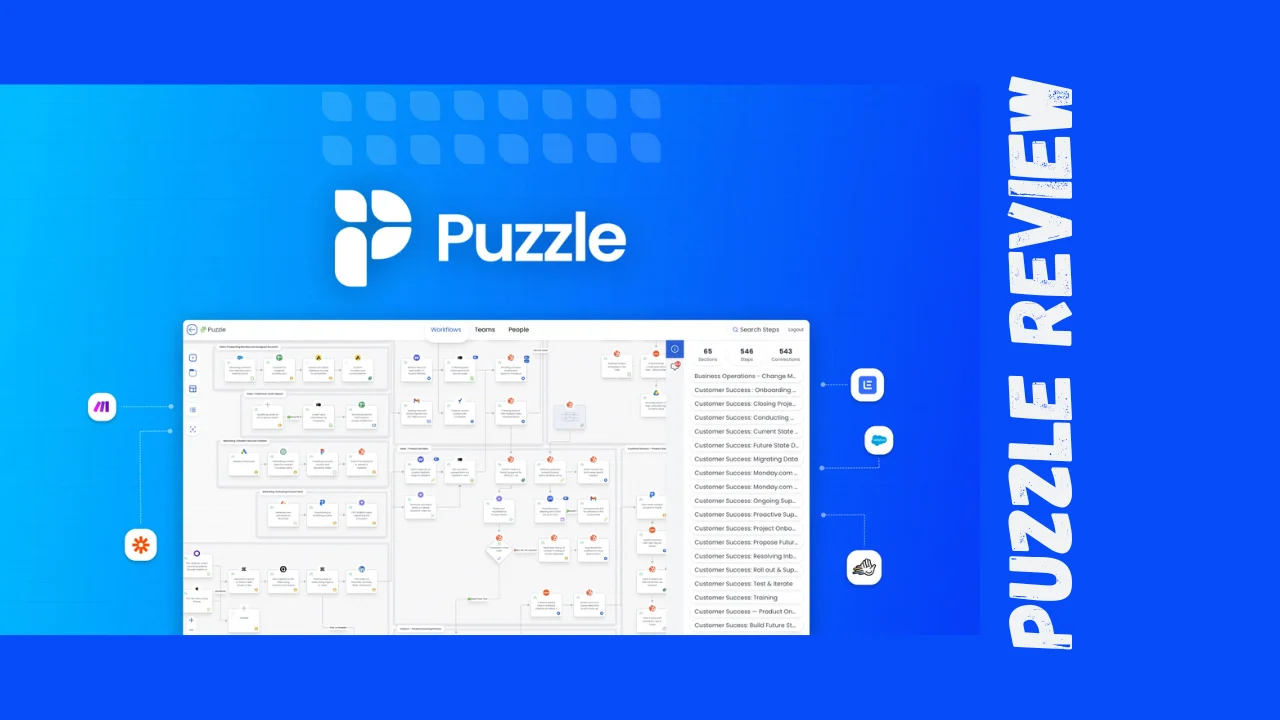
If you’ve ever tried explaining your company’s workflows to a new hire or mapping out complex processes across multiple teams, you know how messy things can get. Spreadsheets, disconnected tools, outdated documentation—it’s chaos. Puzzle is a visual mapping platform that turns complicated processes and systems into clear, interactive diagrams that everyone on your team can actually understand.
Designed specifically for consultants, marketing agencies, IT teams, and scaling businesses, Puzzle helps you document workflows, connect systems, and assign responsibilities in one organized visual workspace. Whether you’re trying to spot inefficiencies, onboard new team members, or simply get everyone on the same page, this tool promises to make process documentation less painful and more actionable.
Overview of Puzzle
Puzzle (puzzleapp.io) is built to solve a specific problem: growing teams lose visibility into how their operations actually work. As businesses scale, processes become fragmented across different tools, people forget who owns what, and inefficiencies pile up invisibly.
The platform positions itself as a visual relational database for process innovation, helping operations teams document and monitor how people, processes, and tools interconnect. Unlike traditional flowchart tools that just create static diagrams, Puzzle adds a layer of intelligence by letting you calculate time and cost per workflow step, sync with your existing tools, and collaborate in real-time.
The target audience includes consultants who need to document client systems, digital agencies managing multiple client workflows, IT and security teams mapping technical processes, and internal operations teams at scaling startups. Puzzle works particularly well for teams that have outgrown basic diagramming tools but don’t need enterprise-level complexity.
Key Features
Puzzle packs several standout features that go beyond what you’d find in standard diagramming software:
- Visual Process Mapping: Create intuitive diagrams that show how manual and automated workflows connect across your entire organization
- Cost and Time Calculations: Assign time estimates and costs to each step in your processes to identify where resources are being wasted
- Real-Time Integrations: Connect with HubSpot, Zapier, and Make to sync your diagrams with actual system data
- Responsibility Assignment: Tag team members and assign ownership for specific process steps, making accountability crystal clear
- Template Library: Access pre-built templates organized by department to jumpstart your process documentation
- Collaboration Tools: Use comments, feedback loops, and team-based roles to keep everyone aligned as you optimize operations
- Relational Database Structure: Unlike flat diagramming tools, Puzzle lets you see how changes in one process impact others
- Entities & Attributes Tracking: Visualize where data fields are used across your automations without digging through every workflow, making system changes safer and more confident
- Conditional Step Coloring: Automatically highlight process steps based on specific conditions like status, roles, or tools for instant clarity
These features combine to help teams not just document processes, but actually improve them by spotting bottlenecks and high-ROI optimization opportunities.
Ease of Use & User Experience
One of Puzzle’s biggest selling points is that it’s designed for non-technical users who need to create sophisticated process maps quickly. Reviewers describe it as “intuitive, easy to use, yet highly sophisticated” with fast data processing that makes it accessible for people outside IT departments.
The platform offers a drag-and-drop interface that lets you build diagrams without wrestling with complex tools. Getting started is straightforward thanks to the template library—you can customize pre-built workflows instead of starting from scratch. This is especially helpful for teams who know they need better process documentation but don’t have time to design everything from the ground up.
The onboarding process includes support resources, and the company offers a free trial so you can test the platform before committing. Users appreciate that Puzzle strikes a balance between simplicity and power—it doesn’t dumb things down, but it also doesn’t require a steep learning curve.
One thing to note: Puzzle is browser-based, which means you’ll need a stable internet connection to work effectively. The platform supports collaboration features like comments and real-time editing, making it easy for distributed teams to work together. You can embed Loom videos and documentation directly into process steps to create a visual playbook for your business.
Puzzle Lifetime Deal Pricing
Puzzle offers a one-time payment option that gives you lifetime access to the platform—a significant value compared to recurring subscription models. Here’s how the pricing breaks down:
| Plan | Price | What You Get |
|---|---|---|
| Single Purchase | $59 (one-time) | Lifetime access to Puzzle, all core features including visual mapping, cost calculations, integrations with HubSpot/Zapier/Make, collaboration tools, and template library |
| Refund Policy | 60 days | Full refund available if the tool doesn’t meet your needs |
| Team Access | Included | Flat fee structure allows unlimited team members in your organization (agencies have a cap of 10 editors across client workspaces) |
The lifetime deal represents approximately a 75% discount off regular pricing. For context, the standard pricing model starts at $19.99/month, which would cost you $240 over just one year. At $59 one-time, you break even in less than three months—making this an extremely compelling offer for small businesses and solopreneurs watching their budgets.
The 60-day refund policy gives you plenty of time to test whether Puzzle fits your workflow. The deal also includes future updates, so you won’t get stuck with a static version of the software.
Pros and Cons
Here’s an honest assessment of what Puzzle does well and where it falls short:
| Pros | Cons |
|---|---|
| Affordable lifetime deal makes it accessible for bootstrapped teams | Limited third-party reviews make it harder to assess long-term reliability |
| Cost and time tracking per process step helps quantify improvement opportunities | Newer platform without the extensive user base of established competitors |
| Intuitive interface doesn’t require technical expertise to create professional diagrams | Integration options are limited to HubSpot, Zapier, and Make |
| Template library speeds up documentation for common workflows | Browser-based means you need internet connectivity to work |
| Flat team pricing allows unlimited users without per-seat charges | Agency restrictions cap editors at 10 across client workspaces |
| Real-time collaboration keeps distributed teams aligned | Less feature-rich than enterprise tools for complex process mining |
| Entities & Attributes feature provides complete visibility into data flow | Relatively new to market compared to established competitors |
Overall, Puzzle delivers strong value for small to mid-sized teams who need better process documentation without enterprise-level complexity or cost.
Who Should Use Puzzle?
This Puzzle review wouldn’t be complete without identifying who will get the most value from this tool.
Ideal users include:
Consultants who work with multiple clients and need to quickly document and visualize their existing systems and workflows. The ability to create clear diagrams helps you communicate recommendations and get buy-in faster.
Digital marketing agencies managing campaigns across various platforms and clients. Puzzle helps you map out how your tools connect, where manual handoffs slow things down, and which processes could benefit from automation.
Operations managers at scaling startups who are trying to bring order to growing chaos. As your team expands, Puzzle gives you visibility into how work actually gets done and where bottlenecks are forming.
IT and security teams who need to document technical processes and system architectures in a way that non-technical stakeholders can understand. The visual format makes complex systems more accessible, and the entities & attributes feature lets you track data flow across your entire tech stack.
Who should probably skip it:
Enterprise organizations that need advanced process mining capabilities and extensive integrations with legacy systems. Puzzle is built for simplicity, not enterprise complexity.
Teams that primarily need design mockups and UI prototyping rather than operational process mapping. Tools like Figma are better suited for design-specific workflows.
Solo freelancers with very simple workflows who don’t need formal process documentation. The tool might be overkill if you’re just managing your own tasks.
Comparison With Competitors
How does this Puzzle review stack up against alternatives? The platform positions itself as a replacement for Figma, Miro, and Mural in the process documentation space.
| Feature | Puzzle | Miro | Figma |
|---|---|---|---|
| Primary Use Case | Process mapping with cost/time analytics | Visual collaboration and brainstorming | Design systems and UI prototyping |
| Cost Tracking | Built-in per-step calculations | Not available | Not available |
| Starting Price | $59 lifetime | Subscription-based | Subscription-based |
| Best For | Operations teams and consultants | Creative brainstorming sessions | Product designers |
| Learning Curve | Low, built for non-technical users | Moderate, can be overwhelming initially | Moderate to high for advanced features |
| Integrations | HubSpot, Zapier, Make | Extensive | Design-focused |
| Data Flow Tracking | Yes (Entities & Attributes) | Limited | No |
Puzzle stands out as the best tools for small business operations specifically because it adds financial analysis to process mapping. While Miro excels at freeform collaboration and Figma dominates design workflows, Puzzle focuses narrowly on helping you document and optimize how work gets done.
For teams that need process documentation rather than creative brainstorming, Puzzle offers better value and more relevant features. However, if your team needs both process mapping and extensive whiteboarding capabilities, Miro’s broader feature set might justify its higher cost.
User Feedback Summary
Since Puzzle is a relatively newer platform, there’s limited feedback across major review sites. However, the available reviews paint a positive picture.
Users describe Puzzle as an “intuitive, easy to use, yet highly sophisticated process analysis tool” with fast data processing. One reviewer specifically praised that “puzzles (widgets) are easy to use for non-IT professionals,” highlighting the platform’s accessibility.
Reviews note that Puzzle helps teams “identify inefficiencies, uncover opportunities for automation and AI, and make measurable improvements across their operations.” Users appreciate how the tool brings clarity to how processes, systems, and responsibilities interconnect.
The general sentiment suggests Puzzle delivers on its core promise: making complex processes visible and actionable without requiring technical expertise. Users consistently mention the visual clarity and ease of use as standout benefits.
One limitation worth noting is that the tool is still building its user base, so long-term reliability and ongoing feature development remain to be fully proven. The company appears responsive based on early feedback, but there isn’t yet the extensive review history you’d find with more established competitors.
Final Verdict
After examining the Puzzle lifetime deal features, pricing, and user feedback, this Puzzle review comes to a clear conclusion: it’s an excellent value for small teams and agencies that need better process documentation without breaking the bank.
The $59 lifetime deal pricing is arguably the tool’s biggest selling point. You’re getting sophisticated process mapping capabilities, cost analysis features, and team collaboration tools for less than three months of typical SaaS subscriptions. For bootstrapped startups, consultants, and small agencies watching every dollar, that’s compelling value.
The platform delivers particularly well on ease of use—you don’t need to be a process engineer or data analyst to create professional workflow diagrams. The template library accelerates setup, and the intuitive interface means your team can start documenting processes immediately rather than spending weeks on training.
Where Puzzle truly differentiates itself is the built-in cost and time tracking per process step. This transforms process mapping from a documentation exercise into an optimization tool—you can actually quantify where inefficiencies are costing you money. The entities & attributes feature adds another layer of sophistication by letting you visualize data flow across your entire automation landscape.
Who will benefit most: Operations-focused teams at growing companies, consultants who need to visualize client systems, and agencies managing multiple client workflows. If you’re in the “too big for spreadsheets, too small for enterprise tools” zone, Puzzle hits the sweet spot.
Who should wait: Enterprise teams needing advanced process mining, extensive integrations, or proven long-term reliability. The platform is still building its track record, and the integration ecosystem is limited compared to established competitors.
For affordable software solutions focused on operational excellence rather than creative collaboration, Puzzle delivers genuine value. The lifetime deal removes financial risk with its 60-day refund window, making it easy to test whether the tool fits your workflow. If your team struggles with process visibility and you’re looking for productivity tools for entrepreneurs that won’t drain your budget, Puzzle deserves serious consideration.




