
Managing contracts and collecting signatures used to mean printing, scanning, chasing people down, and waiting days for simple paperwork. Signify is a document management platform that combines electronic signatures with workflow automation, helping small teams and businesses handle documents without the usual headaches.
This Signify review digs into what this tool offers, who should use it, and whether the one-time payment pricing makes it a smart buy for startups, solopreneurs, and small business owners looking to streamline their operations.
What Is Signify and What Problem Does It Solve?
Signify is a document management and e-signature platform designed to replace manual contract handling with automated workflows. Instead of juggling PDFs across email threads and tracking signatures on spreadsheets, you get one centralized space to create, send, track, sign, and archive documents.
The platform was built for sales teams, small businesses, and executives who need to close deals faster without drowning in administrative work. It’s positioned as an alternative to tools like DocuSign, Adobe Sign, and Dropbox, but with simpler pricing and a focus on teams that don’t need enterprise-level complexity.
Signify cuts the typical document turnaround time by up to 5x and reduces costs by around 70%, according to the company. One of their customers noted that contract retrieval time dropped from a day and a half to seconds.
Who Is Signify Built For?
Signify targets three main groups: C-suite executives managing high-stakes contracts, sales managers closing deals on tight timelines, and small business owners tired of manual paperwork. It’s particularly useful for service-based businesses, agencies, consultants, and anyone who regularly sends contracts, proposals, or agreements to clients.
If you’re a solopreneur handling client onboarding or a startup scaling your sales process, Signify gives you the infrastructure to look professional without paying enterprise software prices.
Key Features That Stand Out
Signify packs several useful tools into one platform, making it more than just an e-signature app.
- Electronic Signatures with Multiple Authentication Options: Send documents for signature with SMS OTP, password protection, or video ID verification for added security.
- Document Templates and Form Fields: Build reusable templates with pre-filled fields to speed up repetitive contract creation.
- Real-Time Tracking and Notifications: Monitor when documents are opened, viewed, or signed, with automatic reminders for recipients who haven’t completed their part.
- Centralized Document Storage: Store all signed and unsigned documents in one searchable archive, organized with folders, tags, and custom attributes.
- Workflow Automation: Set up multi-step approval processes with multiple recipients, allowing you to route documents through your team before sending them to clients.
- Team Workspaces and Collaboration: Share access with team members, assign roles, and maintain an audit trail for accountability.
- Branding Customization: Add your logo and brand colors to signing pages to maintain a consistent client experience.
- In-Person Signature Mode: Collect signatures face-to-face using a tablet or mobile device, useful for retail or field operations.
- Contract Expiry Tracking: Set expiration dates and get alerts before contracts need renewal.
- SMS Link Sharing: Send signing links directly via SMS for recipients who prefer mobile access.
- Integration Support: Connect Signify with your existing tools to embed it into your workflow, though integration options are more limited than enterprise platforms.
Ease of Use and User Experience
Signify claims you can set up the platform in just one day, which is a big deal if you’re migrating from paper-based or email-heavy processes. The interface focuses on speed: upload a document from your desktop or select a template, fill in the necessary fields, and hit send.
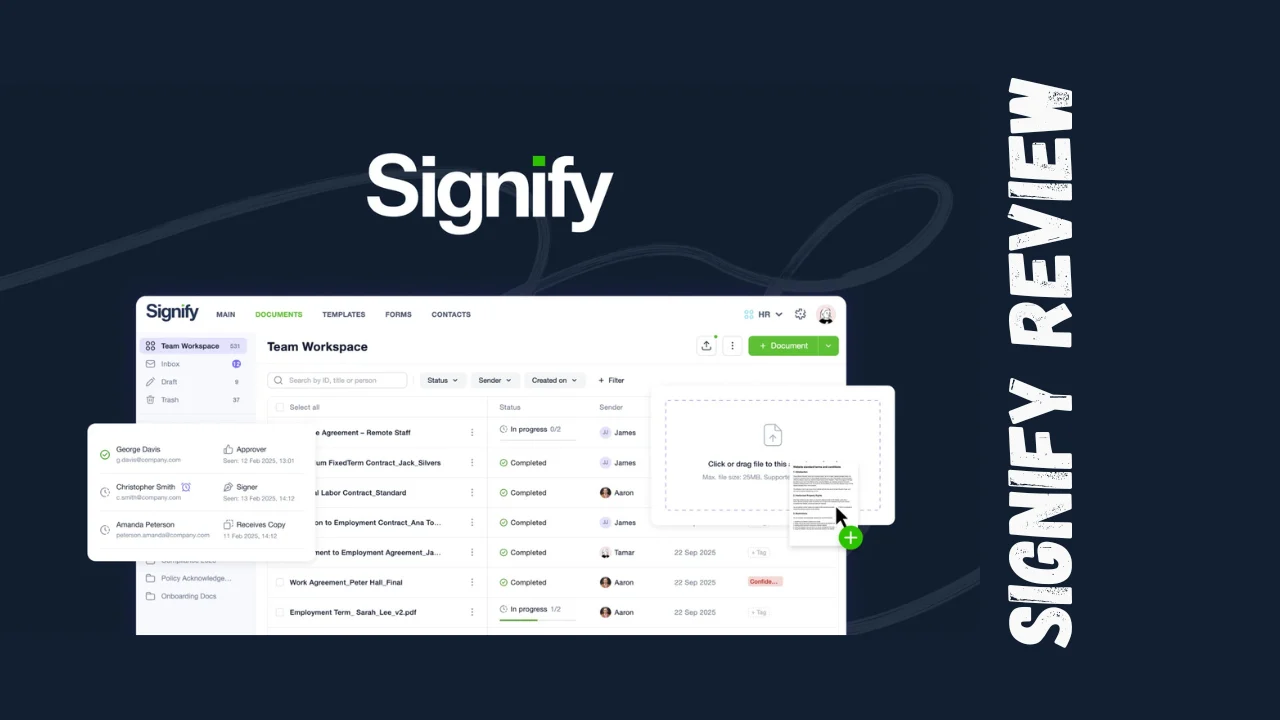
The dashboard is designed to be straightforward, with real-time status updates showing which documents are pending, signed, or awaiting review. Users can search, sort, and filter documents using folders and tags, making it easy to find specific contracts without digging through email archives.
One customer mentioned that their team finished daily closeout tasks in 10 minutes instead of 30-40 minutes after switching to Signify. Another noted that the support team is highly responsive and actively involved in improving the product based on user feedback.
The mobile and desktop experience is consistent, allowing you to manage documents from anywhere. The platform also supports in-person signing on tablets, which is handy for businesses that need signatures on the spot.
Signify Lifetime Deal Pricing Breakdown
Signify offers a one-time payment model with four pricing tiers, making it an affordable option for small teams and businesses that want to avoid recurring subscription fees.
| Tier | Price | Users | Documents/Month | Forms/Month | Branding | Key Features |
|---|---|---|---|---|---|---|
| Tier 1 | $69 | 1 | 50 | 0 | None | Contacts, Audit trail |
| Tier 2 | $169 | 3 | Unlimited | 0 | Limited | Templates, Form fields, SMS sharing, Folders & tags, Contract attributes, In-person signature, Approvals, Reports, Team workspaces |
| Tier 3 | $299 | 6 | Unlimited | 100 | Limited | All Tier 2 features + Forms |
| Tier 4 | $499 | 10 | Unlimited | 200 | Full | All Tier 3 features + Full branding |
All tiers include lifetime access, meaning no recurring monthly or annual fees. There’s also a 60-day money-back guarantee, giving you two months to test the platform risk-free.
Signify pricing is structured to grow with your team. Tier 1 works for solo users with light document needs, while Tier 2 and beyond unlock unlimited documents, which is crucial for sales teams and agencies handling high volumes. The higher tiers add forms and full branding, which are essential if you’re collecting data from clients or want to maintain a polished, professional appearance.
Pros and Cons
| Pros | Cons |
|---|---|
| One-time payment eliminates recurring subscription costs | Limited integrations compared to enterprise platforms like DocuSign |
| Workflow automation saves time on repetitive tasks | Tier 1 lacks branding and forms, which limits its usefulness for many businesses |
| Real-time tracking and automatic reminders keep projects moving | Requires a valid phone number for use, which may not suit all users |
| Customizable branding builds trust and professionalism | Fewer reviews available online compared to more established competitors |
| Centralized document storage with search and tagging | Feature set may feel basic for large enterprises with complex needs |
| 60-day refund policy reduces purchase risk | |
| Responsive support team |
Signify’s biggest advantage is the Signify lifetime deal pricing, which makes it accessible for bootstrapped startups and small teams. However, the lack of extensive integrations and limited branding on lower tiers might push some users toward competitors with more robust ecosystems.
Who Should Use Signify?
Signify is ideal for several types of users:
Freelancers and Solopreneurs: If you send contracts, proposals, or service agreements to clients, Signify streamlines the signing process and keeps everything organized in one place. Tier 1 works if you’re handling fewer than 50 documents per month.
Small Business Owners: Teams of 3-10 people benefit from the collaborative workspaces, unlimited document limits, and branding options. Tier 2 and Tier 3 are strong choices here.
Sales Managers and Teams: Closing deals faster matters, and Signify’s real-time tracking and automated reminders help you stay on top of contracts without constant follow-up emails.
Consultants and Service Providers: If you need clients to sign NDAs, service agreements, or onboarding forms, Signify’s templates and form fields save time on repetitive tasks.
Agencies and Creative Studios: Branding customization on higher tiers lets you maintain a professional image when sending contracts to clients.
If you’re part of a large enterprise with complex compliance needs or require deep integrations with CRM and ERP systems, you might find Signify’s feature set too limited. In that case, DocuSign or Adobe Sign could be better fits despite their higher costs.
Comparison With Competitors
Signify competes with several established players in the document management and e-signature space.
| Feature | Signify | DocuSign | PandaDoc |
|---|---|---|---|
| Primary Focus | E-signatures + Document Management | E-signatures | Document creation + E-signatures |
| Pricing Model | One-time payment ($69-$499) | Subscription (starting ~$25/user/month) | Subscription (starting ~$19/user/month) |
| Unlimited Documents | Yes (Tier 2+) | Depends on plan | Depends on plan |
| Branding Customization | Limited to Full (Tier 3-4) | Yes | Yes |
| Workflow Automation | Yes | Yes | Yes |
| Integrations | Limited | Extensive | Extensive |
| Best For | Small teams, solopreneurs, startups | Enterprises, large teams | Sales teams, proposal-heavy businesses |
DocuSign is the market leader with a massive feature set and integrations, but it comes with recurring monthly fees that add up over time. PandaDoc focuses heavily on proposal creation and sales enablement, making it a good choice if you need more than just e-signatures. Signify’s Signify lifetime deal pricing makes it a cost-effective alternative for teams that don’t need enterprise-level complexity.
For best tools for small business, Signify stands out as an affordable option that covers the essentials without overwhelming users with features they won’t use.
User Feedback Summary
Signify has received positive feedback from customers who value its speed, ease of use, and responsive support team. One operations head noted that service time decreased by 65% after implementing Signify, while a project coordinator praised the team’s attention to customer requests.
A general director mentioned eliminating physical archives entirely, and employees finishing their daily tasks in a fraction of the time. A director highlighted that document retrieval time dropped from a day and a half to seconds.
However, Signify has fewer public reviews on major platforms like G2, Capterra, and Trustpilot compared to competitors like DocuSign or PandaDoc. Some users on Trustpilot have left mixed feedback, with a small number appreciating certain features while others noted concerns. This limited review volume makes it harder to gauge long-term user satisfaction compared to more established platforms.
Overall, users appreciate Signify’s simplicity, automation features, and the ability to centralize document workflows, but the platform is still building its reputation in a crowded market.
Final Verdict
Signify is a solid choice for small businesses, freelancers, and startups looking for affordable software that handles e-signatures and document management without the complexity of enterprise tools. The one-time payment model is a huge advantage if you’re tired of recurring subscription fees, and the 60-day refund policy gives you plenty of time to test it out.
The Signify features that stand out most are workflow automation, real-time tracking, and centralized storage, all of which save time and reduce the chaos of manual document handling. Branding customization on higher tiers adds a professional touch that matters when you’re client-facing.
However, if you need extensive integrations with your existing tech stack or you’re part of a large enterprise with complex compliance requirements, you might find Signify’s offerings too limited. In those cases, competitors like DocuSign or PandaDoc might be better fits despite their higher costs.
For productivity tools for entrepreneurs and small teams, Signify delivers strong value. It’s not the most feature-rich option on the market, but it covers the essentials well and does so at a price point that makes sense for bootstrapped businesses. If you’re handling contracts, proposals, or client agreements regularly and want to stop chasing signatures over email, this Signify review suggests it’s worth a look.




