
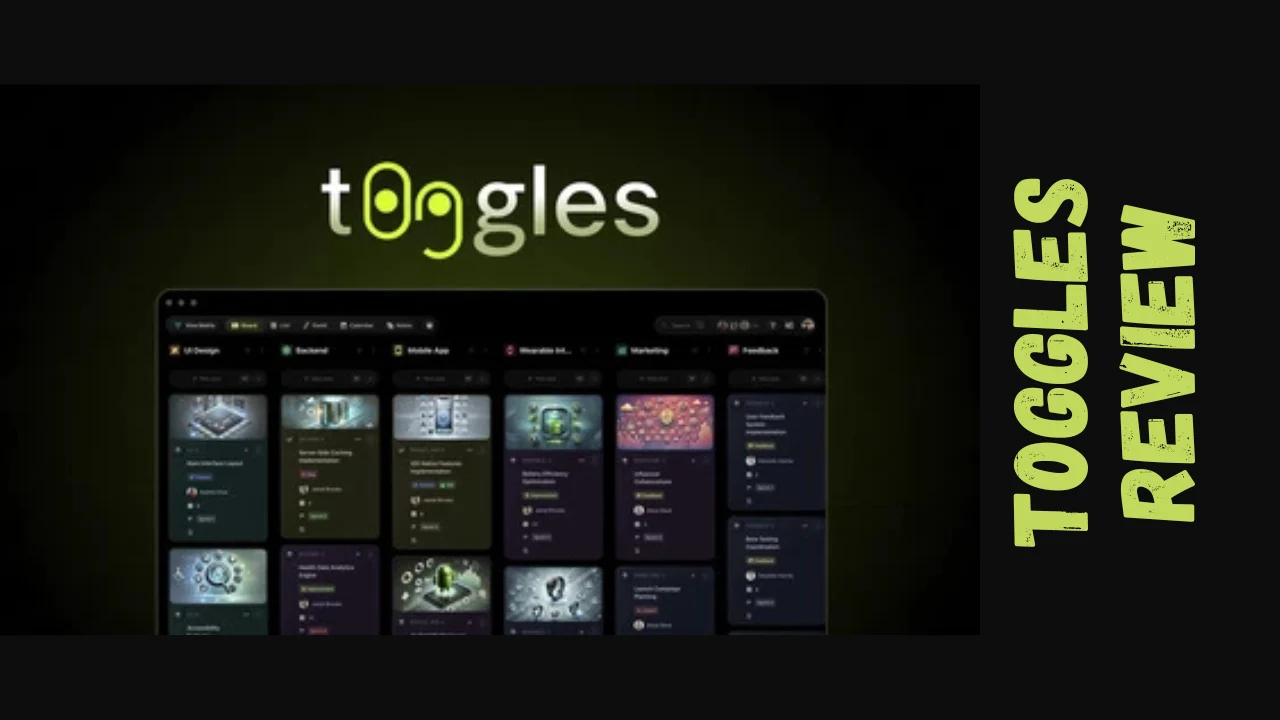
Managing five client projects across three different tabs while your GitHub notifications pile up isn’t productivity—it’s chaos. t0ggles is a modern project management platform designed specifically for startups, marketers, small business owners, and solopreneurs who need a centralized workspace that doesn’t slow them down. This t0ggles review explores whether this AI-powered tool can replace your scattered workflow with something faster, cleaner, and more intuitive.
Overview of t0ggles
Created by Vladimir Kharlampidi, a designer-developer with over a decade of web development experience and creator of popular open-source projects like Swiper and Framework7, t0ggles was born from a simple frustration: existing project management tools forced users to manage one project per board, creating tab sprawl and manual status nightmares. Launched in 2024, the platform consolidates multiple projects onto a single real-time board with built-in work-in-progress limits that expose bottlenecks before they become fires.
t0ggles targets development teams, freelancers, agencies, consultants, and small businesses juggling multiple projects who need visual project management without manual overhead. The platform bridges code, design, and task management through seamless integrations with GitHub and Figma.
Key Features
Multi-Project Boards
t0ggles lets you visualize all your projects simultaneously on one board, eliminating context switching. The Project Focus Mode transforms your board by representing each column as a specific status of the selected project, mimicking a traditional Kanban board with a modern interface.
AI-Powered Task Creation
Describe what needs to be done in natural language, and the GPT-4 powered AI assistant automatically generates structured tasks with due dates, priorities, and tags. The AI text editor assistant also helps with translating, refining, and optimizing content directly within tasks.
Multiple View Options
Switch between Kanban, List, Calendar, and Gantt chart views for flexible planning across timelines and workflows. The Calendar View offers Month, Week, and Day perspectives with drag-and-drop scheduling. The Gantt Chart provides drag-and-drop interface with flexible grouping by project, assigned user, or no grouping at all.
GitHub Integration
Automatically create tasks from GitHub comments, commits, and pull requests using simple commands like “t0ggles-create” and “t0ggles-link”. The t0ggles GitHub bot creates or links tasks and sends preview images back to your repository, keeping development workflows seamlessly connected to project tracking.
Figma Integration
Preview and share Figma and FigJam files directly within tasks and notes without switching tabs. This bridges the gap between project management and design collaboration.
Advanced Text Editor
Create rich documentation with image and file attachments, tables, syntax highlighting, action items, hyperlinks, and the ability to mention team members or link tasks and notes directly.
Unlimited Notes with Zen Mode
Create and store unlimited notes organized in folders that correspond to your project structure. Zen Mode removes all unnecessary UI elements for distraction-free writing.
Public Boards
Make your project management transparent by showcasing your journey publicly—ideal for building in public, client collaboration, or community feedback.
WIP Limits
Set work-in-progress limits for any status to highlight overloads early so teams can rebalance work before bottlenecks form.
Customization Options
Customize task card appearance by changing status colors, configuring task layouts, and enabling or disabling task card elements to create a workspace tailored to your needs.
Ease of Use & User Experience
t0ggles delivers a refreshingly clean interface with thoughtful design choices that prioritize speed and usability. The platform features a handcrafted interface with skeuomorphic touches that make digital interactions feel tangible and satisfying. Users praise the intuitive design and user-friendly interface, noting that setup and implementation are straightforward.
Recent updates include a softer, more monochrome light theme that feels calmer for extended work sessions, plus keyboard shortcuts (Cmd/Ctrl + 1-9) for quickly switching between project focus views. The drag-and-drop functionality across all views makes task management feel natural rather than forced.
However, some users mention that on larger screens, tasks and notes appear small and centered, which can negatively affect user experience—though the creator is actively working on improved scaling and wider layouts. Navigation quirks and limited file size have also been noted as minor hiccups.
t0ggles is currently web-only but works on any platform via browser. It can be installed as a PWA (Progressive Web App) on iOS, Android, and desktop for a smoother, app-like experience.
Pricing Breakdown
Standard Subscription Pricing
| Plan | Monthly | Annually (per user/month) | Features |
|---|---|---|---|
| Free Trial | 14 days | 14 days | Full access to all features |
| Paid Plan | $6/user | $5/user | Unlimited boards, projects, tasks, notes, files, custom fields, tags, integrations, custom domains, AI tasks, AI text editor assistant, 60 days archive |
One-Time Payment Options
| Tier | Price | Users | All Features Included |
|---|---|---|---|
| Tier 1 | $19 | 1 user | Unlimited boards, projects, tasks, notes, files, custom fields, tags, integrations, AI tasks, AI text editor assistant, 60 days archive |
| Tier 2 | $49 | 3 users | All features from Tier 1 |
| Tier 3 | $129 | 10 users | All features from Tier 1 |
| Tier 4 | $249 | 30 users | All features from Tier 1 |
The one-time payment options represent significant savings compared to monthly subscriptions—Tier 1 pays for itself in four months, while Tier 4 offers 30 user licenses at a fraction of traditional subscription costs. All one-time purchases include a 60-day money-back guarantee, allowing risk-free evaluation.
t0ggles offers special discounts for startups, educational institutions, and non-profit organizations upon verification. There are no hidden fees, and all costs are transparent and included in your plan.
Pros and Cons
| Pros | Cons |
|---|---|
| Single board for multiple projects eliminates tab sprawl and context switching | Tasks appear small on larger screens, though improvements are in development |
| AI-powered task creation saves significant setup time | Currently web-only (though PWA installation is available) |
| Extremely affordable pricing with unlimited core features | Limited file size for attachments |
| Multiple view options (Kanban, List, Calendar, Gantt) in one platform | Relatively new platform with smaller user base compared to established competitors |
| Seamless GitHub and Figma integrations for developers and designers | Some navigation quirks reported by users |
| True speed and real-time collaboration | No free plan available (14-day trial only) |
| 60-day money-back guarantee on one-time purchases | Documentation and onboarding instructions could be clearer |
| Public boards feature for building in public and client collaboration | Email support only (no phone or live chat) |
| Work-in-progress limits prevent bottlenecks |
Who Should Use t0ggles?
t0ggles excels as productivity tools for entrepreneurs and small teams managing multiple projects simultaneously. This tool is ideal for:
Freelancers and consultants juggling multiple client projects who need a bird’s-eye view of all commitments without paying per-project pricing. The t0ggles lifetime deal makes it particularly attractive for solopreneurs watching their budgets.
Development teams benefit tremendously from the GitHub integration that automatically syncs issues, commits, and pull requests with project boards. Software engineers can link code changes directly to tasks for real-time sprint tracking.
Design teams and agencies appreciate the Figma integration that allows previewing design files within tasks without constant tool-switching. The public boards feature is perfect for client collaboration and feedback collection.
Startup founders and small business owners need best tools for small business that can scale without breaking the budget. With unlimited boards, projects, and tasks at flat pricing, t0ggles grows with your business.
Marketing teams and content creators managing campaigns across multiple channels benefit from the Calendar and Gantt views for deadline tracking, plus the robust notes system for documentation.
However, t0ggles may not suit enterprise organizations requiring extensive administrative controls, advanced reporting dashboards, or legacy system integrations. Teams exclusively needing mobile-first solutions should note the current web-only availability.
Comparison With Competitors
| Feature | t0ggles | Trello | Asana |
|---|---|---|---|
| Starting Price | $5/user/month or $19 one-time for 1 user | $5/user/month | $10.99/user/month |
| Free Plan | 14-day trial | Yes (10 boards, 10 users) | Yes (up to 10 teammates) |
| Multi-Project Single Board | Yes | No (one project per board) | No |
| AI Task Creation | Yes (GPT-4 powered) | No | Limited on Enterprise plans |
| Views Included | Kanban, List, Calendar, Gantt | Kanban, Calendar, Timeline (paid plans) | List, Board, Calendar, Timeline, Gantt (varies by plan) |
| GitHub Integration | Native, automatic | Via Power-Ups | Via third-party apps |
| Unlimited Tasks | All plans | All plans | Free plan included |
| One-Time Purchase Option | Yes | No | No |
Trello excels in simplicity with a large Power-Up ecosystem but lacks multi-project management on a single board. Asana offers more features on its free plan and extensive reporting capabilities but comes at nearly double t0ggles pricing on paid tiers. t0ggles differentiates itself through true multi-project visualization, native AI assistance, developer-friendly integrations, and affordable software pricing with one-time purchase options.
User Feedback Summary
t0ggles has earned a rating of 4.8 out of 5 stars based on verified user reviews. Customers consistently praise the multi-project boards, user-friendly interface, and recent updates including the softer light theme, API upgrade, and keyboard shortcuts for focus mode.
Users describe the platform as “exceptionally well-organized and invaluable for tracking tasks and taking notes for each project”. The AI-powered task creation feature receives particular acclaim for saving time and reducing manual setup work. Reviewers appreciate how the tool helps them “see everything in one place and stay on top of deadlines effortlessly”.
The developer responsiveness stands out in user feedback, with the founder actively engaging with customer concerns and shipping improvements continuously. One reviewer noted the creator is “actively working on improving the sizing” for large screen displays.
Minor criticisms center on limited file size, some navigation quirks, and the need for clearer instructions. However, the overall sentiment remains highly positive, with users calling it a “great app, great potential and of course, great deal”. The combination of flat pricing, unlimited core features, and continuous improvements resonates strongly with the target audience of makers, agencies, and startups.
Final Verdict
This t0ggles review reveals a project management platform that delivers on its core promise: managing multiple projects without losing track. For startups, freelancers, and small teams drowning in browser tabs and scattered tools, t0ggles offers a genuinely different approach that prioritizes speed, clarity, and practical AI over feature bloat.
The t0ggles pricing structure stands out as exceptionally fair—particularly the one-time payment options that let you own the software outright rather than rent it forever. At $19 for a single user or $249 for 30 users with lifetime access, the value proposition is compelling for budget-conscious businesses. Even the standard $5/user/month subscription undercuts most competitors while delivering unlimited everything.
The t0ggles features genuinely solve real problems rather than checking marketing boxes. The multi-project single-board view eliminates context switching, AI task creation cuts setup friction, and the GitHub integration keeps developers in flow state. The platform feels fast because it is fast—built by someone who understands that seconds matter when you’re shipping.
However, the platform isn’t perfect. The web-only availability, occasional layout issues on large screens, and relatively small user community mean you’re adopting a tool that’s still maturing. But with a responsive founder shipping updates weekly and a 60-day money-back guarantee, the risk is minimal.
t0ggles is worth it for: Development teams integrating code with project tracking, freelancers managing multiple clients, agencies building in public, and startups seeking affordable software that scales without subscription traps.
Skip t0ggles if: You need enterprise-grade administrative controls, extensive third-party integrations beyond GitHub and Figma, or exclusively mobile-first workflows.
For solopreneurs and small teams seeking best tools for small business that respect both your time and your budget, this t0ggles review concludes the platform merits serious consideration. The 14-day trial removes barriers to testing whether the multi-project approach clicks with your workflow. In a market saturated with bloated tools that cost more every year, t0ggles feels refreshingly focused on helping you ship more and manage less.




