
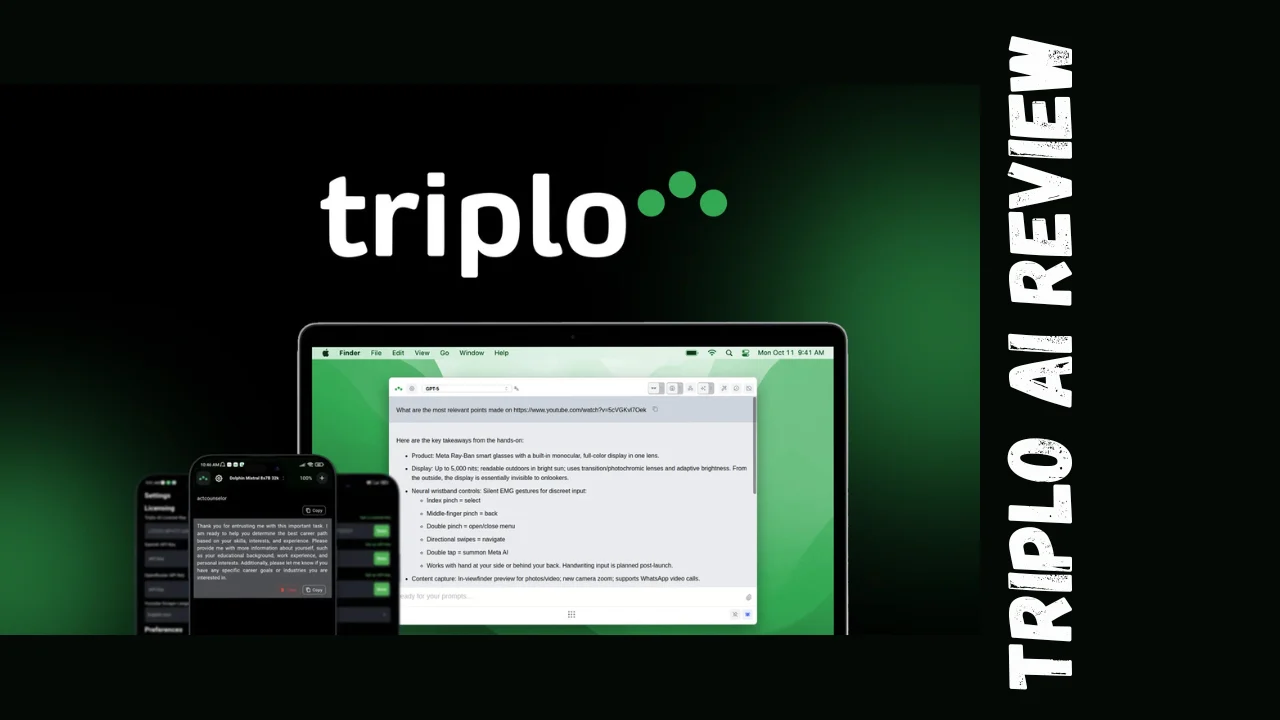
Managing multiple AI tools across different apps and devices gets exhausting fast. You’re constantly switching tabs, copying text between windows, and losing valuable time in the process. Triplo AI promises to solve this headache by bringing AI assistance directly into any application on any device—no browser extensions, no integrations, just instant AI access wherever you work. This Triplo AI review digs into whether it actually delivers on that promise.
Built for startups, marketers, small business owners, and solopreneurs, Triplo AI positions itself as an all-in-one productivity assistant that eliminates the friction of using AI tools. Whether you’re drafting emails, writing blog posts, translating content, or automating workflows, this tool aims to streamline your entire AI experience from a single interface.
Overview of Triplo AI
Triplo AI was developed to address a fundamental problem: existing AI tools are mostly browser-based or locked into specific platforms, limiting their usefulness across your actual workflow. The team behind Triplo created an AI assistant that lives on your desktop and mobile devices, accessible via hotkeys or text triggers from literally any application—Word, Slack, Gmail, code editors, you name it.
The target audience includes students, researchers, writers, business professionals, content creators, and anyone who regularly uses AI but finds the constant app-switching tedious. Triplo AI works across Windows, Mac, Linux, Android, iOS, and Chromebook, making it genuinely platform-agnostic.
Key Features
Triplo AI packs an impressive toolkit designed to boost productivity across multiple use cases:
- Real-Time Assistance Anywhere: Activate AI assistance in any application using customizable hotkeys or text triggers—no need to open browsers or switch windows
- 300+ SmartPrompts: Pre-built, ready-to-use prompts for common tasks like email drafting, social media posts, code generation, and content summarization
- Custom SmartPrompts: Create and save your own prompts tailored to repetitive tasks in your specific workflow
- Multi-Model Support: Access 15+ large language models including GPT-4o, Claude, and other leading AI models from one interface
- Web & YouTube Scraping: Extract content from websites and videos through URLs to use as context for your AI queries
- Context-Aware Translations: Translate between 200+ languages and dialects with attention to regional nuances, slang, and context
- AI Training Feature: Teach the AI specific information by creating custom knowledge bases that improve response accuracy and relevance
- Workflow Automation: Connect to Zapier, Pabbly Connect, webhooks, and APIs to automate data collection and content distribution
- Chat Mode: Build temporary context for ongoing conversations with the AI for more coherent multi-turn interactions
- Local LLM Support: Run local language models on your computer for enhanced privacy and offline functionality
- Cross-Platform Sync: Access your custom prompts, settings, and AI training data across all your devices
- Two-Week Log History: Review past AI interactions and generated content (available on higher tiers)
- Content Generation: Create emails, blog posts, essays, articles, code snippets, FAQs, social media content, and more in seconds
- Triplo Bar Interface: Clean, unobtrusive interface that appears when needed and stays out of your way otherwise
The platform emphasizes speed and accessibility—you can generate, edit, or automate tasks without leaving your current application, which dramatically reduces context switching.
Ease of Use & User Experience
Triplo AI’s onboarding process is straightforward. After installation, you set up your preferred activation method (hotkey or text trigger), connect your AI model accounts, and you’re ready to go. The learning curve is minimal—most users report getting comfortable with the interface within 20-30 minutes.
The Triplo Bar interface is clean and intuitive. When activated, it overlays your current application without taking over your screen. You type your prompt or select from SmartPrompts, the AI generates your content, and you can immediately insert it into whatever you’re working on. The dashboard for managing custom prompts and settings is well-organized, though some users note it could use minor UI polish.
Mobile experience varies slightly—the Android and iOS apps provide the same core functionality, though some reviewers mention that button spacing on mobile could be improved to prevent accidental taps. The desktop experience is where Triplo AI truly shines, with seamless integration that feels native to your operating system.
Setup for automations and webhooks requires a bit more technical knowledge, but the documentation covers common use cases. Advanced features like AI training and local LLM integration cater to power users willing to invest time in customization, while casual users can stick with the SmartPrompts and basic content generation without touching the complex stuff.
Pricing Breakdown
Triplo AI offers both subscription and lifetime deal options. Here’s the complete pricing structure for the one-time payment lifetime access:
| Plan | Original Price | Deal Price | Devices | AI Tokens/Month | Custom SmartPrompts | AI Training Sessions | Automations |
|---|---|---|---|---|---|---|---|
| Tier 1 | $102 | $69 | 1 | 2M | 50 | 0 | 0 |
| Tier 2 | $306 | $129 | 3 | 6M | 150 | 0 | 0 |
| Tier 3 | $816 | $299 | 10 | 20M | 500 | 100 | 100 |
| Tier 4 | $2,040 | $509 | 20 | 40M | 1,000 | 200 | 200 |
All tiers include:
- Lifetime access to Triplo AI
- All future updates
- Access to 15+ AI models
- 300+ built-in SmartPrompts
- Web/YouTube scraping
- Context-aware translations
- Cross-platform support (Windows, Mac, Linux, Android, iOS, Chromebook)
- 60-day money-back guarantee
For context on monthly tokens: 2M tokens translates to roughly 1.5 million words of AI-generated content, which is substantial for most individual users.
The Triplo AI lifetime deal represents significant savings compared to monthly subscription alternatives. Tools like Jasper cost $49-$125/month, while Copy.ai ranges from $49-$249/month. Over just one year, Tier 1 of Triplo AI saves you hundreds compared to those subscriptions.
The Triplo AI pricing structure is designed to scale with your needs—solopreneurs can start with Tier 1, while agencies managing multiple client projects benefit from Tier 3 or 4’s device limits and automation capabilities.
Pros and Cons
| Pros | Cons |
|---|---|
| Works in any application without browser dependency | Mobile UI could use refinement in button spacing |
| One-time payment lifetime deal available | Some advanced features require technical knowledge |
| Supports 15+ AI models from one interface | Smaller user community compared to established tools |
| 300+ pre-built prompts save massive time | Video scraping has length limitations |
| Local LLM support for privacy-conscious users | Desktop overlay occasionally has minor glitches |
| Cross-platform compatibility (6 operating systems) | Language detection not always accurate |
| Excellent customer support with fast responses | Keyboard shortcuts can be inconsistent across apps |
| Custom knowledge bases improve accuracy | Limited to 2-week log history on most tiers |
| Webhook and API integration for automation | Learning curve for automation setup |
| 60-day money-back guarantee removes risk |
Who Should Use Triplo AI?
Triplo AI fits several user profiles particularly well:
Content Creators and Writers: If you’re constantly drafting blog posts, articles, or social media content, Triplo AI’s SmartPrompts and instant access from any writing app make content creation significantly faster. The ability to scrape web sources for research directly into your workflow is incredibly valuable.
Solopreneurs and Freelancers: The Triplo AI lifetime deal makes this an incredibly affordable option for independent professionals who use AI regularly but can’t justify expensive monthly subscriptions. With custom prompts, you can automate repetitive client communications and proposal writing.
Marketers: Email campaigns, ad copy, landing page content—Triplo AI handles all of it with specialized prompts. The translation features are perfect for international campaigns, while automation capabilities connect to your existing marketing stack through Zapier and webhooks.
Developers and Technical Professionals: Local LLM support and API access make Triplo AI appealing to privacy-conscious users or those working with sensitive data. Code generation prompts speed up development, and the ability to train the AI on your specific tech stack improves accuracy.
Small Business Owners: Managing customer communications, creating marketing materials, and handling administrative writing tasks eat up valuable time. Triplo AI’s cross-platform nature means you can use it on your desktop during office hours and on mobile when you’re on the go.
Students and Researchers: Affordable pricing combined with web scraping and translation features make this ideal for academic work. The AI training feature lets you build custom knowledge bases for specialized research topics.
Anyone who uses AI tools daily but finds themselves frustrated by browser-based limitations should seriously consider Triplo AI as one of the best tools for small business productivity enhancement.
Comparison With Competitors
| Feature | Triplo AI | Copy.ai | Grammarly |
|---|---|---|---|
| Starting Price | $69 lifetime | $49/month | $12/month |
| Lifetime Deal Available | Yes ($69-$509) | No | No |
| Works in Any App | Yes (native) | Browser-based | Browser + limited apps |
| AI Models Supported | 15+ models | Proprietary + few others | Proprietary |
| Custom Prompts | Unlimited (tier-based) | Limited | No custom prompts |
| Web Scraping | Yes | No | No |
| Automation/Webhooks | Yes (Tier 3+) | Yes (enterprise) | No |
| Translation Support | 200+ languages | Limited | Limited |
| Local LLM Support | Yes | No | No |
| Mobile App | Yes (iOS + Android) | Limited | Yes |
| Primary Focus | Cross-platform AI access | Content generation | Grammar/writing quality |
| Best For | Universal AI assistant | Marketing content | Writing enhancement |
Triplo AI vs Copy.ai: Copy.ai excels at GTM automation and content generation at scale, but it’s browser-based and costs $588/year minimum. Triplo AI offers better cross-platform accessibility, custom prompt flexibility, and a one-time payment option that saves thousands over time. If you need AI everywhere you work, Triplo AI wins. If you need specifically GTM workflow automation, Copy.ai has the edge.
Triplo AI vs Grammarly: Grammarly is fantastic for grammar checking and writing enhancement but doesn’t offer content generation, web scraping, or workflow automation. Triplo AI goes far beyond writing assistance to provide a complete AI toolkit. Grammarly is more polished for its specific use case, while Triplo AI is more versatile across multiple use cases.
Triplo AI vs TextExpander: TextExpander handles text snippets well but doesn’t integrate AI generation. Triplo AI includes text expansion functionality plus AI-powered content creation and custom knowledge bases, making it a TextExpander replacement with significantly more capability.
User Feedback Summary
Triplo AI has earned strong user ratings, with an impressive 4.9 out of 5 stars from verified buyers. Here’s what real users are saying:
Positive feedback highlights:
- Users consistently praise the speed and convenience of accessing AI from any application without switching windows
- The natural-sounding content generation exceeds expectations compared to robotic-sounding competitors
- Customer support receives frequent compliments for responsiveness and helpfulness
- The Triplo AI lifetime deal is repeatedly mentioned as exceptional value compared to monthly subscription tools
- Integration capabilities and flexibility are highlighted by power users who’ve built custom workflows
- The ability to run local LLMs appeals to privacy-conscious users and those working offline
Common concerns:
- Some users note the desktop overlay occasionally has minor technical glitches
- Mobile app button spacing causes accidental taps according to several reviewers
- Language detection isn’t always accurate, requiring manual selection
- Video scraping has length limitations that frustrate some users
- Keyboard shortcuts can be inconsistent across different applications
- Documentation could be more comprehensive for advanced use cases
Overall sentiment: Users feel they’re only scratching the surface of what Triplo AI can do, viewing it as a platform with enormous potential. The combination of affordable pricing, extensive features, and responsive development team creates very positive perception. Most reviewers recommend it as one of the top productivity tools for entrepreneurs working within tight budgets.
The 4.9 rating and enthusiastic reviews suggest Triplo AI is delivering genuine value, with minor UX issues being the only significant criticism—and these are reportedly being actively addressed by the development team.
Final Verdict
After examining features, pricing, user experience, and real-world feedback, this Triplo AI review concludes that it’s an excellent investment for anyone who regularly uses AI tools and wants frictionless access across their entire workflow.
The tool genuinely solves the platform-dependency problem that plagues most AI assistants. Instead of being locked into browser windows or specific applications, Triplo AI follows you everywhere you work. This fundamental difference transforms how you interact with AI—it becomes a natural extension of your workflow rather than a separate tool you have to remember to use.
The Triplo AI features are comprehensive enough to replace multiple single-purpose tools. Between content generation, translation, web scraping, automation, and custom knowledge bases, you’re getting what would normally cost hundreds per month in subscriptions for a one-time payment. The 60-day money-back guarantee eliminates financial risk entirely.
Should you use it? Absolutely, if you fit these criteria: you use AI regularly for content creation or productivity, you work across multiple devices or applications, you value privacy enough to care about local LLM options, or you’re tired of expensive monthly subscriptions for affordable software alternatives.
Triplo AI particularly excels for solopreneurs and small business owners who need powerful AI capabilities without enterprise budgets. The Tier 1 lifetime deal at $69 is accessible to nearly any budget, while Tier 3 at $299 provides agency-level capabilities for a fraction of what traditional tools cost annually.
The minor UI issues mentioned by some users are legitimate but don’t significantly impact functionality. The responsive development team is actively improving the platform, and the core value proposition—AI access anywhere, anytime—works as promised.
For entrepreneurs, content creators, marketers, and small business owners seeking productivity tools for entrepreneurs that deliver tangible time savings, this Triplo AI review confidently recommends it as one of the smartest tool investments you can make in 2025. The combination of versatility, affordability, and genuine utility makes it a standout option in the crowded AI assistant market.
If you’re considering Triplo AI alternatives, evaluate whether you truly need specialized features that Triplo doesn’t offer. For most users, Triplo’s broad capability set at its price point makes it hard to beat. The lifetime deal transforms an already good value into an exceptional one that will save you thousands over time compared to subscription-based competitors.




