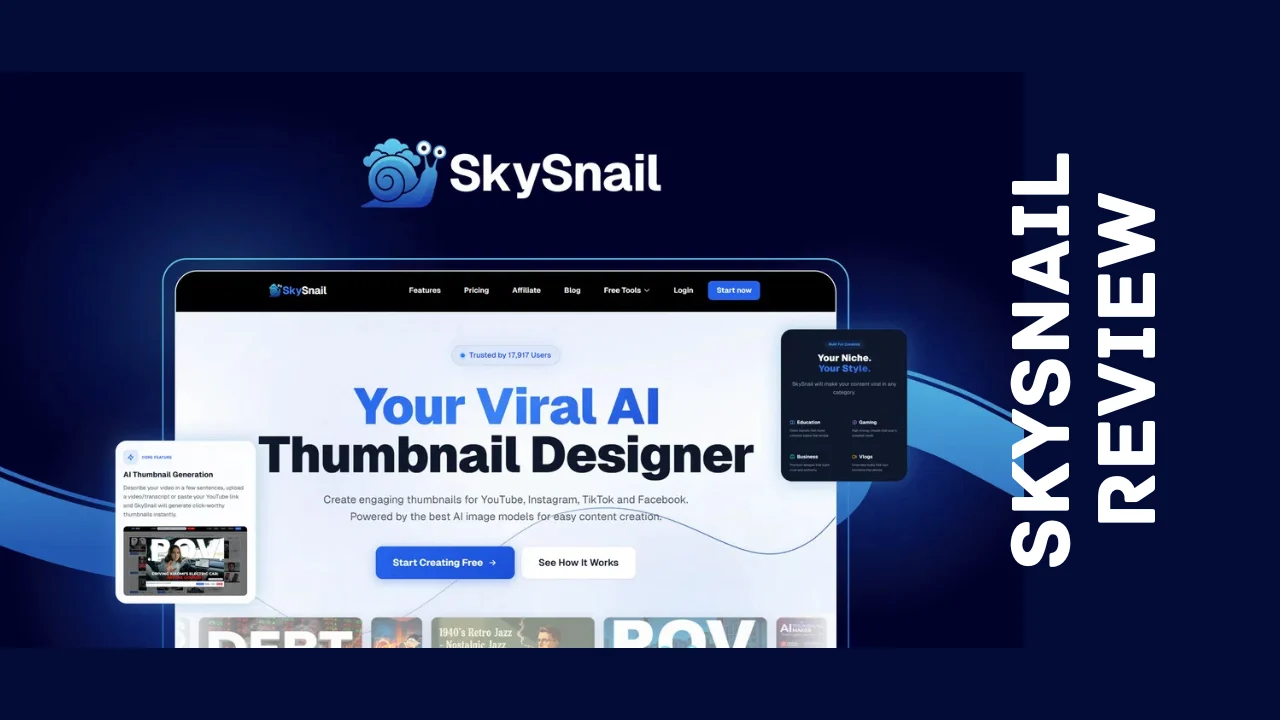
If you’ve ever stared at a blank Canva canvas at midnight trying to make a thumbnail that doesn’t look like it was designed by a toddler, you already know the pain SkySnail is trying to fix. This SkySnail review breaks down exactly what the tool does, what it costs, and whether it’s actually worth your money if you’re running a small business, managing social channels, or trying to grow a YouTube channel without hiring a designer.
I dug into the platform, tested the claims against real user feedback, and pulled every pricing detail so you don’t have to go hunting yourself. Here’s the honest breakdown.
What Is SkySnail?
SkySnail is an AI-powered thumbnail generator built for creators and marketers who need scroll-stopping visuals fast. Instead of opening a design app and fumbling with layers, you paste a YouTube link, upload a video transcript, or simply describe what you want, and the tool generates a polished, high-resolution thumbnail in seconds. It’s designed for platforms like YouTube, Instagram Reels, TikTok, Facebook, LinkedIn, X, and Threads, so the same workflow covers pretty much every channel a modern brand posts on.
The company behind it was founded in early 2025 by a content creator who grew a personal following past 800,000 people and racked up hundreds of millions of organic views. That background matters here, because SkySnail wasn’t built by a generic software team guessing at what creators need. It was built by someone who spent years paying freelance designers $50 to $100 per thumbnail, or burning hours in Canva trying to get something halfway decent, before deciding to automate the whole process with AI.
That’s the core mission: remove the design bottleneck so creators can spend their time filming and producing content instead of fighting with editing software.
Who Is SkySnail Designed For?
This tool is built with a specific audience in mind, and understanding that helps you decide if it’s the right fit:
- YouTubers and video creators who need consistent, high-converting thumbnails
- Social media managers juggling multiple platforms and brand accounts
- Small business owners and solopreneurs who don’t have budget for a full-time designer
- Marketing teams that want a faster, cheaper alternative to Photoshop or Canva for quick visual assets
- Podcasters and course creators who need cover art and promotional graphics
If your business or content strategy leans heavily on video and short-form content, this is squarely aimed at you.
Key Features
Here’s what you actually get inside the platform:
- Instant thumbnail generation — paste a YouTube link, upload a transcript, or type a prompt, and SkySnail builds a thumbnail from scratch in seconds
- Creator-proven templates — browse designs organized by niche, including business, gaming, fitness, tech, finance, and vlog content
- Custom avatars — upload your face once, and the AI automatically fits it into any template with the right expression and placement, so you never have to re-crop or re-edit photos
- AI-powered editor — describe an edit in plain language (“make the text bigger” or “change the background to blue”) and the tool applies it instantly, no manual layer work needed
- Brand kit — save your brand colors, fonts, and logo so every thumbnail stays visually consistent across every platform and every video
- Video transcript analysis — SkySnail pulls insights from your video’s transcript, suggests titles, and generates an AI summary so your thumbnail concept actually matches your content’s hook
- 4K exports — every thumbnail is delivered in high resolution, optimized for whichever platform you’re publishing to
- Multi-language support — edit and export thumbnails in more than 40 languages, useful if you’re targeting international audiences
- Multiple avatar support — templates can now include up to four avatars, which is handy for podcast covers or collaboration videos
The company has also been shipping updates quickly since launch, including new facial expression options and larger file upload limits, which is a good sign for a relatively young product.
Ease of Use & User Experience
This is where SkySnail genuinely shines. The workflow is about as simple as it gets: paste a link or type a prompt, pick a template, click generate, and you’re done. There’s no steep learning curve, no tutorial video required, and no design vocabulary to learn. If you can send an email, you can use this tool.
The dashboard keeps things clean, with your templates, brand kit, and avatar library all easily accessible without digging through nested menus. Onboarding is fast because the whole point of the product is removing friction, so the team clearly built the interface with that goal in mind. It runs in the browser, which means there’s nothing to install and it works across desktop without any compatibility headaches.
For anyone who has wrestled with Photoshop’s layer system or Canva’s endless template search, the simplicity here is a genuine relief.
SkySnail Pricing
SkySnail is sold as a one-time payment with lifetime access, which is a refreshing change from the usual monthly subscription grind. There’s no recurring bill eating into your budget every month. Here’s the current breakdown of the SkySnail lifetime deal tiers:
| Plan | One-Time Price | Regular Price | Credits/Month | Avatar Slots | Custom Templates |
|---|---|---|---|---|---|
| Tier 1 | $79 | $180 | 40 | 1 | 1 |
| Tier 2 | $139 | $300 | 100 | 3 | 5 |
| Tier 3 (Most Popular) | $279 | $420 | 250 | 10 | 10 |
| Tier 4 | $499 | $540 | 450 | Unlimited | 20 |
Every plan includes 4K downloads, the AI editor, full template access, brand kit access, video transcript analysis, AI summary downloads, and general commercial usage rights. The real differences between tiers come down to how many thumbnails you can generate per month, how many avatars you can store, and how many custom templates you can save. One credit equals one thumbnail generation, so a creator posting a few videos a week will likely be fine on Tier 1 or Tier 2, while agencies or teams managing multiple brands will want Tier 3 or Tier 4.
There’s also a 60-day money-back guarantee, so you can test the tool properly before committing. If it doesn’t fit your workflow, you get your money back, no complicated hoops to jump through. Lifetime deal holders are also grandfathered into every future template, AI model upgrade, and feature release, which adds long-term value beyond what you’re paying today.
Compared to hiring a freelance designer at $50 to $100 per thumbnail, or paying for a recurring Canva Pro or Photoshop subscription every month, the SkySnail pricing model looks like genuinely affordable software for anyone producing regular video content.
Pros and Cons
| Pros | Cons |
|---|---|
| One-time payment, no recurring subscription fees | Template selection is still growing compared to established design tools |
| Extremely fast, beginner-friendly workflow | AI-generated results can occasionally be inconsistent and need a manual tweak |
| Custom avatars save real time on personal branding | Lower tiers cap monthly credits, which can feel limiting for high-volume creators |
| 4K exports optimized for every major platform | It’s a newer company, so long-term track record is still being established |
| Brand kit keeps visuals consistent across channels | Advanced design control is more limited than full editors like Photoshop |
| 60-day refund window reduces purchase risk |
Who Should Use It?
SkySnail makes the most sense for people who publish content regularly and need thumbnails fast, without wanting to learn a full design program. Content creators and YouTubers get the most obvious benefit, since thumbnails are directly tied to click-through rates and view counts. Small business owners and solopreneurs juggling their own marketing will appreciate not needing to hire outside help for something as routine as a thumbnail or reel cover.
Social media managers running multiple client accounts can use the brand kit feature to keep each account visually distinct and on-brand without manually resetting colors and fonts every time. Consultants and course creators who post educational video content will also find it useful for building a consistent, professional look across their library without spending hours per asset.
If you’re a professional graphic designer who needs full creative control over every pixel, this probably isn’t a replacement for your main toolkit. But as a fast, affordable software solution for everyday thumbnail needs, it covers a lot of ground.
SkySnail vs Alternatives
If you’re weighing this against other tools, here’s how it stacks up:
| Feature | SkySnail | Canva | Photoshop |
|---|---|---|---|
| Pricing model | One-time lifetime payment | Free tier + monthly/annual subscription | Monthly subscription |
| Learning curve | Very low | Low to moderate | High |
| AI thumbnail generation from video links | Yes | No | No |
| Custom avatar automation | Yes | No | Manual only |
| 4K exports | Yes | Depends on plan | Yes |
| Design flexibility | Moderate | High | Very high |
| Best for | Fast video thumbnails | General design tasks | Professional-grade editing |
Canva is still the better choice if you need broad design flexibility for things beyond thumbnails, like full social media kits, presentations, or print materials. Photoshop remains the gold standard for pixel-level control, but it comes with a real learning curve and an ongoing subscription cost. SkySnail’s advantage is speed and specialization. It’s built specifically around the thumbnail and video-cover workflow, and it does that one job faster than either of the general-purpose tools.
Among the growing list of SkySnail alternatives worth considering, most either lack the transcript-based AI generation or charge recurring fees for similar functionality, which is part of why the one-time pricing structure stands out.
User Feedback Summary
Feedback from early users has generally been positive. Reviewers consistently point to the template system as a strength, noting it helps maintain consistent branding without extra effort. Speed is another recurring theme, with users appreciating how quickly a usable thumbnail comes together compared to manual design work. Ease of use shows up again and again in feedback, particularly from people who don’t consider themselves designers.
On the critical side, a handful of users have mentioned occasional AI inconsistencies, where a generated thumbnail needs a manual nudge to look exactly right, and some have noted the template library, while solid, is still smaller than what you’d find in a more established design platform. Given that this is a fairly young product with active weekly updates, that’s a reasonable trade-off, and the development pace suggests the gaps are closing quickly.
Overall sentiment sits comfortably positive, with most users describing it as a reliable, efficient tool for the specific job it’s built to do.
Frequently Asked Questions
What is SkySnail used for?
SkySnail is an AI thumbnail generator that turns YouTube links, video transcripts, or written prompts into 4K thumbnails and reel covers. It’s built for creators, marketers, and small business owners who need fast, professional visuals for platforms like YouTube, TikTok, and Instagram without hiring a designer.
Is the SkySnail lifetime deal worth buying?
For anyone publishing video content regularly, the SkySnail lifetime deal can be worth it because it replaces recurring design software costs with a single one-time payment. It includes a 60-day money-back guarantee, so you can test it risk-free before deciding if it fits your workflow.
How much does SkySnail pricing cost?
SkySnail pricing starts at $79 for a one-time payment covering 40 monthly credits and one avatar slot, scaling up to $499 for 450 monthly credits and unlimited avatars. Each tier unlocks more monthly thumbnail credits, avatar slots, and saved custom templates.
Does SkySnail require design experience?
No design experience is needed. You paste a YouTube link, upload a transcript, or describe your video, then pick a template and click generate. The interface is built for beginners, so if you can send an email, you can use the platform effectively.
What are the best SkySnail alternatives?
Canva and Photoshop are the most common SkySnail alternatives, though neither offers automated AI thumbnail generation from video links or transcripts. SkySnail stands out for creators who specifically need fast, consistent thumbnails rather than general-purpose design software.
Can I use my own face in SkySnail thumbnails?
Yes. You upload your face once as a custom avatar, and the AI automatically places it into any template with the correct expression and positioning. This keeps your personal branding consistent across every thumbnail without manual photo editing.
Is SkySnail good for small businesses?
SkySnail is a strong fit among affordable software options for small businesses that produce regular video or social content but don’t have budget for a dedicated designer. The one-time pricing and simple workflow make it accessible for teams with limited marketing resources.
Does SkySnail offer a refund if I’m not satisfied?
Yes. Purchases are covered by a 60-day money-back guarantee, giving you time to fully test the platform’s features, templates, and output quality before deciding whether to keep it.
Final Verdict
After digging through the features, pricing, and real user feedback, this SkySnail review lands on a clear conclusion: it’s a genuinely useful tool for a specific, common problem. If thumbnails and video covers eat up your time every week, this software solves that efficiently and affordably. The one-time payment model, generous refund window, and steady pace of feature updates all point to a product built by people who actually understand the daily grind of content creation.
It’s not going to replace a full design suite if you need deep creative control, and the template library still has room to grow. But for creators, small business owners, and solopreneurs who just need clean, high-converting thumbnails without the time sink, it delivers real value. Among productivity tools for entrepreneurs looking to cut down on repetitive design work, this one earns its spot on the shortlist. If your content calendar includes regular video posts, it’s worth trying during the refund window and seeing how much time it actually saves you.