Every business has that one task nobody wants to do. Copying leads from a directory into a spreadsheet. Checking a competitor’s website for price changes. Logging into five different tools just to move the same piece of data around. Traditional automation tools like Zapier only help if every app in that chain has an API, and a shocking number of websites simply do not. TaskMagic exists to fix that gap by recording what you do in a browser and turning it into an automation that runs on its own. This TaskMagic review covers what the platform actually does, what it costs, and whether it is worth it for startups, marketers, small business owners, and solopreneurs who want affordable software that automates the parts of the job an API can’t reach.
Overview of TaskMagic
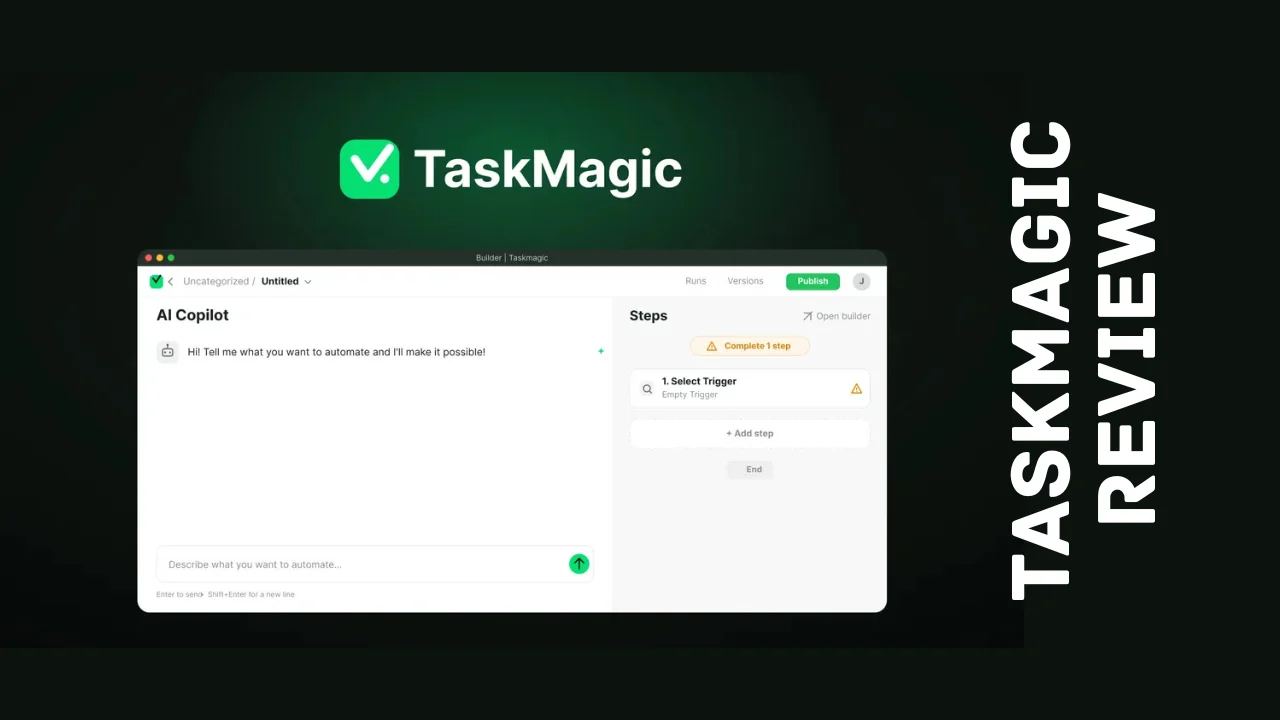
TaskMagic launched in 2019 out of West Hollywood, California, built around a simple idea: if a human can do something in a browser, a piece of software should be able to record it and repeat it, no API or code required. The platform was acquired by Napkin Labs in early 2026, and the team put real investment behind a full rebuild, resulting in what is now called TaskMagic V2. The rebuild merged what used to be two separate products, app automation and browser automation, into a single builder, and added an AI agent that can draft an entire workflow just from a plain English description.
TaskMagic is built for sales managers, small businesses, solopreneurs, and marketers who spend real hours each week on repetitive web tasks like lead scraping, CRM updates, competitor monitoring, or outreach on platforms without an API. It fits squarely into the robotic process automation category but skips the technical complexity that usually comes with that label, making it accessible to non-technical users who just want their busywork handled automatically.
Key Features
TaskMagic packs browser automation, app automation, and AI-assisted building into one workspace. Here is what stands out:
- AI Copilot and Agents Builder – Describe what you want to automate in plain English, and the AI drafts the full workflow for you to review and approve
- Browser automation block – Record clicks, typing, scraping, and copy-paste actions on any website, even ones without an API
- App automation – Connect to thousands of apps in the same builder, similar to what Zapier or Make offer, but on the same canvas as your browser steps
- Unified workflow canvas – Mix app steps and browser steps freely in a single automation rather than juggling two separate tools
- Pre-built templates – Ready-made workflows for lead enrichment, competitor monitoring, abandoned cart recovery, and more, connecting tools like Stripe, HubSpot, Mailchimp, and Airtable
- Advanced logic controls – Add filters, delays, loops, and custom JavaScript to handle edge cases
- Step-by-step testing – Debug each step of a flow before publishing so it runs cleanly the first time
- Workspaces and folders – Organize automations as your library grows, with run history and status monitoring on your dashboard
- Deterministic execution – AI builds the automation once, then it runs repeatedly without re-thinking the task or burning AI credits on every execution
- MCP support – Connect a browser agent built in tools like Claude or OpenAI directly into TaskMagic to run alongside your other automations
- Bring Your Own Key (BYOK) – Use your own API key for AI features on higher tiers
- Desktop app for Mac and PC – Run and manage automations outside the browser
This combination of AI-assisted building with genuinely deterministic, low-cost execution is one of the more compelling sets of TaskMagic features on the market, especially for anyone who has been burned by automation tools that re-run expensive AI reasoning on every single execution.
Ease of Use and User Experience
Getting started is refreshingly simple: describe your goal in everyday language, for example, pulling trending products off a website every morning and dropping them into a spreadsheet, and the Agents Builder writes the workflow for you. From there, you can open any step to edit it manually, add conditions, or fine-tune the logic without touching code. For browser-based tasks, you record yourself performing the action once, and TaskMagic converts that recording into a repeatable flow.
The dashboard organizes automations into workspaces and folders, and the run history view makes it easy to see what executed, when, and whether it succeeded. A desktop app is available for both Mac and PC, which is useful for automations that need to interact with local applications rather than just the browser. Reviewers generally describe the experience as smooth, though a fair number mention a learning curve when building more complex flows with loops or conditional logic, and a handful report occasional delays during execution. None of this is unusual for an automation tool of this depth, but it is worth budgeting time to get comfortable with the more advanced features.
Pricing Breakdown
TaskMagic pricing runs on a monthly credit model rather than a flat per-seat fee, and every plan, even the entry-level one, includes the full builder, unlimited app connections, and unlimited active flows. You are paying for how much you run, not for which features you can access.
| Plan | Price | What You Get |
|---|---|---|
| Starter | Around $29/month | 5,000 monthly credits, full builder, unlimited connections and flows |
| Pro | Around $79/month | More credits, MCP access, additional tables, and team seats |
| Higher tiers | Scales up to 50,000 credits/month | Higher credit allowances for heavier automation volume |
| Enterprise | Custom pricing | Volume credits and dedicated support for large-scale usage |
Here is how the credits actually work: building a new automation with AI typically costs around 150 to 250 credits, meaning even the entry plan covers roughly 25 new builds a month. Once a flow is built, running it again costs only a few app credits, and browser automations run for free, which is the core promise behind the deterministic execution model.
For buyers who would rather pay once and skip monthly credit purchases, TaskMagic periodically runs a one-time payment lifetime deal.
| License Tier | One-Time Price | Monthly Credits | Active Flows | Team Members |
|---|---|---|---|---|
| Tier 1 | $89 | 3,000 | 10 | Solo (0 additional) |
| Tier 2 | $169 | 6,000 | 25 | 2 |
| Tier 3 | $369 | 15,000 | 75 | 20 |
| Tier 4 | $639 | 30,000 | 250 | Unlimited |
This TaskMagic lifetime deal has typically included unlimited browser block usage, the Mac and PC desktop app, MCP access, and BYOK support across every tier, along with a 60-day refund window and a requirement to activate your license within 60 days of purchase. Higher tiers with even larger credit allowances have also been available for teams with heavier usage needs. One detail worth flagging for transparency: the BYOK add-on itself has been priced separately from the lifetime tiers in the past, so if bringing your own API key matters to you, confirm current terms before buying. Lifetime availability is not permanent, so check directly with TaskMagic for the latest terms.
Pros and Cons
| Pros | Cons |
|---|---|
| Automates websites with no API, not just apps that support one | Learning curve on more advanced logic like loops and conditionals |
| Deterministic runs mean cheap repeated execution after the initial AI build | Credit-based pricing takes some getting used to compared to flat plans |
| Unified builder combines app and browser automation in one canvas | Occasional execution delays reported by some users |
| AI Copilot drafts full workflows from plain English descriptions | BYOK add-on has historically been priced separately |
| One-time payment lifetime option available periodically | Not a full replacement for complex, backend-heavy API integrations |
| Strong, high-volume user rating with mostly five-star feedback | No stacking on lifetime tiers, so you commit to one tier upfront |
Who Should Use TaskMagic?
TaskMagic is built for people who are tired of manually repeating the same clicks, typing, and copy-paste work across websites that traditional automation tools cannot reach. It is a strong fit for:
- Sales managers and solopreneurs who need to scrape leads, enrich data, or run outreach on platforms without a public API
- Small business owners automating repetitive back-office tasks like order tracking, inventory checks, or CRM updates
- Marketers who want to monitor competitor websites, pricing, or content changes without checking manually every day
- Agencies and consultants building repeatable automation workflows across multiple client accounts
- Startup founders who want to save time on operational busywork without hiring a developer to build custom scripts
It is a weaker fit for teams that need deep, backend-heavy API integrations at enterprise scale, or for anyone who strongly prefers a flat, unlimited-usage pricing model over a credit-based system.
Comparison With Competitors
| Feature | TaskMagic | Zapier | Make |
|---|---|---|---|
| Automates sites without an API | Yes, via browser recording | No, requires an API or supported app | No, requires an API or supported app |
| AI builds the workflow from plain English | Yes | Limited | Limited |
| Pricing model | Monthly credits, one plan includes full builder | Per-task pricing that scales with volume | Per-operation pricing that scales with volume |
| One-time payment option | Yes, periodic lifetime deal | No | No |
| Best for | Browser-based tasks and mixed app/browser workflows | Teams needing broad app-to-app integrations | Visual, complex multi-step automation logic |
Zapier and Make remain strong choices if your entire workflow lives inside apps that already have solid API support, and both have larger integration marketplaces overall. TaskMagic’s real advantage shows up the moment you need to automate something on a website that neither of those tools can touch, since it works by recording real browser actions rather than depending on an API existing in the first place.
User Feedback Summary
Feedback on TaskMagic is strong and comes from a genuinely large sample size for a tool in this category. The majority of reviews land in the top rating bracket, with users consistently praising the seamless browser automations, the breadth of app connectivity, and how quickly the AI-powered flow creation gets a new automation up and running. Several reviewers specifically highlight the value of being able to automate tasks on websites that other tools simply cannot reach.
The more measured feedback centers on a learning curve for more advanced automation logic and occasional delays during execution, both of which are described as minor rather than dealbreakers. Given the recent V2 rebuild that unified app and browser automation into one builder and added the AI agent, it is reasonable to expect some of the feature set and interface to keep evolving quickly, which is generally a good sign for a tool still actively shipping improvements rather than sitting stagnant.
Frequently Asked Questions
What is TaskMagic used for?
TaskMagic is an automation platform used to record and repeat repetitive browser tasks like data entry, web scraping, lead enrichment, and cross-app updates, especially on websites without an API. It combines browser automation with app connections and an AI builder that drafts workflows from plain English descriptions.
How much does TaskMagic pricing cost?
TaskMagic pricing starts around $29 per month for 5,000 monthly credits, with a Pro tier around $79 per month adding more credits, MCP access, and team seats. Every plan includes the full builder with unlimited app connections and unlimited active flows. A one-time payment lifetime option is also available periodically.
Is there a TaskMagic lifetime deal available?
TaskMagic periodically offers a one-time payment lifetime deal instead of recurring billing, with tiers historically starting at $89 for 3,000 monthly credits and scaling up based on team size and usage needs. Availability changes over time, so confirm current lifetime deal terms directly with TaskMagic.
Does TaskMagic require coding or API access?
No. TaskMagic is specifically built to avoid needing APIs or code. It records your actual clicks, typing, and browsing steps and turns them into a repeatable automation, which means it can automate websites that have no API integration at all, unlike most traditional automation platforms.
How is TaskMagic different from Zapier or Make?
The key difference is that TaskMagic can automate any website by recording browser actions, while Zapier and Make depend on an app having a supported API integration. TaskMagic also uses AI to draft your automation from a plain English description, then runs it deterministically afterward without repeated AI costs.
What are the best TaskMagic alternatives?
Zapier and Make are the most commonly compared TaskMagic alternatives. Both offer large app integration marketplaces and strong app-to-app automation, but neither can automate a website that lacks an API, which is where TaskMagic’s browser recording approach sets it apart.
Is TaskMagic good for small businesses and solopreneurs on a budget?
Yes. TaskMagic is one of the more affordable software options for automation, with an entry-level monthly plan and a one-time payment lifetime option that avoids recurring bills altogether. For solopreneurs handling repetitive tasks alone, it removes hours of manual work without requiring a developer.
Does TaskMagic offer a refund policy?
One-time lifetime purchases of TaskMagic typically include a 60-day refund window, giving buyers real time to build and test automations before deciding to keep the platform. Standard monthly subscription terms should be confirmed directly on the official pricing page, since refund policies can vary by plan.
Final Verdict
So, does this TaskMagic review add up to a recommendation? For startups, marketers, and solopreneurs stuck manually repeating browser-based tasks that other automation tools cannot touch, TaskMagic is a genuinely strong option. The combination of AI-assisted building, unified app and browser automation, and cheap deterministic execution after the initial setup solves a real problem that Zapier and Make simply were not designed for.
The credit-based pricing and the learning curve on advanced logic are worth knowing about upfront, but neither is severe enough to outweigh what the platform actually delivers. Between the accessible entry-level subscription and the periodic one-time payment lifetime option, TaskMagic lands as one of the more practical productivity tools for entrepreneurs who want their repetitive web work handled without hiring a developer or babysitting a complicated automation platform. If your business regularly touches websites without solid API support, this is one of the more affordable software choices worth trying.