Nobody looks forward to building a slide deck from a blank canvas at 11 p.m. the night before a pitch. Between picking a theme, formatting bullet points, and hunting for images that don’t look like stock photography, a “quick presentation” can eat an entire evening. This Presentia Slides review looks at a tool built to remove that pain entirely — an AI generator that turns a prompt, a document, or a PDF into a fully designed, export-ready PowerPoint file in seconds.
Presentia Slides is built for consultants, educators, marketers, founders, and solopreneurs who need professional-looking decks regularly but don’t have a design team, or the time, to build them from scratch every time. Instead of starting from an empty slide and a stock template, you paste your content or describe your topic, and the AI structures the deck, writes the copy, and generates original visuals for every slide.
This review covers what Presentia Slides actually does, how the pricing works, what the day-to-day experience feels like, and how it compares to established tools like Canva and Gamma.
Overview of Presentia Slides
Presentia Slides launched in June 2025 out of London, built by a small, bootstrapped team including co-founder Jorge Alexander. The idea behind it is simple: blank slides and inconsistent themes waste time and creative energy that would be better spent on the actual content of a pitch, report, or lecture.
The founders built Presentia around a straightforward workflow. You provide content, whether that’s a rough prompt, an outline, or a full document, and the AI handles structure, copywriting, layout, and imagery, so you can reclaim the hours that would otherwise go into manual formatting and stock photo searches. Rather than treating presentation design as a separate skill you need to hire out or struggle through yourself, Presentia treats it as something AI can largely handle, leaving you to review, tweak, and present.
The target audience is squarely professionals who present regularly but aren’t designers themselves: consultants building client decks, educators preparing lecture materials, marketers pitching campaigns, and founders pulling together investor or sales presentations on a tight timeline.
Key Features
Presentia Slides focuses tightly on one job, turning content into a finished, editable deck, and it does that with a fairly deep feature set for a young product. Here’s what stands out among Presentia Slides’ features:
- Text and document import, letting you paste raw text or upload a PDF, DOCX, or TXT file for the AI to extract and organize into slides automatically
- Prompt-based generation, where you describe your topic and the AI structures the slides, writes the copy, and applies a professional theme in seconds
- Fully editable PPTX export, so every generated deck downloads as a native PowerPoint file you can keep modifying with your own tools
- Browser-based editor with AI commands, letting you batch-edit fonts, layouts, and images across an entire deck using natural language instead of clicking through each slide manually
- Individual slide image regeneration, so you can swap out a single visual you don’t like without rebuilding the rest of the deck
- Context-aware AI-generated visuals, created specifically for each slide’s topic and type rather than pulled from a generic stock photo library
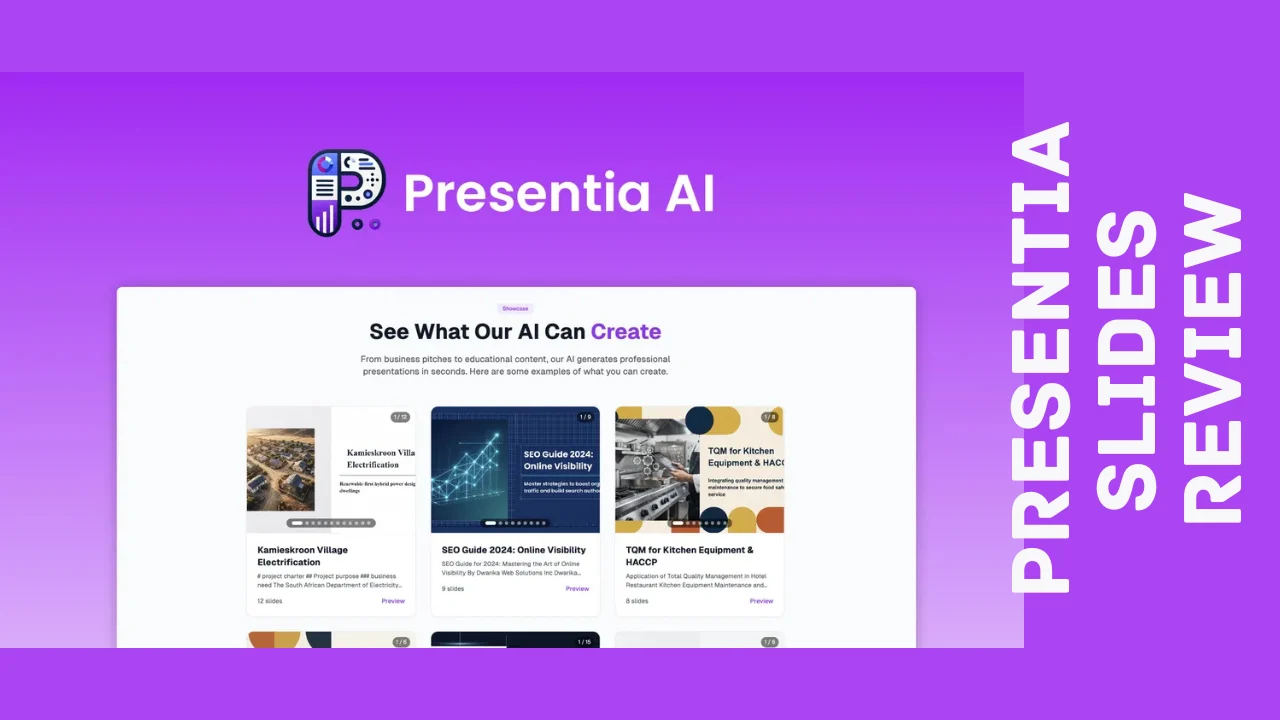
- Showcase gallery, letting you browse example decks across business, education, and other categories before generating your own
- Multiple professional themes, with up to 12 available styles to match different presentation types
- Multi-language generation, supporting decks built in languages beyond English
- Commercial use rights, meaning generated decks can be used in client work and paid engagements, not just personal projects
- Saved presentations, keeping your generated decks accessible for future edits rather than one-time downloads
That combination of document ingestion, prompt-based generation, and a genuinely editable PPTX export is a meaningful step up from tools that generate something you then have to manually rebuild in PowerPoint anyway.
Ease of Use & User Experience
The core workflow is genuinely simple: paste text, upload a document, or type a prompt, then let the AI generate a full deck. For a straightforward ten-slide presentation, the process really does take seconds rather than the hours a from-scratch build would require, and that speed is the whole point of the product.
Once a deck is generated, the browser-based editor lets you fine-tune things using AI commands rather than manually adjusting every element. Batch-editing fonts, layouts, and images across the whole deck at once is a genuinely useful touch if the first draft is close but not quite matching your brand style. Regenerating a single slide’s image without redoing the entire deck is a small but practical feature that saves real time compared to starting over.
The Showcase gallery is a smart addition for anyone unsure what a good output actually looks like before committing credits to a generation. Browsing real example decks gives you a sense of design quality and structure across different topics before you build your own. Because Presentia Slides runs in the browser, it works across desktop and most modern browsers without needing a separate app, though the actual PowerPoint editing after export happens natively in Microsoft PowerPoint, Google Slides, or whatever software you prefer.
Presentia Slides Pricing Breakdown
Presentia Slides is available as a one-time payment for lifetime access rather than the recurring monthly subscription most AI presentation tools charge. That structure is a big part of what makes this Presentia Slides review worth reading before you commit, since a single upfront payment can work out considerably cheaper than paying a monthly AI tool subscription indefinitely.
All three tiers include the same core feature set: commercial use rights, saved presentations, custom presentation themes, and multi-language generation. What changes between tiers is your monthly and one-time generation credit balance, along with the discount you get on additional credit top-ups.
| What’s Included | Tier 1 | Tier 2 | Tier 3 |
|---|---|---|---|
| Price | $49 (regular $240) | $99 (regular $480) | $149 (regular $960) |
| Access | Lifetime access | Lifetime access | Lifetime access |
| Monthly generation credits | 25 | 50 | 100 |
| One-time-use generation credits | 300 | 800 | 1,500 |
| Top-up credit discount | 25% | 35% | 45% |
| Commercial use | Included | Included | Included |
| Custom presentation theme | Included | Included | Included |
| Multi-language support | Included | Included | Included |
| Refund window | 60 days | 60 days | 60 days |
Credits are charged per slide, and the rate depends on the image quality you choose: standard visuals cost 1 credit per slide, while premium visuals cost 2 credits per slide. In practical terms, a ten-slide deck built with standard visuals runs about 10 credits, meaning Tier 1’s starting balance of 25 monthly plus 300 one-time credits covers roughly 30 or more ten-slide decks right out of the gate, with more credits refreshing every month after that.
Every tier is backed by a 60-day refund window, giving you enough time to generate several real decks before deciding whether the output quality and workflow fit your needs. There isn’t a separate free trial beyond that guarantee, but the refund period functions as a practical trial run since the purchase is one-time rather than a subscription you’d need to cancel.
For an individual consultant or marketer building the occasional pitch deck, Tier 1 should comfortably cover regular use. Educators or agencies generating decks more frequently, or anyone who wants premium visuals on most slides, will get more value from Tier 2 or Tier 3’s larger credit pools and steeper top-up discounts. Compared to what a monthly AI presentation subscription costs over a year, Presentia Slides pricing as a one-time payment stands out as one of the more affordable software options for anyone building decks regularly.
Pros and Cons
| Pros | Cons |
|---|---|
| One-time lifetime payment instead of a recurring subscription | Generation credits mean heavy users need to plan usage carefully |
| Generates fully editable PPTX files, not just web-based exports | Premium visuals cost double the credits of standard visuals |
| Context-aware AI images per slide instead of generic stock photos | Very new platform with a minimal independent review history |
| Document and PDF import saves time re-typing existing content | Team collaboration features aren’t a core focus yet |
| AI batch-editing across the whole deck speeds up revisions | Showcase gallery examples may not reflect every possible use case |
| Showcase gallery helps set expectations before generating | Multi-language quality will vary depending on the language chosen |
| 60-day refund window on every tier | Smaller company means slower support turnaround than larger competitors |
Who Should Use It?
Presentia Slides is a strong fit if you recognize your situation in any of these groups:
- Consultants who need polished client decks on a recurring basis without designing each one from scratch
- Educators building lecture slides or course materials who want a professional look without hours of formatting
- Marketers and founders putting together pitch decks, campaign proposals, or sales presentations under tight deadlines
- Solopreneurs and small business owners who need investor-ready or client-ready presentations without hiring a designer
- Anyone converting existing documents, like reports or PDFs, into presentation format for a meeting or webinar
It’s less of a fit if you need deep, pixel-level custom design control from the very first slide, since the AI-first workflow is built around speed and structure rather than granular manual design from scratch. But for professionals who need a strong starting deck fast and are comfortable refining from there, Presentia Slides holds up as one of the more genuinely useful productivity tools for entrepreneurs who present regularly but don’t have design resources on hand.
Comparison With Competitors
| Feature | Presentia Slides | Canva | Gamma |
|---|---|---|---|
| Pricing model | One-time lifetime payment | Monthly/annual subscription (~$12–$18/mo) | Monthly/annual subscription (~$8–$20/mo) |
| Generates from documents/PDFs | Yes | Limited | Yes |
| True PPTX export (fully editable) | Yes | Limited, formatting often shifts | Limited, formatting often shifts |
| Context-aware AI image per slide | Yes | Stock and template library | AI-generated, credit-based |
| Batch AI editing across full deck | Yes | Limited | Partial |
| Best for | Fast, editable AI-generated decks | Broad design and branding work | Fluid, web-first presentations |
Canva remains the strongest all-around design platform if your needs go beyond presentations into social graphics, video, and broader branding work, but its AI presentation features are secondary to its core design toolkit, and PowerPoint exports can lose formatting fidelity. Gamma is a genuine AI-first presentation competitor with a fluid, modern format, but its native “card” layout doesn’t always translate cleanly into a traditional PPTX file, often requiring manual cleanup after export. If you’re comparing Presentia Slides alternatives, the honest read is that Canva wins if you need a broader design suite, Gamma wins if you’re comfortable presenting in its native web format, and Presentia’s edge is producing a genuinely clean, fully editable PowerPoint file from day one, at a one-time price instead of an ongoing subscription.
User Feedback Summary
Because Presentia Slides only launched in June 2025, it doesn’t yet have the review volume you’d expect from an established presentation tool across major software review platforms, and independent reviews on sites like G2, Capterra, or Trustpilot remain minimal at this stage. That’s worth stating plainly rather than treating a single early review as a comprehensive verdict.
What feedback does exist has been strongly positive, particularly around output speed and the quality of AI-generated visuals compared to generic stock imagery. Users evaluating the tool have specifically pointed to the fully editable PPTX export as a meaningful advantage over competitors that generate web-native formats requiring cleanup after export.
As with any brand-new product, the realistic takeaway is that early sentiment looks promising, but buyers should treat this as an early-adopter opportunity on a genuinely capable tool rather than a platform with years of public review history to lean on.
Frequently Asked Questions
What is Presentia Slides used for?
Presentia Slides is an AI presentation generator that converts text prompts, documents, or PDFs into fully designed, editable PowerPoint decks. It’s used by consultants, educators, marketers, and founders who need polished presentations quickly without manually designing every slide from scratch.
Is Presentia Slides a one-time payment or a subscription?
Presentia Slides is currently sold as a one-time lifetime payment across three pricing tiers, rather than a recurring monthly subscription. Each tier includes a set number of monthly and one-time generation credits, along with commercial use rights, backed by a 60-day refund window.
Does Presentia Slides export real PowerPoint files?
Yes, generated decks download as fully editable .pptx files rather than web-only formats. That means you can continue editing the presentation natively in Microsoft PowerPoint, Google Slides, or any compatible software after the AI generates the initial version.
How do credits work in Presentia Slides?
Credits are charged per slide based on the visual quality you select. Standard visuals cost 1 credit per slide, while premium visuals cost 2 credits per slide, so a ten-slide deck with standard images uses about 10 credits, and the same deck with premium visuals uses about 20.
How is Presentia Slides different from Canva or Gamma?
Canva is a broader design platform where presentations are one feature among many, and Gamma uses a web-native card format that doesn’t always export cleanly to PowerPoint. Presentia Slides focuses specifically on generating fully editable PPTX files with context-aware AI visuals, priced as a one-time payment instead of an ongoing subscription.
Can I upload my own documents to create a presentation?
Yes, Presentia Slides lets you upload a PDF, DOCX, or TXT file and the AI automatically extracts and organizes the content into a structured slide deck. This is useful for turning existing reports, proposals, or notes into a presentation-ready format without retyping everything.
Is Presentia Slides good for small businesses and consultants?
Presentia Slides is built with recurring presentation needs in mind, making it a practical fit for consultants and small business owners who regularly need client-ready or investor-ready decks. Combined with its one-time payment model, it’s one of the more affordable software options for professionals who present often but don’t have design resources.
Does Presentia Slides offer a refund if it doesn’t work for me?
Yes, every Presentia Slides pricing tier includes a 60-day refund window, giving you enough time to generate several real decks and evaluate the output quality before deciding whether the tool fits your workflow.
Final Verdict
Wrapping up this Presentia Slides review, the tool earns a solid recommendation for consultants, educators, marketers, and founders who need professional decks fast without a design team behind them. The combination of document import, prompt-based generation, genuinely editable PPTX exports, and context-aware AI visuals sets it apart from tools that generate something you then have to manually rebuild.
It’s not without trade-offs. As a brand-new platform, it hasn’t accumulated years of public reviews yet, and the credit-based system means heavier users need to be mindful of usage, particularly if premium visuals are a priority. But for the core problem it solves, turning a document or a rough idea into a polished, editable presentation in seconds, Presentia Slides delivers real value at a one-time price, and it’s well worth testing against your own presentation workflow before committing to a pricier, subscription-based alternative.