If your team’s workflow looks like Slack for chat, Notion for docs, a separate AI chatbot for drafts, and a scheduling tool for posting, you already know the problem. Context gets lost every time you switch tabs, and someone always ends up re-explaining the brief. That’s exactly the gap this Kollab review is here to look at — a single AI workspace that claims to take you from raw research material all the way to a published social post without ever leaving the app.
Kollab is built for marketers, remote teams, content creators, and solopreneurs who are tired of juggling five different tools just to turn an idea into a finished piece of content. Instead of treating AI as a sidebar chat window, Kollab puts AI agents directly inside your projects, where they can research, draft, repurpose, and even publish content for you, while remembering your brand voice and past decisions along the way.
This review covers what Kollab actually does, how it’s priced, who it’s built for, and whether it’s a smart pick if you’re comparing it against tools like ClickUp or Notion for managing content and team workflows.
Overview of Kollab
Kollab was founded in January 2025 by a small team working between Hong Kong and Japan. Before building Kollab, the founding team had already built another AI-powered workspace product for creators, and that experience clearly shaped this one. The problem they kept running into themselves was simple: AI chats are great for one-off answers, but they don’t hold onto context. Every new project or teammate means re-explaining the brand, the goal, and the background material all over again.
Kollab’s mission is to fix that by making the workspace itself the shared memory, not just the model. Instead of a private chat window, projects in Kollab are shared spaces where people and AI agents work side-by-side, with access to the same files, decisions, and brand guidelines.
The platform is aimed primarily at marketers, remote teams, and solopreneurs producing regular content, along with agencies and small businesses that want AI to actually finish tasks, not just suggest ideas. It positions itself as an alternative to piecing together tools like ClickUp and Notion with a separate AI assistant bolted on the side.
Key Features
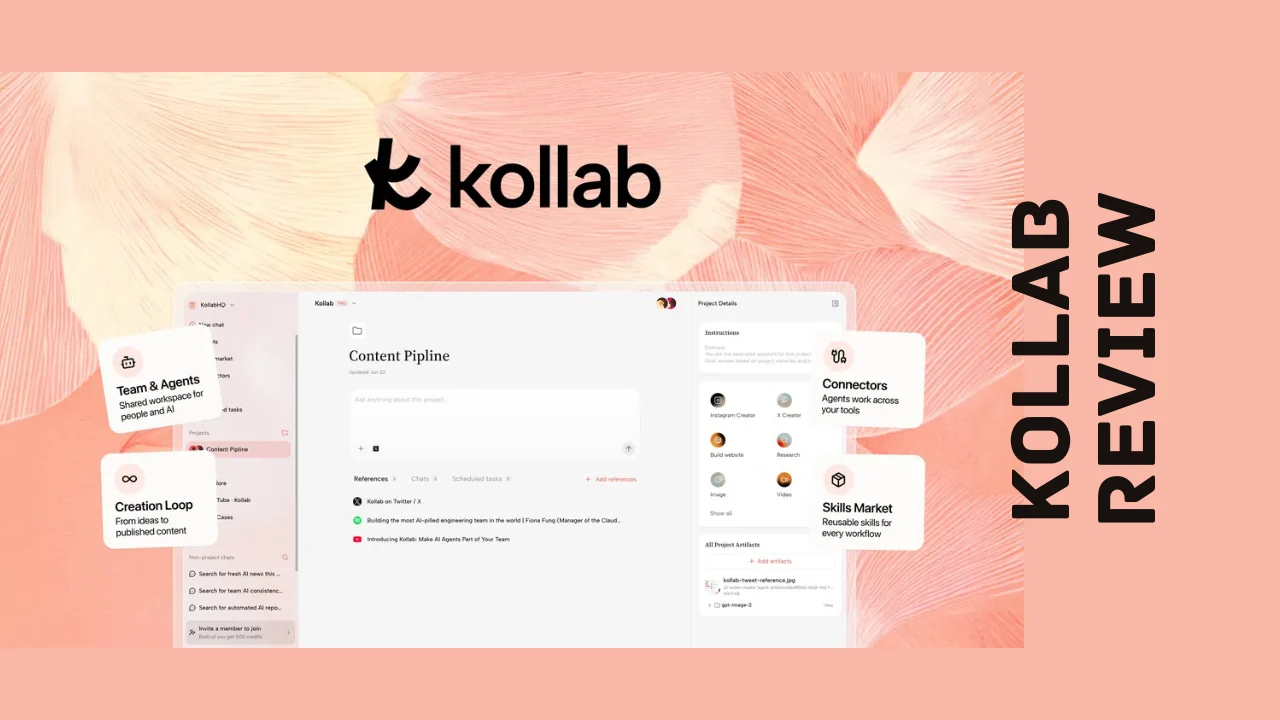
Kollab’s feature set is built around one core idea: turning scattered research and raw material into finished, publish-ready content without losing context along the way. Here’s what stands out among Kollab’s features:
- AI research agents that take a topic or brief and automatically find and parse relevant sources into shared project context
- Multi-format content generation, turning one piece of source material into text posts, images, video, audio, or even websites
- Direct publishing to X, Instagram, and LinkedIn from inside the workspace, no separate scheduling tool required
- Persistent project threads where teammates and AI agents collaborate on the same task without needing to re-brief anyone
- Reusable Skills, letting teams package their best prompts and workflows into one-click actions anyone on the team can run
- Built-in Skills Market with ready-made workflows you can install instead of building automations from scratch
- Memory, which keeps brand voice, tone, and project preferences consistent across every output
- Audio and video transcription, turning podcasts, videos, and social clips into usable, searchable project material
- Connectors for Slack, Notion, GitHub, Google Drive, Figma, and Discord to pull existing work into a project without copy-pasting
- Chat-based agent access inside Slack, Discord, Telegram, and LINE, so teammates can drop material or request drafts without opening the app
- Unlimited team seats on the core plan, which is unusual for a tool with this much AI functionality baked in
- Enterprise-grade permissions and data isolation for teams that need private deployment options
For a product this new, that’s a genuinely ambitious feature list, and it’s clearly built by people who understand the actual bottleneck in content workflows: not idea generation, but the constant loss of context between tools.
Ease of Use & User Experience
Kollab is designed to feel more like a shared team chat than a complicated piece of software, and that design choice pays off in onboarding. You create a project, drop in your source material (links, transcripts, documents, or even a podcast episode), and the AI agent starts building shared context immediately. There’s no need to configure integrations or write custom prompts just to get started, though you can dig deeper into Skills and Connectors once you’re comfortable.
The dashboard organizes work around projects rather than a flat file list, which makes sense for content teams juggling multiple briefs at once. Task threads keep the back-and-forth with the AI agent and your teammates in one place, so nobody has to scroll through five different Slack channels to find the latest version of anything.
Because Kollab is still a young product, it doesn’t yet have a deep well of long-term usability data the way older tools do, so a few rough edges around advanced automations or complex multi-step Skills are to be expected as it matures. That said, the core loop of research, draft, repurpose, and publish is intuitive enough that most users should be productive within their first session, without needing a technical setup process or a steep learning curve.
Kollab Pricing Breakdown
Kollab currently offers a single, one-time-payment license tier for lifetime access instead of a recurring monthly subscription, which is a big part of what makes this Kollab review worth reading if you’re trying to avoid another SaaS bill. You pay once, and the license includes unlimited team seats, which is a notable value proposition for agencies and growing teams that would otherwise pay per user on most competing platforms.
Every purchase is backed by a 60-day refund window, giving you time to actually run a few projects through the workspace before deciding to keep it.
| What’s Included | License Tier 1 (One-Time Payment) |
|---|---|
| Price | $79 (regular price $462) |
| Access | Lifetime access |
| Subscription credits per month | 4,000 |
| Storage | 1 TB |
| Concurrent sessions | 30 |
| Scheduled tasks | 30 |
| Team seats | Unlimited |
| Daily credit limit | None |
| Refund window | 60 days |
There are also optional add-ons if you need more capacity beyond the base plan:
| Add-On | Cost | Notes |
|---|---|---|
| One-time credit top-up | $6 per 2,000 credits | Credits do not expire, capped at 10,000, non-refundable |
| Bring Your Own Key (BYOK) | +$99 | Lets you connect your own AI model API key, non-refundable |
Because it’s a single-tier deal rather than a stack of tiers, Kollab pricing is refreshingly simple to evaluate. If you’re running a small team or a solo content operation, the monthly credit allowance and unlimited seats should cover most day-to-day use. Heavier users producing large volumes of AI-generated content will want to budget for the optional credit top-ups, since 4,000 monthly credits can move quickly once you’re running research, drafting, and repurposing all inside the same project.
Compared to typical per-seat subscription pricing for workspace and AI tools, this one-time structure makes Kollab one of the more affordable software options for teams that want AI-driven content production without a growing monthly bill.
Pros and Cons
| Pros | Cons |
|---|---|
| One-time lifetime payment instead of a monthly subscription | Only one pricing tier, so no lighter or heavier options to choose from |
| Unlimited team seats included on the base plan | Monthly credit allowance can run out fast with heavy AI usage |
| Combines research, drafting, repurposing, and publishing in one workspace | Very new product (founded 2025) with a limited long-term track record |
| Reusable Skills and a built-in Skills Market speed up repeat workflows | Advanced automations may take time to learn |
| Direct publishing to X, Instagram, and LinkedIn | Credit top-ups and BYOK add-on are non-refundable |
| Strong integration list: Slack, Notion, GitHub, Google Drive, Figma, Discord | Smaller ecosystem of tutorials and community resources compared to older tools |
| Chat-based agent access from Slack, Discord, Telegram, and LINE | Deep customization for enterprise workflows is still evolving |
Who Should Use It?
Kollab is a strong fit if you recognize yourself in any of these groups:
- Marketers and content creators who repeatedly turn the same raw material (interviews, research, transcripts) into multiple content formats
- Remote and distributed teams who need a shared workspace where context doesn’t get lost between people and tools
- Solopreneurs and small business owners who want an AI assistant that can actually finish tasks, not just chat back suggestions
- Agencies managing content production for multiple clients who need consistent brand voice across every project
- Founders and consultants who publish regularly on social platforms and want to skip the copy-paste step between drafting and scheduling
It’s a less obvious fit if your team barely touches AI tools yet, or if you need deep, mature enterprise workflow customization right out of the gate. As a newer platform, Kollab is best suited to teams comfortable trying a fast-moving product in exchange for genuinely useful automation, rather than teams that need years of proven enterprise stability. For most small teams, though, it lands squarely among the practical productivity tools for entrepreneurs looking to cut down on app-switching without hiring extra hands.
Comparison With Competitors
| Feature | Kollab | ClickUp | Notion |
|---|---|---|---|
| Pricing model | One-time lifetime payment | Monthly/annual subscription per seat | Monthly/annual subscription per seat |
| Built-in AI agents that complete tasks | Yes | Limited (AI add-on) | Limited (AI add-on) |
| Direct social publishing (X, Instagram, LinkedIn) | Yes | No | No |
| Audio/video transcription into project material | Yes | No | No |
| Reusable automated workflows (Skills) | Yes | Yes (automations) | Limited |
| Team seat limits | Unlimited on base plan | Per-seat pricing | Per-seat pricing |
| Best for | AI-driven content creation and publishing | Project and task management | Docs and knowledge management |
ClickUp and Notion are both excellent at what they were originally built for — task management and documentation, respectively — and both have added AI features over time. But neither was designed from the ground up around AI agents completing full content workflows, and neither publishes directly to social platforms. If you’re specifically researching Kollab alternatives because you need project management or long-form documentation as the primary function, ClickUp or Notion may still be the better base tool. If your priority is turning raw material into published content with less manual work, Kollab’s agent-first approach is built specifically for that job.
User Feedback Summary
Because Kollab only launched in 2025, it doesn’t yet have the review volume you’d find on an established SaaS product across major software review platforms, and reviews on some of those sites remain limited so far. Early sentiment from product discovery communities has been notably positive, though, with users pointing to the workspace’s ability to keep an AI agent working across Slack, Notion, and GitHub without losing context as a standout strength.
The recurring praise centers on how the platform reduces app-switching. Teams that were previously stitching together a chat tool, a project manager, and a separate AI assistant describe Kollab as consolidating that workflow into one place, with the Skills Market getting specific mentions for letting non-technical teammates run complex workflows without building anything themselves.
As with any young platform, feedback is still forming, and some users note that certain advanced automation and permission settings are still maturing. That’s a fair trade-off for early adopters who want to be first in line for updates and new integrations as the roadmap develops. For a business owner still deciding, it’s worth treating current sentiment as promising but early rather than a decade of proven track record.
Frequently Asked Questions
What is Kollab used for?
Kollab is an AI workspace where teams and AI agents collaborate on content projects from research through publishing. It finds and organizes source material, generates content in multiple formats like text, images, video, and audio, and can publish directly to platforms like X, Instagram, and LinkedIn without switching tools.
Is Kollab a one-time payment or a subscription?
Kollab is currently sold as a one-time lifetime payment rather than a recurring monthly subscription. A single license includes unlimited team seats, monthly AI credits, and storage, backed by a 60-day refund window if the platform doesn’t fit your workflow.
Does Kollab integrate with Slack and Notion?
Yes. Kollab connects with Slack, Notion, GitHub, Google Drive, Figma, and Discord, letting teams pull existing files and conversations into a project without manual copy-pasting. It also offers chat-based agent access inside Slack, Discord, Telegram, and LINE for teams that want to request drafts without opening the app.
How is Kollab different from ClickUp or Notion?
ClickUp and Notion are primarily task management and documentation tools with AI features added on top. Kollab is built around AI agents that complete entire content workflows, including research, multi-format content generation, and direct social publishing, which neither ClickUp nor Notion currently offers as a core function.
Can Kollab publish directly to social media?
Yes, Kollab can publish content directly to X, Instagram, and LinkedIn from inside the workspace once it’s been created and reviewed, removing the need for a separate scheduling or publishing tool for those platforms.
What are Kollab’s Skills and how do they work?
Skills are reusable workflows and prompts that teams can package once and run again with a single click. Instead of rebuilding the same AI prompt every time, teams can save a proven workflow as a Skill, or install ready-made ones from the built-in Skills Market, saving setup time on repeat tasks.
Is Kollab good for small businesses and solopreneurs?
Kollab is designed to work well for smaller teams thanks to its unlimited seat count on a single one-time payment, making it one of the more affordable software choices for solopreneurs and small businesses that want AI-driven content production without a growing monthly bill.
Does Kollab offer a refund if it doesn’t work for my team?
Yes, Kollab includes a 60-day money-back window on its base license, giving you time to run real projects through the workspace and see whether the workflow fits your team before the refund period closes. Optional add-ons like credit top-ups and BYOK access are non-refundable.
Final Verdict
Wrapping up this Kollab review, the platform earns a genuine recommendation for teams and solopreneurs who are tired of losing context every time a project moves from research to draft to publish. The combination of AI agents, reusable Skills, deep tool connectors, and direct social publishing inside one workspace is a compelling package, especially at a one-time price with unlimited team seats.
It’s not without trade-offs. As a young platform, it doesn’t yet carry the years of proven stability that ClickUp or Notion have built up, and the single pricing tier means heavier users will need to budget for credit top-ups. But for marketers, remote teams, and content-focused solopreneurs who want AI that actually finishes work instead of just chatting about it, Kollab stands out as one of the more genuinely useful productivity tools for entrepreneurs currently available, and it’s well worth testing against your own content workflow before committing to anything pricier.