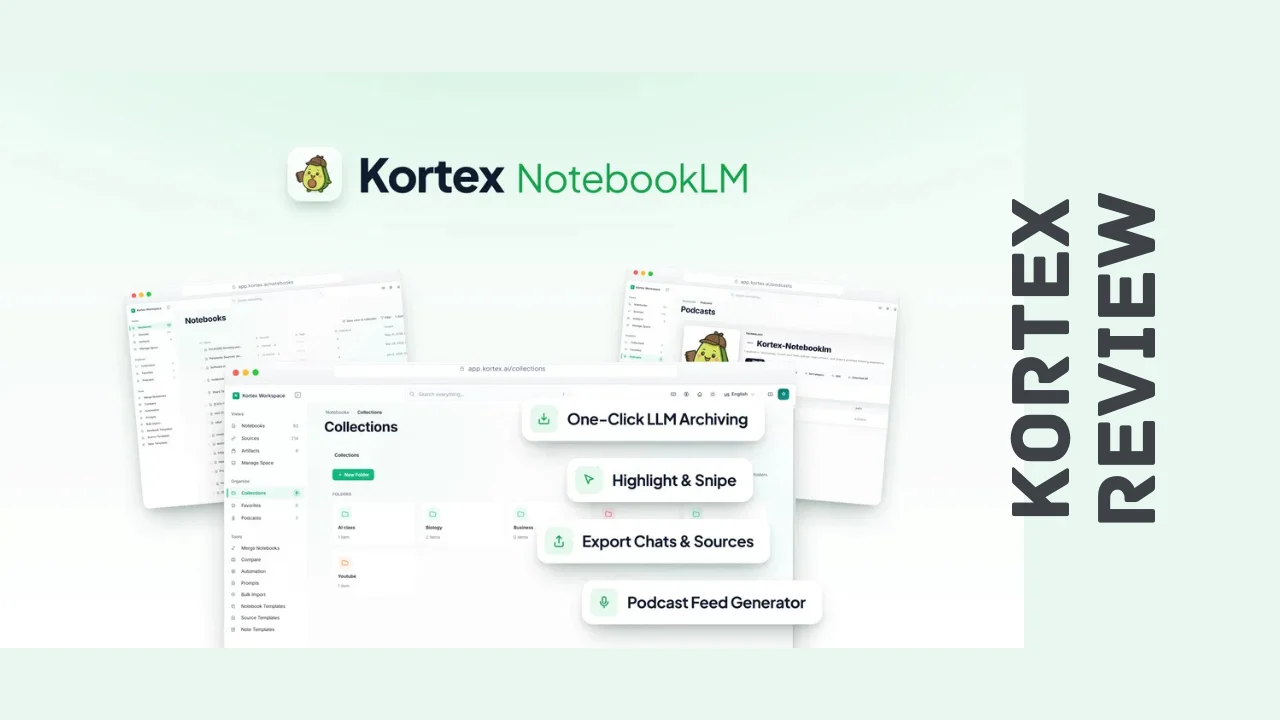
If you use ChatGPT, Claude, Gemini, or Perplexity for research, you already know the pain of losing a great answer in an endless scroll of past conversations. NotebookLM is great for organizing sources once they’re in there, but getting your chats, web highlights, and social posts into it usually means a lot of manual copy-pasting. Kortex was built to close that gap.
This Kortex review looks at what the tool actually does, how it performs day to day, what it costs, and whether it earns a spot in your browser if you’re a marketer, researcher, content creator, or small business owner who lives in AI chat windows. Kortex is designed for people who generate a lot of AI-assisted research and need a faster way to capture, organize, and reuse it, without rebuilding their workflow from scratch.
Overview of the Product
Kortex started from a simple observation: NotebookLM is a genuinely powerful research assistant, but it’s isolated from where most people actually do their thinking, which is inside ChatGPT, Claude, Gemini, and Perplexity chat windows. The team built a Chrome extension to bridge that gap, letting you pull an entire AI conversation into a notebook with a single click instead of copying it manually.
The company is a small, bootstrapped startup based in Surat, Gujarat, India, and launched in mid-2025. Since then, it has grown into a tool used by a genuinely large base of self-described power users, and the founder has kept a visible, hands-on presence, regularly posting updates, fixing bugs quickly, and being upfront when something doesn’t go as planned.
The target audience is squarely researchers, bloggers, content creators, consultants, and solopreneurs who use AI chat tools constantly and need a system to organize what comes out of them. If your browser tabs are a graveyard of half-remembered ChatGPT threads, this is the audience Kortex is built for.
Key Features
Kortex packs a lot of functionality into what is technically just a browser extension. Here’s a look at the core Kortex features:
- One-click AI chat import – Pull entire conversations from ChatGPT, Claude, Gemini, or Perplexity directly into any NotebookLM notebook without copying and pasting.
- Web highlighting – Select text on any webpage and save it as a cited source, building your research library as you browse instead of after the fact.
- Social post capture – Import Reddit and X posts with full context and source links preserved, so you’re not losing the original thread.
- Flexible exports – Send notebook sources to Markdown, PDF, Text, or ZIP formats, so your research isn’t locked inside one interface.
- Curated chat briefings – Select individual messages from a longer conversation to build clean, shareable summaries without the noise.
- Audio overviews and private podcasts – Generate an audio version of any notebook in one click and publish it as a private RSS feed compatible with Apple Podcasts and Spotify.
- Built-in podcast player – Manage, reorder, and download episodes to keep a growing research feed organized.
- Automation pipelines – Build rules with triggers and actions, like automatically tagging a source, generating a briefing, or routing content to a podcast feed.
- Pre-built workflows – Use ready-made pipelines like Auto-Researcher and Podcast Curator instead of building automation from scratch.
- Stored prompt library – Save and reuse your best prompts across projects instead of rewriting them every time.
- Cloud sync and bulk operations – Sync across devices and handle bulk imports or bulk generation when you’re processing a lot of content at once.
Between the AI chat capture and the podcast export feature, this is one of the more inventive tools we’ve seen for turning scattered AI research into something usable, which is part of why it’s picking up attention among people searching for productivity tools for entrepreneurs.
Ease of Use & User Experience
Kortex installs as a Chrome extension, which means there’s no separate app to manage. It sits quietly inside ChatGPT, Claude, Gemini, and Perplexity, and once you’re signed in, capturing a conversation is as simple as clicking the extension icon while you’re in a chat. Web highlighting works the same way: select text on any page, and it saves straight into your notebook with the source link attached.
The learning curve is fairly gentle for basic capture and export, but the automation pipelines take more time to set up properly if you want triggers and actions running exactly the way you’d like. The stored prompt library and podcast feed features are genuinely well thought out once you get into them, though newer users may need a few minutes with the documentation to understand how the podcast publishing flow actually works end to end.
Worth mentioning honestly: some users ran into a “failed to load notebooks” error caused by network-level blocks from ad blockers, VPNs, or firewalls interfering with the connection to NotebookLM. The team identified the cause, shipped a fix, and communicated about it directly and transparently, which says something about how actively this product is being maintained. A handful of reviews also mention minor formatting quirks on export, which is worth testing against your own workflow early on.
Kortex Pricing Breakdown
Kortex pricing is currently a one-time payment for lifetime access instead of a recurring subscription, which is a meaningful difference if you’re trying to avoid another monthly software bill. Here’s how the current Kortex lifetime deal tiers compare:
| Plan | Price | Stored Prompts | Podcast Feed | Folders | Imports | Cloud Sync | Automation Pipelines | Bulk Operations |
|---|---|---|---|---|---|---|---|---|
| Tier 1 | $49 (one-time) | 200 | 1,000 minutes | Unlimited | Unlimited | Included | Included | Included |
| Tier 2 | $79 (one-time) | 500 | 2,000 minutes | Unlimited | Unlimited | Included | Included | Included |
| Tier 3 | $159 (one-time) | Unlimited | 4,000 minutes | Unlimited | Unlimited | Included | Included | Included |
A few things worth noting on Kortex pricing:
- All three tiers include lifetime access, with no recurring monthly cost once you’ve bought a plan.
- There’s a 60-day refund window, giving you enough time to run it against real research projects before deciding if it’s a keeper.
- Every tier includes the full feature set, including automation pipelines, cloud sync, and bulk imports; the differences between tiers come down to stored prompt limits and podcast feed minutes, not locked-away features.
- The top tier has had limited availability tied to an extended membership program at times, so it’s worth checking current eligibility before assuming it’s open to everyone.
- The founder has publicly committed to not reducing what any tier includes for the remainder of the current promotion, which is a reassuring signal if you’re worried about limits shifting after purchase.
For most solo researchers, bloggers, or consultants, Tier 1 will comfortably cover regular use. If you’re running a heavier research or content pipeline with a lot of automation and long-form audio output, Tier 2 or Tier 3 gives you more breathing room.
Pros and Cons
| Pros | Cons |
|---|---|
| One-time payment instead of a recurring subscription | Chrome-only, so no native support for other browsers |
| Captures AI chats from four major platforms in one click | Automation pipelines take some setup time to master |
| Full feature set available even on the entry tier | Early reliability issues around notebook loading |
| Genuinely useful podcast export feature | Some users report minor export formatting quirks |
| Active, transparent founder communication | Top tier has had restricted availability |
| Stored prompt library saves real time on repeat work | Younger product, so some features are still evolving |
| 60-day money-back guarantee |
Who Should Use It?
Kortex fits best for anyone whose research process runs through AI chat tools and who wants that research organized instead of scattered. That includes:
- Bloggers and content creators who use AI chats for ideation and research and need a faster way to turn that into structured notes or a podcast-style overview.
- Consultants and analysts who need to build shareable, cited research briefings from long AI conversations without manually copying quotes.
- Solopreneurs and founders juggling multiple research threads across ChatGPT, Claude, and Gemini who need one place to consolidate everything.
- Podcasters and educators who want to turn written research into audio content without a separate production step.
- Students and lifelong learners using NotebookLM as a study tool who want faster ways to feed it source material.
If your work involves regularly pulling insights out of AI chat tools, this is a genuinely practical addition to your stack.
Comparison With Competitors
| Feature | Kortex | Evernote | Notion |
|---|---|---|---|
| Pricing model | One-time lifetime payment | Monthly subscription | Freemium, paid AI add-ons |
| Core function | NotebookLM enhancement and automation | Standalone note-taking app | Docs, wikis, and databases |
| Native AI chat capture | Yes, from ChatGPT, Claude, Gemini, Perplexity | No | Limited |
| Audio/podcast export | Yes, private podcast feed | No | No |
| Automation pipelines | Yes, built-in triggers and actions | Limited | Yes, on paid plans |
| Best for | AI-driven researchers and content creators | General note-taking | Team wikis and shared databases |
When people search for Kortex alternatives, Evernote and Notion tend to come up because they’re the more familiar names in the note-taking and knowledge-management space. Neither one, though, is purpose-built around capturing AI chats or exporting research into a listenable format. Kortex isn’t trying to replace a general note-taking app; it’s solving a narrower, more specific problem, which is exactly why it works so well for people whose research already lives inside AI chat tools.
User Feedback Summary
User ratings for Kortex currently sit at around 3.9 out of 5 from 20 reviews, with the majority landing in the top rating bracket. The most common praise points to the AI chat capture feature, the ease of exporting sources, and how much time the automation pipelines save once they’re set up. Several reviewers also called out the founder’s responsiveness, noting that support requests and bug reports get addressed quickly.
The lower end of the rating spread reflects a real, if smaller, group of users who ran into reliability issues early on, particularly around notebooks failing to load and occasional formatting quirks on export. The team has been transparent about these problems, shipped fixes, and publicly documented what went wrong and how it was resolved, which is worth factoring in as a sign of active support rather than a red flag on its own.
Frequently Asked Questions
What is Kortex used for?
Kortex is a Chrome extension that captures AI chats, web highlights, and social posts and sends them directly into NotebookLM. It’s used by researchers, content creators, and solopreneurs to organize scattered AI conversations into structured notebooks, exportable documents, and even private podcast feeds.
Is Kortex a one-time payment?
Yes. Instead of charging monthly, Kortex currently offers lifetime access through a single one-time payment across three tiers, with differences mainly in stored prompt limits and podcast feed minutes. This makes Kortex pricing more predictable than typical subscription-based research tools.
Does Kortex work with ChatGPT and Claude?
Yes, this is one of the core Kortex features. The extension sits directly inside ChatGPT, Claude, Gemini, and Perplexity, letting you import an entire conversation into a NotebookLM notebook with a single click instead of copying and pasting manually.
Can Kortex turn research into a podcast?
Yes. Kortex can generate an audio overview of any notebook and publish it as a private RSS feed compatible with Apple Podcasts and Spotify. You can manage, reorder, and download episodes from a built-in player as your research feed grows.
Is Kortex good for small businesses and solopreneurs?
Yes, Kortex was built with solopreneurs, bloggers, and small research-driven teams in mind. Its entry tier includes the full feature set, making it a genuinely affordable software option for anyone who relies on AI chat tools for research but doesn’t want a bloated enterprise platform.
What are the best Kortex alternatives?
The most commonly compared tools are Evernote and Notion, both established names in note-taking and knowledge management. Neither offers native AI chat capture or podcast-style audio export the way Kortex does, so the comparison mostly comes down to whether you need general note-taking or AI-specific research automation.
Does Kortex offer a refund if it’s not a good fit?
Yes. Kortex currently backs its lifetime plans with a 60-day money-back guarantee, giving you enough time to test the chat capture, export options, and automation pipelines against your actual research workflow before deciding whether to keep it.
Is Kortex only for NotebookLM users?
Kortex is built specifically to extend NotebookLM, so it works best if you’re already using or planning to use it as your research hub. If you have no interest in NotebookLM, the core value proposition, one-click AI chat capture into notebooks, won’t apply the same way.
Final Verdict
Wrapping up this Kortex review, this is a smart, narrowly focused tool that solves a real problem for anyone drowning in AI chat history. The one-click capture from ChatGPT, Claude, Gemini, and Perplexity is genuinely useful on its own, and the podcast export feature is the kind of detail that separates this from a basic browser extension. Add in a one-time payment model, a full feature set even on the entry tier, and a founder who’s visibly active in fixing problems, and it’s a reasonable bet for the price.
It’s not a perfect product yet. It’s Chrome-only, the automation pipelines take some patience to configure well, and early reliability hiccups are worth knowing about even though they’ve been addressed. But none of that erases the core value: if you’re generating research through AI chats regularly, this fills a gap that most note-taking tools simply don’t touch.
If you’re a blogger, consultant, content creator, or solopreneur who treats AI chat tools as part of your daily research process, Kortex is worth trying, especially with a 60-day window to test it against your real workflow. For anyone tired of losing good research in a chat history nobody can search, it’s a genuinely practical pickup.