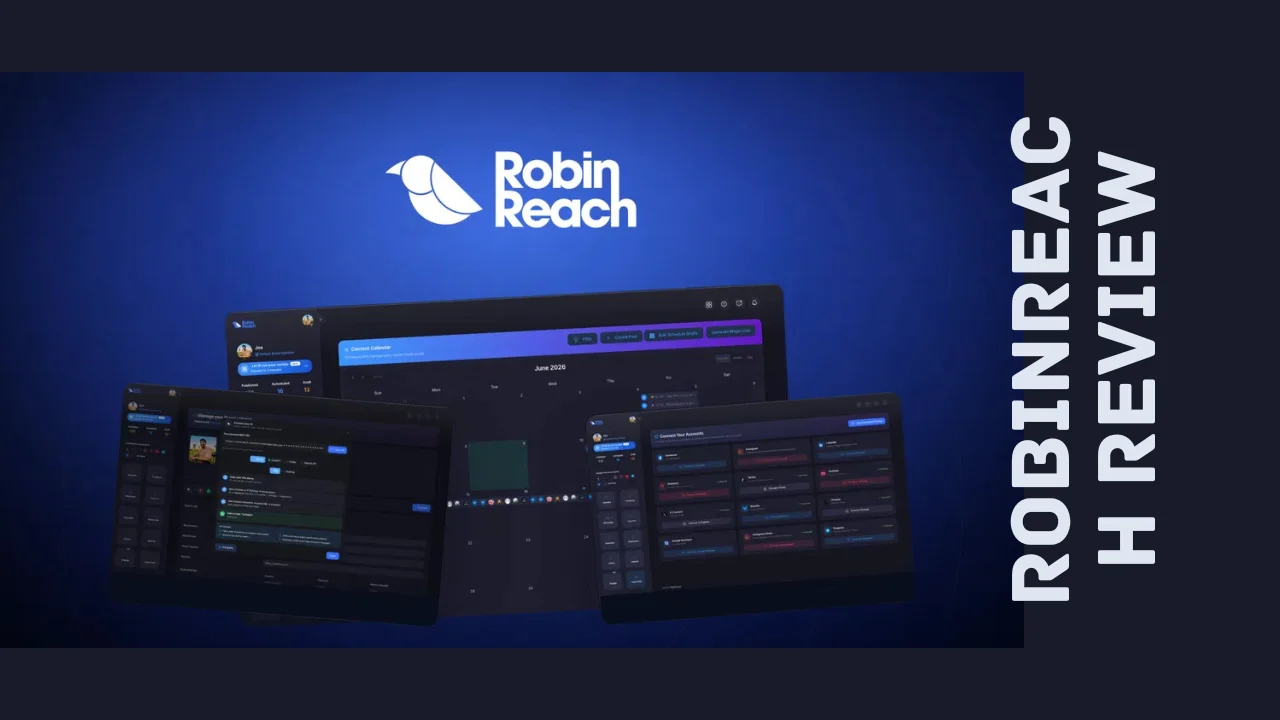
Managing social media for a small business feels like a full-time job on top of your actual full-time job. You’re writing captions at midnight, resizing the same video five different ways, and trying to remember which platform you already posted to. If that sounds painfully familiar, you’re exactly the person this RobinReach review was written for.
RobinReach is a social media management platform built to take the manual grind out of posting, scheduling, and content creation. It leans heavily on AI, letting you connect tools like Claude, ChatGPT, or Codex directly to your social accounts so you can plan, draft, and publish content by simply chatting with your assistant instead of clicking through a dozen menus. It’s aimed squarely at startups, solopreneurs, small business owners, agencies, and marketers who need to look active on social media without hiring a full content team.
In this review, we’ll walk through what RobinReach actually does, how much it costs, who it’s genuinely good for, and where it falls short, so you can decide whether it deserves a spot in your toolkit.
Overview of the Product
RobinReach launched out of London and was built by founder Shaher Shamroukh, who started the company after getting fed up with juggling multiple social accounts using tools that were either too expensive, too clunky, or missing features he actually needed. The idea was simple: build an all-in-one platform that handles content creation, scheduling, and automation without charging enterprise-level prices.
Since its first release, the product has grown considerably. The team has shipped native AI and MCP (Model Context Protocol) integration, added support for platforms like Telegram and Google Business Profile, built out a shared inbox for comments and messages, added e-commerce integrations, approval workflows for teams, and the option to bring your own AI API key. Today, RobinReach serves thousands of active users, and it’s positioned as a direct alternative to bigger, pricier names like Buffer and Hootsuite.
The target audience is clear from the feature set: small businesses, social media managers, agency teams, consultants, and solopreneurs who need to publish consistently across many platforms but don’t have the budget or time for a bloated enterprise tool. If you’re the kind of business owner comparing productivity tools for entrepreneurs against your monthly budget, this is the category RobinReach is competing in.
Key Features
RobinReach packs a genuinely large feature set for a tool aimed at small teams. Here’s what stands out most in terms of RobinReach features:
- AI and MCP integration – Connect Claude, ChatGPT, or Codex to your account through a single URL, giving your AI assistant direct access to more than 40 actions, including creating posts, scheduling content, managing your calendar, and pulling reports.
- Native publishing across 12 platforms – Post directly to Facebook, Instagram, LinkedIn, X, YouTube, TikTok, Threads, Bluesky, Telegram, Pinterest, and Google Business Profile, all from a single dashboard.
- Per-platform customization – Adjust captions, hashtags, and formatting for each network individually, with a live preview before anything goes live.
- Automatic video repurposing – Upload a video once and RobinReach reformats it to fit the specs of each platform, so it never looks like a lazy cross-post.
- RobinGen AI writing assistant – Generate on-brand captions, post copy, and even comment replies using the built-in AI writer.
- AI image generation and stock library – Create custom graphics and thumbnails with the AI image tool, or pull from an integrated Unsplash library when you need something fast.
- Visual content calendar – Plan and queue an entire month of posts on a drag-and-drop calendar, then let it publish automatically.
- E-commerce automation – Auto-post new products from Shopify, WooCommerce, Etsy, or WordPress straight to your social profiles.
- RSS feed automation – Connect an RSS feed and turn new blog posts or articles into scheduled social content without manual work.
- Bulk upload and link tools – Import content in bulk via CSV, and shorten links automatically through Bitly or Switchy integrations.
- Community inbox – Reply to comments and messages across connected platforms from one unified inbox.
- Approval workflows and multi-brand support – Manage several brands or clients under one account, with approval steps built in for team collaboration.
- Analytics and reporting – Track performance with basic or advanced analytics, plus downloadable PDF reports on higher plans.
That’s a wide net for a tool positioned as affordable software, and it’s one of the reasons this keeps coming up when people search for the best tools for small business social media management.
Ease of Use & User Experience
First impressions matter, and RobinReach generally makes a good one. The dashboard is clean and doesn’t try to cram every feature onto one screen, which helps if you’re not naturally techy. Setup involves connecting your social accounts through standard OAuth logins, and the platform walks you through linking each network individually rather than dumping you into a blank workspace.
The content calendar is where most people will spend their time, and it works the way you’d expect: drag a post to a new date, click in to edit copy or swap an image, and preview exactly how it’ll look on each platform before it goes out. If you’re setting up the MCP connection to control everything through an AI assistant, that part takes a bit more technical comfort, but the single-URL setup keeps it far simpler than most API integrations.
On the support side, users consistently mention quick, helpful responses when something goes wrong, which matters a lot for a solo business owner who can’t afford downtime. The rough edges show up in smaller areas, like occasional hiccups with API-driven content syndication and limited support for non-English languages in some AI features. Neither is a dealbreaker, but they’re worth knowing about going in.
RobinReach Pricing Breakdown
RobinReach pricing is currently structured as a one-time payment for lifetime access, rather than a recurring monthly subscription, which is a big part of the appeal for budget-conscious founders. Here’s how the current RobinReach lifetime deal tiers break down:
| Plan | Price | Brands | Members | Social Profiles | Media Library | AI Text Posts | AI Images | RSS Feeds | Repurposing Tasks | Analytics |
|---|---|---|---|---|---|---|---|---|---|---|
| Tier 1 | $69 (one-time) | 2 | 1 | 5 | 5 GB | 200/month | 20/month | 1 | 1/month | Basic |
| Tier 2 | $169 (one-time) | 5 | 5 | 15 | 15 GB | 500/month | 50/month | 5 | 3/month | Advanced |
| Tier 3 | $369 (one-time) | 15 | 15 | 40 | 50 GB | Unlimited | 100/month | 10 | 10/month | Advanced + PDF reports |
| Tier 4 | $719 (one-time) | Unlimited | Unlimited | 200 | 100 GB | Unlimited | 500/month | Unlimited | Unlimited | Advanced + PDF reports |
A few things worth flagging on RobinReach pricing:
- All four tiers include lifetime access, so you’re not paying month after month once you’ve bought in.
- There’s a 60-day refund window, so you can test the platform against your actual workflow before committing for good.
- Higher tiers unlock extras like X (Twitter) account connections, the community inbox, API and MCP access, bring-your-own-key support, and deeper e-commerce and WordPress integrations.
- You can move between tiers while the promotional pricing window is open, and downgrade within the refund period if a lower tier turns out to be enough.
For a solopreneur or a two-person team, Tier 1 or Tier 2 will likely cover everything you need. Agencies managing several client accounts will get far more value out of Tier 3 or Tier 4, especially with unlimited AI text generation and higher social profile limits.
Pros and Cons
| Pros | Cons |
|---|---|
| One-time payment instead of a monthly subscription | Higher AI image and repurposing limits require upper tiers |
| Native MCP integration for Claude, ChatGPT, and Codex | Occasional bugs with API-driven content syndication |
| Publishes to 12 platforms from a single dashboard | Limited support for non-English AI content generation |
| Strong automation: RSS, e-commerce, bulk CSV upload | Advanced analytics with PDF reporting locked to higher tiers |
| Clean, beginner-friendly dashboard and calendar | Community inbox and X integration not on the entry tier |
| Responsive customer support | Learning curve for setting up AI/MCP workflows |
| 60-day money-back guarantee | Newer product, so some features are still maturing |
Who Should Use It?
RobinReach fits best for people managing social media without a big team behind them. Specifically:
- Solopreneurs and small business owners who need to stay visible across multiple platforms without spending hours a day doing it manually.
- Social media managers and agencies juggling several client brands, thanks to multi-brand support and approval workflows.
- Content creators who produce video and want it automatically reformatted for every platform instead of manually re-editing each version.
- E-commerce store owners running Shopify, WooCommerce, or Etsy shops who want new product launches to post automatically.
- Consultants and marketers who already use AI assistants daily and want their social workflow folded directly into that same conversation-based tool.
If you fall into any of these groups and you’ve been priced out of tools like Hootsuite’s higher tiers, this is worth serious consideration.
Comparison With Competitors
| Feature | RobinReach | Buffer | Hootsuite |
|---|---|---|---|
| Pricing model | One-time lifetime payment | Monthly subscription | Monthly subscription |
| Platforms supported | 12 | Around 10 | 10+ |
| AI content generation | Built-in (RobinGen + image AI) | Limited AI assist | Limited AI assist |
| MCP/AI assistant integration | Yes, native | No | No |
| E-commerce automation | Shopify, WooCommerce, Etsy, WordPress | Limited | Limited |
| Best for | Small businesses, solopreneurs, agencies | Individuals, small teams | Mid-size to enterprise teams |
| Typical cost over 2 years | Fixed one-time cost | Several hundred dollars | Often over a thousand dollars |
When people search for RobinReach alternatives, Buffer and Hootsuite are usually the first names that come up, largely because RobinReach positions itself directly against them. The biggest differentiator is cost structure: Buffer and Hootsuite bill monthly indefinitely, while RobinReach’s current pricing model means you pay once and keep the plan for good. If budget predictability matters more to you than brand recognition, that difference adds up fast.
User Feedback Summary
Public reviews put RobinReach at roughly 4.6 out of 5 stars from over 70 ratings, with the large majority landing in the top rating bracket. The recurring themes in user feedback line up with what you’d expect from a growing product: people consistently praise the breadth of platform integrations, the AI-powered content creation tools, and how approachable the interface feels compared to more established competitors. Customer support gets called out often as fast and genuinely helpful, which matters a lot for solo users without an IT department to fall back on.
The criticism is fairly minor and consistent too. A handful of users mention occasional issues with API-driven syndication between platforms, and some note that AI content generation works best in English, with more limited quality in other languages. Neither complaint shows up as a dominant pattern, but they’re honest data points worth factoring in if either applies to your business.
Frequently Asked Questions
What is RobinReach used for?
RobinReach is a social media management platform that lets you plan, create, schedule, and publish content across 12 platforms from one dashboard. It uses AI to write captions, generate images, repurpose videos, and even lets you manage your accounts by chatting with an AI assistant through its MCP integration.
Is RobinReach a one-time payment?
Yes. Rather than charging a recurring monthly fee, RobinReach currently offers lifetime access through a single one-time payment, with four tiers based on how many brands, social profiles, and AI credits you need. This makes RobinReach pricing more predictable than typical subscription-based competitors.
Does RobinReach really integrate with ChatGPT and Claude?
Yes, this is one of its standout RobinReach features. Through native MCP support, you can connect Claude, ChatGPT, or Codex using a single URL, giving the AI assistant access to more than 40 actions like scheduling posts, managing your calendar, and pulling analytics reports directly through conversation.
How many social media platforms does RobinReach support?
RobinReach currently supports native publishing to 12 platforms, including Facebook, Instagram, LinkedIn, X, YouTube, TikTok, Threads, Bluesky, Telegram, Pinterest, and Google Business Profile, all managed from a single unified dashboard and calendar.
Is RobinReach good for small businesses?
Yes, RobinReach was built specifically with small businesses, solopreneurs, and small agencies in mind. Its lower-priced tiers cover enough brands, profiles, and AI credits for most single-owner operations, making it one of the more affordable software options among current social media management tools.
What are the best RobinReach alternatives?
The most commonly compared tools are Buffer and Hootsuite, both of which offer similar scheduling and cross-posting features. The main difference is cost structure: those tools charge ongoing monthly subscriptions, while RobinReach currently offers lifetime access through a one-time payment.
Does RobinReach offer a refund if it’s not a good fit?
Yes. RobinReach currently backs its lifetime plans with a 60-day money-back guarantee, giving you enough time to actually test the platform against your real posting schedule and content workflow before deciding if it’s the right long-term fit.
Can RobinReach handle e-commerce or WordPress automation?
Yes. RobinReach can automatically post new products from Shopify, WooCommerce, and Etsy directly to your social accounts, and it also connects with WordPress and RSS feeds so new blog content gets turned into scheduled social posts without manual work.
Final Verdict
Wrapping up this RobinReach review, this is a genuinely capable tool for a business that needs to look consistent on social media without hiring someone to manage it full time. The AI and MCP integration is the most forward-looking part of the product, and the sheer number of platforms it publishes to natively is hard to match at this price point. The one-time payment structure is the real selling point here: over a couple of years, it’s likely to cost far less than a Buffer or Hootsuite subscription while offering comparable, and in some areas broader, functionality.
It’s not flawless. The AI works best in English, a few users have run into API syncing hiccups, and you’ll want to pick your tier carefully based on how many brands and how much AI usage you actually need. But none of that outweighs what you get for the price.
If you’re a solopreneur, a small business owner, or an agency managing a handful of client accounts, RobinReach is worth trying, especially with a 60-day window to back out if it doesn’t fit your workflow. For anyone tired of subscription fatigue and looking for a serious, AI-driven way to handle social media without the enterprise price tag, this one earns its spot on the shortlist.